

If you’re building a home studio or a guitar-centric workspace, a good monitor arm is one of those “unsexy” upgrades that quietly changes everything.
Getting your screens off the desk frees up space for interfaces, pedals, and notes, and lets you position your DAW exactly where you need it while tracking or mixing.
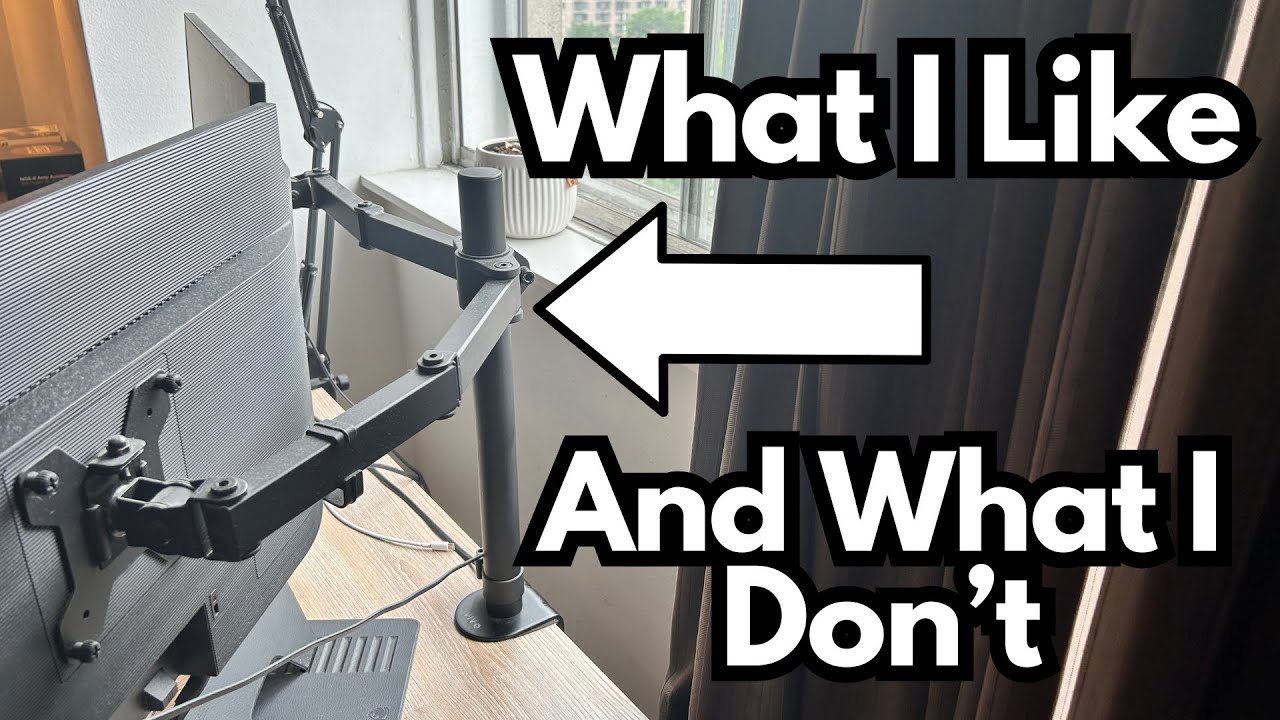
The Vivo monitor arms are a popular budget option, and after about three years of real-world use, they’ve proven to be a solid choice for guitarists and creators who live at their desks. Especially. You can grab mine in particular, or the one I used, on Amazon.
Overview / First Impressions
The Vivo monitor arms deliver exactly what most players and home producers need:
- Flexible positioning for your screens
- A secure, tight clamp on the desk
- Integrated cable management
- All at a very reasonable price
In day-to-day use, they just work. Once you get them set the way you like, they stay put and don’t become something you have to think about—ideal when your focus should be on tone, not hardware.
Build Quality & Design
These arms feel solid for the price. After roughly three years of use:
- No wobble or sagging: Once tightened, the monitors stay exactly where they’re placed.
- Strong desk clamp: The rear clamp locks onto the desk very securely. There’s no sense that the monitors are at risk of slipping or falling.
- Durable joints: The joints and hinges can be tightened down enough to keep heavier screens stable.
If you like a very firm, locked-in setup—especially useful if you’re constantly bumping the desk with guitars, stands, or gear—you can crank everything down and trust it.
Features & Functions
From a functionality standpoint, the Vivo arms cover all the essentials:
- Full range of motion
- Up and down adjustment
- Side-to-side swivel
- Tilt to angle your screen just right
- Adjustable tension
You can tighten or loosen the joints depending on how easily you want the monitors to move. In this setup, they’ve been tightened quite a bit, which makes movement less smooth but more secure. - Cable management
Built-in cable holders on the arms allow you to route monitor power and display cables neatly, keeping your desk clean and preventing cables from dangling into your recording space.
For a guitar player or producer, that cable management is especially handy when you’ve already got enough wires from interfaces, pedals, mics, and power supplies.
How It Works in a Guitar / Studio Setup
In a guitar-oriented studio, the benefit of these arms shows up in a few key ways:
- More desk space for gear
With monitors off the desk, you gain room for your audio interface, reamp boxes, pedalboards, and small amps or modelers. - Better ergonomics while tracking
You can position your DAW screen so you’re not craning your neck while sitting with a guitar, or move the monitor slightly to avoid glare when filming content. - Stable while playing
Even with the desk getting occasional bumps from guitars, stands, or tapping your foot, the arms keep the monitors steady and in place.
Once you dial in your preferred height and angle, you can effectively “set and forget” them.
Limitations / Things to Know
There aren’t many real downsides here, especially given the price, but there are a couple of practical notes:
- Movement vs. tightness
If you tighten the joints a lot for maximum stability, the arms won’t move as smoothly. It’s less a flaw and more a trade-off: you either prioritize easy repositioning or rock-solid stability. - Not a premium finish piece
While the build is solid, these are functional tools more than statement pieces. If you’re going for a super high-end, designer studio aesthetic, you might look at more expensive arms—but you’ll pay a lot more for marginal gains.
Overall, for most home studios and guitar workstations, these “limitations” are minor.
Final Thoughts
The Vivo monitor arms are a fantastic value for guitarists, producers, and content creators who want:
- Flexible, reliable screen positioning
- A rock-solid clamp that feels safe
- Cleaner cable routing and more desk space
- All without spending a fortune
After around three years of use, there’s essentially nothing negative to report. They do their job, stay secure, and help keep a studio setup both functional and tidy.
If you’re building or upgrading a home guitar studio and you’re still using stock monitor stands or letting screens eat up desk space, these are absolutely worth it.