

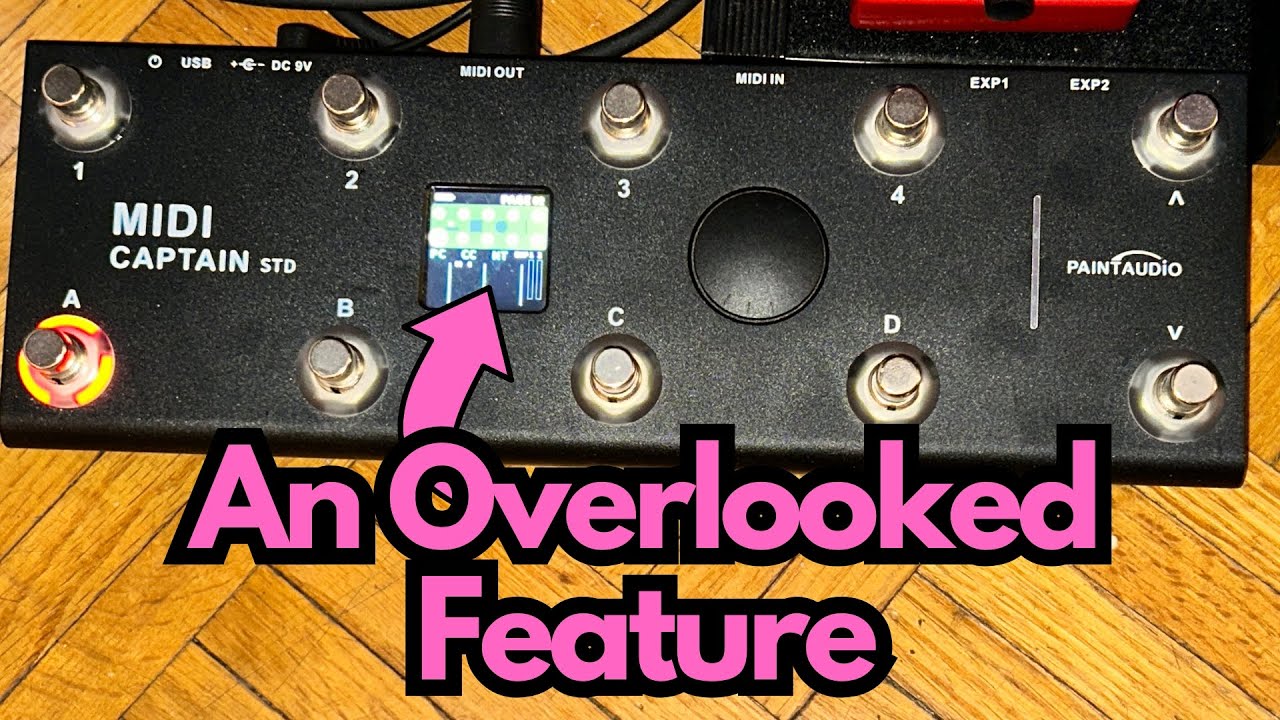
If you’re a guitarist dabbling in MIDI control, it’s easy to overlook some of the deeper features in compact controllers.
The Midi Captain STD is one of those pieces of gear that looks simple on the surface but hides a surprising amount of flexibility—especially once you understand how its “pages” work. You can grab one here on Amazon if you’re interested.
This post breaks down how the paging system works, why it matters, and how it can streamline controlling multiple pedals like loopers and multi‑FX from a single, small-footprint controller.
Overview / First Impressions
The Midi Captain STD is a compact MIDI foot controller with multiple assignable switches. At first glance, it looks like a straightforward unit with a handful of buttons—but the real magic is in its ability to use multiple pages of controls.
Each page essentially gives you a new “set” of footswitch assignments. That means you’re not limited to just what’s physically on the top panel; you can flip through different configurations and control multiple devices or multiple functions on the same device.
For guitarists running a few MIDI-capable pedals or a small pedalboard rig, this turns a tiny controller into a surprisingly powerful command center.
Build Quality & Design
While the original source material doesn’t go into physical construction in depth, a few design points stand out from a usability perspective:
- Compact footprint: Ideal for pedalboard use where space is at a premium.
- Dedicated navigation arrows: The arrow buttons on the right-hand side are used to move between pages, which keeps things simple and intuitive.
- Clear layout: Up to eight main controls per page, plus navigation, laid out in a way that’s easy to remember once you’ve set up your rig.
From a guitarist’s standpoint, it’s designed to live on a pedalboard and be operated with your feet in real time—no menu-diving mid-song.
Features & Functions
The Paging System
The standout feature here is the paging system:
- Eight main controls per page (plus two arrow buttons for navigation)
- Up to 16 pages available
Depending on how you count the controls, you effectively get:
- Eight footswitch-style controls × 16 pages, or
- Ten controls (including the arrows) × 16 pages
In practical terms, that means you can have up to 160 different programmable slots across all pages.
Each page can be set up to:
- Control a different device
- Control different functions on the same device
- Mix and match—e.g., a page for looping, a page for modulation and delay, etc.
Example: Multi-Pedal Control
Here’s a practical example from a guitarist’s rig:
- Page 1: Assigned to a Boss RC-1 looper
Individual switches could be set for record, play, stop, clear, etc. (depending on how your MIDI mapping and pedal capabilities are set up). - Page 2: Assigned to a Line 6 M5 multi‑FX unit
Switches could change presets, toggle effects on/off, or control tap tempo, again depending on how you map the MIDI messages.
To switch between controlling the RC-1 and the M5, you simply use the arrow buttons on the right side of the Midi Captain STD to change pages. No re-cabling, no mode-switching on the pedals themselves—just flip the page and you’re talking to a different device.
How It Feels to Use (From a Guitarist’s Perspective)
The Midi Captain STD doesn’t affect your tone directly, but it absolutely affects how you interact with your sound.
Practical Use Cases
- Live looping:
Use one page dedicated to a looper like the Boss RC-1. Keep all your core looping commands under your feet without touching the looper itself. - Compact multi‑FX control:
Use another page to control your Line 6 M5. Call up different patches, toggle effects, or switch between sounds seamlessly mid-song. - Small board, big control:
If you’re running a minimal pedalboard with a couple of MIDI-capable pedals, the paging system lets you keep your board small while still having deep control options. - Song-based pages:
You could even set up pages per song or per set—Page 1 for Song A’s presets and commands, Page 2 for Song B, and so on—especially handy if your rig is MIDI-heavy.
For guitarists who want to keep their hands on the guitar and off the pedals, this kind of control is a big win.
Limitations / Things to Know
A few practical considerations:
- Learning curve:
While the concept of pages is simple, you’ll need to remember what each page does and how each switch is mapped. Labeling or a reference sheet can help, especially early on. - Setup time:
To really benefit from 16 pages and up to 160 control slots, you’ll spend some time programming MIDI messages and organizing your layout in a way that makes sense on stage. - Visual feedback:
Depending on your setup, you may not always have crystal-clear visual feedback from the devices you’re controlling (for example, small screens or LEDs at a distance). You’ll want to get familiar enough that you can trust your muscle memory.
Despite these minor trade-offs, the flexibility you gain usually outweighs the extra setup for most MIDI-oriented guitarists.
Final Thoughts
The Midi Captain STD is an underrated MIDI controller, especially when you factor in its paging system. What looks like a simple, compact controller quickly turns into a powerful hub once you realize you can:
- Run up to 16 pages of controls
- Assign up to 160 different functions
- Seamlessly switch between controlling different pedals like a Boss RC-1 and a Line 6 M5 with just a tap of an arrow button
If you’re a guitarist wanting more control over your MIDI-capable pedals without going to a massive, expensive controller, the Midi Captain STD is absolutely worth a closer look. It punches well above its weight in flexibility and can streamline even a fairly complex pedalboard setup.
Resources
- Check your Boss RC-1 and Line 6 M5 manuals for their MIDI implementation charts so you can map the right commands to each page.
- Look up the Midi Captain STD user manual for detailed instructions on assigning controls, setting up pages, and customizing your rig.