

If you’re running a modern laptop setup—especially for music production, content creation, or heavy multitasking—you eventually hit the same wall: not enough ports, too many devices.
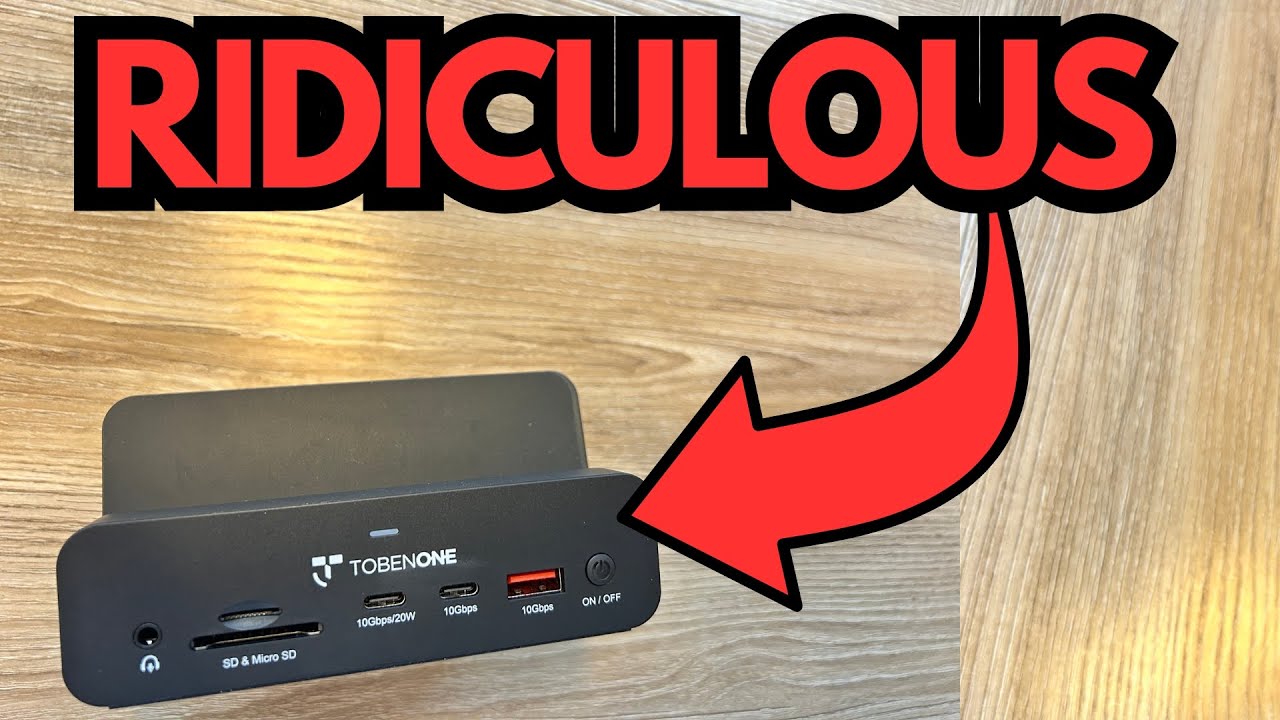
That’s where a good USB‑C docking station like the TobenOne adapter comes in. This particular model is my third from TobenOne, and it’s the one I’ve been using with my MacBook Pro for a full-on music and production rig: dual monitors, audio interface, MIDI keyboard, SSD, security key, and more. You can grab some on Amazon if you’re interested.
Below is a breakdown of how it performs in a real-world, music‑focused workflow.
Overview / First Impressions
Out of the box, the TobenOne dock feels like a complete solution rather than just a bare adapter. It includes:
- The main docking station
- A stand designed to hold your laptop or tablet vertically
- A USB‑C cable for connecting to your computer
- A dedicated 20V power adapter
Unlike many cheap hubs that assume you already have extra cables and power bricks lying around, this one ships with everything you need to get up and running.
This particular model is clearly designed for a desktop-style setup: laptop docked in the stand, everything else plugged into the hub, and your machine acting more like a stationary workstation.
Build Quality & Design
Physically, the dock is compact and tidy, with a separate stand that lets you slot your laptop in vertically. The stand is a nice touch if you want to save desk space or use your laptop with external monitors in a “closed lid” setup.
A few design notes that stand out:
- Detachable USB‑C cable – The cable from the dock to your laptop is not permanently attached. That’s a big plus, because in many cases the cable fails before the dock does. Being able to replace just the cable extends the life of the whole setup.
- External 20V power brick – The dock uses its own power supply, which you plug into the wall. This means it can:
- Power the dock itself
- Provide pass‑through charging to your laptop
- Power button on the dock – There’s a physical power button to turn the dock on or off without unplugging everything.
The overall build feels functional and purpose‑driven rather than flashy—more “reliable studio tool” than “desk jewelry.”
Features & Functions
From a practical standpoint, this dock is all about giving you enough I/O to turn a slim USB‑C laptop into a full production workstation.
Ports & Connectivity (Real-World Setup)
Here’s how I’ve got mine wired up:
- Dual external monitors – Both running without issue from the dock.
- Audio interface – Connected via USB. This interfaces with:
- A MIDI keyboard/piano (via MIDI cable)
- A guitar processor (NUX Trident)
- MIDI keyboard – Running through the audio interface and into the dock.
- External SSD – Plugged into one of the USB ports on the dock for fast project and sample storage.
- MicroSD card – Using the dock’s microSD card slot.
- Security key (YubiKey) – Connected via USB.
- Power delivery – The dock’s power input not only powers the dock but also charges the MacBook Pro through the same USB‑C connection.
There are still additional ports available even with all of that connected, so you’re not instantly maxed out.
Driverless Setup
One of the biggest quality-of-life features: no drivers required.
You plug the dock into your MacBook Pro, connect the power, and it just works. No extra software, no vendor utilities, no weird background processes. For anyone who’s tired of installing drivers just to use a hub, this is a real advantage.
How It Fits a Music & Creator Workflow
While the dock itself doesn’t “sound” like anything, it plays a crucial role in a music or content creation setup by managing all of your audio and MIDI connections cleanly.
Here’s how it fits into a typical guitar/producer workflow:
- Guitar chain
Guitar into processor (e.g., NUX Trident) → processor into audio interface → audio interface into the TobenOne dock → dock into your MacBook Pro. - Keyboard/MIDI chain
Keyboard or piano via MIDI → MIDI cable into the audio interface → interface into the dock → dock into your DAW on the laptop.
With everything plugged into the dock, you get:
- Stable USB connections for your audio interface (no random dropouts in this setup).
- Enough bandwidth to run multiple devices at once (interface, SSD, YubiKey, card reader, etc.).
- Dual monitor support for a DAW on one screen and plugins or a mix window on another.
If you’re a guitarist or producer running a laptop-based studio, this dock lets you treat your MacBook more like a desktop tower—everything stays connected, and you just dock or undock a single cable.
Limitations / Things to Know
A few practical points to keep in mind:
- Desk layout matters
The dock is designed so your laptop sits in the included stand. If your current setup is messy or you like your laptop open in front of you, you might need to rethink your desk layout to get the full benefit of the stand. - External power is required
This isn’t a tiny bus‑powered travel dongle. It needs its 20V power adapter plugged into the wall to function properly and to charge your laptop. - Not a “throw in your gig bag” hub
It’s better suited to a semi-permanent home or studio setup rather than quick on-the-go use. You can move it, but it really shines as a stationary dock.
Final Thoughts
The TobenOne USB‑C docking station is a solid, practical choice if you’re turning a USB‑C laptop into a full-fledged workstation—especially for music production, guitar processing, and content creation.
Highlights:
- Comes with everything you need (stand, cable, power adapter).
- Handles dual monitors without drama.
- Plays nicely with audio interfaces, MIDI gear, SSDs, and security keys.
- No drivers required—true plug-and-play.
- Detachable cable for easier replacement and longer lifespan.
If your current setup involves constantly swapping cables, unplugging your audio interface to use an SSD, or fighting with too few ports, a dock like this can clean up your workflow dramatically.