

If you’re running a laptop-based setup and juggling multiple displays, a solid docking station can completely change how you work.
The TobenONE Quad Docking Station aims to be that central hub: one cable to your computer, up to four monitors, plus USB, SD cards, Ethernet, and power delivery.
This post walks through what this dock actually offers, what it does well, and a few limitations you need to know before you buy—especially if you’re on a Mac.
You can grab it here on Amazon if you’re interested.
Overview / First Impressions
The TobenONE Quad Docking Station is designed for people who:
- Want to run multiple external monitors from a laptop
- Need extra USB ports, SD card readers, Ethernet, and power delivery in one box
- Prefer a desktop-style hub instead of a mess of individual adapters
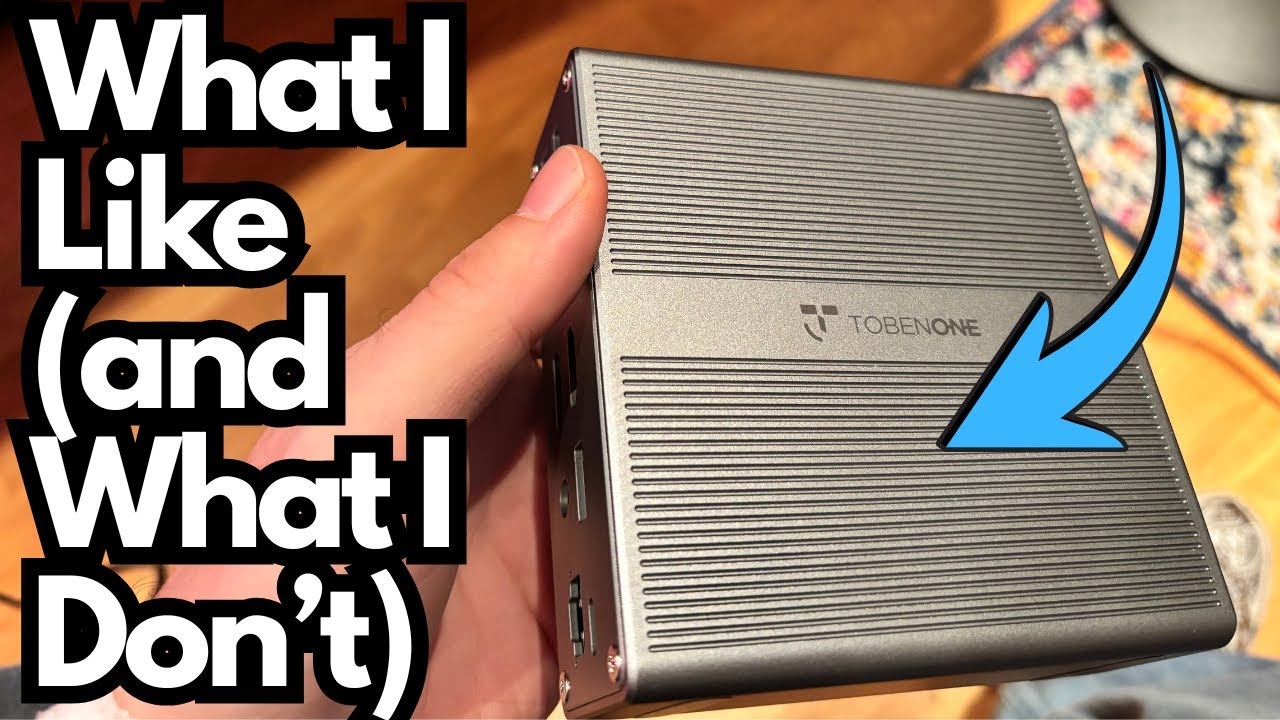
Out of the box, it’s a sturdy, steel-encased unit that feels more like a piece of desktop gear than a flimsy dongle. It’s clearly meant to live on your desk full-time as the main connection point for your setup.
Build Quality & Design
The physical design is straightforward and functional.
Steel Enclosure
- Steel chassis
- Feels solid and durable
- Has enough weight that it doesn’t slide around easily on the desk
Port Layout
All the essentials are lined up on the chassis:
- 4× HDMI outputs
- 2× DisplayPort (DP) outputs
- 3× USB ports
- USB-C port with 18W power delivery
- Full-size SD card slot
- MicroSD card slot
- Ethernet port
- USB charging port
- Host port (this is the one that connects to your computer)
Power Cable Length
The power cable is long enough to be practical, which is more important than it sounds. Many docks ship with comically short power leads that limit where you can place them; this one doesn’t have that issue.
Overall, the build feels like something you leave hooked up permanently, not a travel accessory.
Features & Functions
Display Outputs: 4 HDMI, 2 DP – With a Catch
The headline feature is the ability to connect up to four external monitors, but there’s an important detail:
- Of the four HDMI ports:
- Two are hardware-based (they work like normal, direct outputs)
- Two are driver-based (they rely on additional software/drivers to function)
On top of that, you also get two DisplayPort outputs, giving you flexibility depending on what your monitors support.
USB & Connectivity
The dock includes:
- 3× USB ports for peripherals like:
- Mouse
- Keyboard
- External drives
- Audio interfaces, etc.
- USB-C port (18W power delivery), handy for charging smaller devices (phones, wireless earbuds, etc.)
- USB charging port dedicated for charging, not data
- Ethernet port for a stable wired network connection (great for streaming, large file transfers, or work-from-home setups)
Storage & Media
For creators or anyone dealing with media cards, you get:
- SD card slot
- MicroSD card slot
These make it easy to offload photos, video, or project files without needing extra adapters.
Platform Limits: Mac vs Windows
This is one of the biggest practical differences you need to be aware of.
On Windows
- Supports up to four monitors
- You can fully take advantage of the quad-display capability, assuming:
- Your system supports it
- You’ve installed the necessary drivers for the driver-based HDMI outputs
On macOS
- Limited to three external monitors
- Even though the dock physically has four HDMI ports, MacBook users are capped at three displays with this unit.
If you’re on a Mac and were hoping for a true four-monitor setup, that’s a dealbreaker you should know ahead of time.
Driver Requirements
This dock is not completely plug-and-play.
- Two HDMI ports are driver-based:
- You must install the appropriate drivers for those outputs to work
- Without the drivers, only the hardware-based ports will function
From a usability standpoint, it would be nicer if everything worked natively without extra software, but that’s the trade-off with many multi-display docks that go beyond what your laptop’s GPU natively supports.
HDCP & Streaming Limitations
Another important limitation: HDCP-protected content.
- If you’re trying to watch HDCP content (like Netflix and certain streaming services) through the displays connected to the driver-based outputs, you’ll run into issues.
- Because of how the drivers and virtual screens work, Netflix and similar services may not play properly through this adapter.
If your main use case is productivity (coding, office work, DAWs, editing timelines, etc.), this may not matter. If you want a dock for watching streaming content on multiple displays, this is something to keep in mind.
Real-World Use / Who It Suits Best
In practice, the dock works reliably for multi-monitor productivity setups.
- For two-monitor setups, it handles the job easily and cleanly.
- For three monitors on Mac, it’s a nice upgrade from the usual single or dual-display limitations.
- For Windows power users, it can become the heart of a full four-monitor workstation.
It’s best suited for:
- Remote workers and office users who live in spreadsheets, documents, and browsers
- Creators who need multiple screens for timelines, plugins, and reference material
- Anyone who wants to plug in one cable to their laptop and instantly be connected to:
- Multiple displays
- USB devices
- Wired internet
- SD cards
Limitations / Things to Know
Before you buy, here’s a quick rundown of the key caveats:
- Drivers required:
- Two HDMI ports depend on additional software
- Not a 100% plug-and-play solution
- MacBook display limit:
- Max of three monitors on macOS, even though the dock has four HDMI outputs
- HDCP issues:
- Netflix and some protected content won’t play correctly through certain outputs due to how the drivers handle displays
- Not a travel dock:
- It’s sturdy and more “desktop” oriented; best as a permanent part of your setup
Final Thoughts
The TobenONE Quad Docking Station is a solid, practical hub if you’re building a multi-monitor workstation and want one box to handle displays, USB, Ethernet, and media cards.
It’s not perfect:
- You do need to install drivers.
- Mac users are limited to three monitors.
- HDCP content like Netflix can be problematic on some outputs.
But if your main focus is productivity and workflow rather than media consumption, and especially if you’re on Windows and want up to four displays, it’s a capable, well-built option that does what it promises once it’s set up.
For a two- or three-monitor desk setup, it works just fine—and the long power cable and sturdy steel chassis make it feel like it’s meant to stay on your desk for the long haul.