

If you’re juggling external drives, security keys, SD cards, and a capture card for streaming, you know how annoying it is to crawl under your desk every time you need to plug something in. That’s where a good docking station quietly becomes one of the most useful pieces of gear on your desk.
The TobenONE Docking Station isn’t a flashy “look at me” gadget—it’s the kind of tool that makes your setup cleaner, faster, and easier to use every day. You can grab it here on Amazon if you’re interested.
Overview / First Impressions
The TobenONE Docking Station is essentially a desktop hub that brings all your most-used ports up where you can actually reach them.
In day-to-day use, it works as:
- A front-facing USB hub for:
- Security keys (like a YubiKey)
- External SSDs
- Video capture cards
- A convenient SD / microSD reader
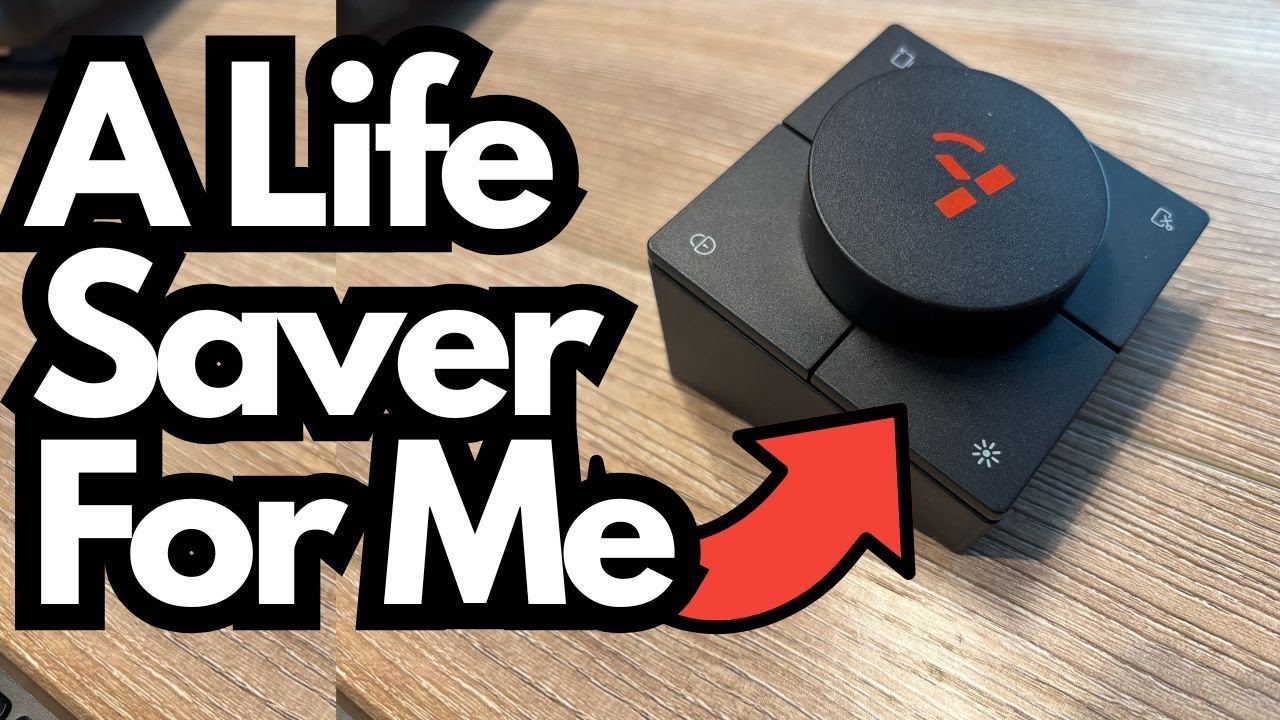
- A mini control surface with volume and shortcut buttons
- A desk-friendly “port extender” so you’re not reaching behind or under your computer
The big win is simple: everything lives on your desk instead of under it.
Build & Desk-Friendly Design
The design is clearly focused on usability:
- Side-mounted SD and microSD slots
Easy to access, no more fumbling around the back of your PC or laptop to offload footage or files. - Front-facing USB ports
You get multiple USB 3 ports plus USB‑C, so you can:- Plug in external SSDs
- Use a YubiKey or other hardware security key
- Power a video capture card
- Attach other peripherals without hunting for ports
- Ethernet and audio on the side
There’s an Ethernet port and what appears to be a headphone adapter on one side, so you can hardwire your network and plug in audio easily. - Desk presence
It sits on your desk and acts like a mini “I/O tower”:- One cable runs back to your host computer
- Everything else plugs into the dock
- Much less cable chaos under the desk
Ports, Features & Functions
Here’s what the TobenONE Docking Station brings to the table.
Core Connectivity
- USB 3 ports
High-speed, modern USB 3 ports for:- External SSDs
- Capture cards
- General peripherals
- USB‑C port
For newer devices and fast data transfer. - Micro USB / additional connectivity
There’s also a micro USB option, which can be handy for certain legacy devices. - SD & microSD slots
Perfect if you’re moving files from cameras, handheld recorders, or other memory cards frequently. - Ethernet port
For a stable, wired internet connection. - Headphone adapter
A dedicated audio jack on the dock so you don’t have to reach around your machine.
Controls & Shortcuts
The dock also includes some physical controls:
- Volume knob / control
- Lets you turn system volume up or down
- Includes a mute function
This is especially useful if your keyboard doesn’t have dedicated volume controls. - Four shortcut buttons
On some systems, these are designed to:- Adjust screen brightness
- Pull up certain windows or tabs
On the setup described, these particular shortcuts didn’t really work, but they may function properly depending on your OS or drivers.
Real-World Use Cases
Here’s how the TobenONE Docking Station can fit into a typical desk setup:
- Streaming & capture
- The dock powers a video capture card via USB
- A single cable from the dock runs to your computer
- Great if you’re streaming console games (like PS3) and want a clean, easy-to-manage connection
- External storage
- Plug in an external SSD for fast project storage
- Quickly swap SD or microSD cards when moving media around
- Security & authentication
- Keep a hardware security key (like a YubiKey) permanently plugged in and accessible
- Everyday convenience
- No more reaching under the desk just to swap a USB drive
- Volume control always within reach
Lighting & Aesthetics
The dock also has built-in lighting:
- It lights up in a subtle, cool way when in use
- In a bright room it’s not very noticeable
- In a darker space, it glows enough to look good without being obnoxious or distracting
If you care how your desk looks on camera or just like a bit of ambient lighting, this is a nice touch.
Limitations / Things to Know
A few practical notes:
- Shortcut buttons may be hit-or-miss
The four shortcut buttons didn’t function properly on the system tested (they’re meant to handle brightness and tab-related tasks). Depending on your computer and OS, your mileage may vary. - Not a full-blown audio interface
While it has a headphone adapter and volume control, this isn’t a replacement for a dedicated audio interface if you need pro-level sound routing or recording. - System compatibility matters
As with any dock, certain features may depend on drivers and OS-level support. If you’re buying it for the shortcuts in particular, double-check compatibility.