

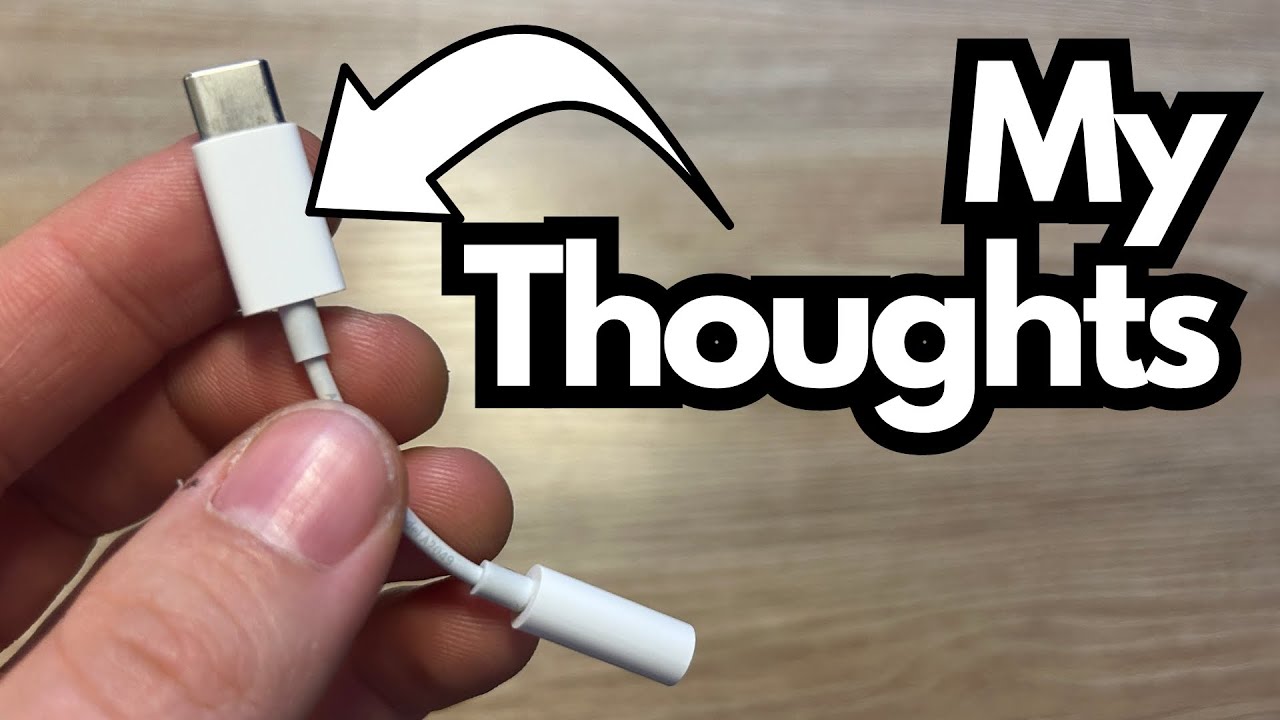
If you’re using an iPad Pro for music—whether it’s practicing with amp sims, tracking ideas, or editing mixes—you’ve probably run into the same problem: there’s no headphone jack.
That’s where this little adapter comes in (on Amazon). It’s not glamorous or inspiring, but it’s often the only way to get your wired headphones plugged into an iPad Pro or similar device. As a guitarist, that can make the difference between quietly practicing at night and waking up the whole house.
This post breaks down what this adapter does, how it fits into a musician’s setup, and a few things to keep in mind before you buy.
Overview / First Impressions
This is a simple, single-purpose adapter: Lightning or USB‑C (depending on your iPad model) to a 3.5mm headphone jack.
You plug it into the charging port on your iPad Pro, and it gives you a standard headphone output so you can connect:
- Wired headphones
- Wired earbuds
- Aux cables into speakers or mixers
- Small practice amps with an aux in
Functionally, it works as advertised. Audio passes cleanly, latency is a non-issue for normal listening, and for most practice and casual recording scenarios, it does the job.
Is it exciting? No. Is it essential? For a lot of us, yes.
Build Quality & Design
- Compact and lightweight – Easy to leave on your cable or toss in a gig bag.
- Short cable tail – Keeps it from sticking out too far and getting snagged.
- Feels “fine,” not premium – It’s usable and reliable, but not exactly tank‑like.
From a guitarist’s perspective, this is the kind of thing you’ll plug in and forget—until you misplace it. It’s small enough that it’s easy to lose, which is worth considering if you move between rehearsals, home, and studio a lot.
Features & Functions
This adapter is very basic by design:
- Single function: Converts your iPad’s port to a 3.5mm headphone jack.
- No extra inputs/outputs: No charging pass‑through, no additional ports.
- Plug-and-play: No drivers, no setup—just plug it in and go.
For guitar use, it’s especially handy when:
- Running amp sim apps (Neural DSP, Bias, ToneX, etc.) and monitoring through wired headphones.
- Practicing along with backing tracks on your iPad.
- Sending audio from your iPad to a mixer, PA, or powered speaker via aux.
How It Sounds / Use Cases for Guitarists
In terms of sound quality, it’s perfectly adequate for:
- Practicing guitar quietly through headphones
- Jamming along with tracks
- Doing quick demo work or pre-production
If you’re a tone purist or doing serious mixing or mastering, you’d likely step up to a dedicated audio interface anyway. But for everyday use—late‑night practice, learning songs, sketching ideas—it works without complaints.
Common guitar use cases:
- Silent practice: Guitar → audio interface (or headphone amp) → iPad Pro → adapter → headphones.
- Learning songs/solos: iPad Pro → adapter → headphones or studio monitors while you play along.
- On-the-go rig: iPad with amp sim → adapter → headphones, no amp required.
Limitations / Things to Know
The biggest annoyance isn’t how it works, but that you need it at all.
A few practical drawbacks:
- You’re forced to use an adapter because there’s no built-in headphone jack on the iPad Pro.
- Easy to lose: small, light, and easy to misplace—especially if you gig or travel.
- Price vs. quantity: brand-name versions can be relatively expensive for what they are.
The reviewer notes that while this particular adapter works fine with no real performance complaints, if they had to do it over again, they’d probably:
- Buy a cheaper third-party brand
- Buy several at once (for example, 5–20 of them)
- Keep them in different bags, studios, and practice spaces so they’re always on hand
That’s a smart move for guitarists who rely on an iPad in multiple locations—home studio, rehearsal room, teaching space, and more.
Final Thoughts
This adapter is one of those unglamorous but necessary pieces of gear if you’re using an iPad Pro with wired headphones. It:
- Works reliably
- Sounds fine for practice and everyday use
- Solves the missing-headphone-jack problem
The main frustration isn’t the product itself—it’s that you need it at all. From a guitarist’s perspective, it would be far better if the iPad simply had a headphone jack built in.
If you’re buying one:
- Expect it to work as intended.
- Consider grabbing a cheaper third-party option.
- Buy extras so you’re not stuck when one goes missing.
No tone magic here—just a small, essential link in the chain that lets your iPad-based guitar rig function the way it should.