

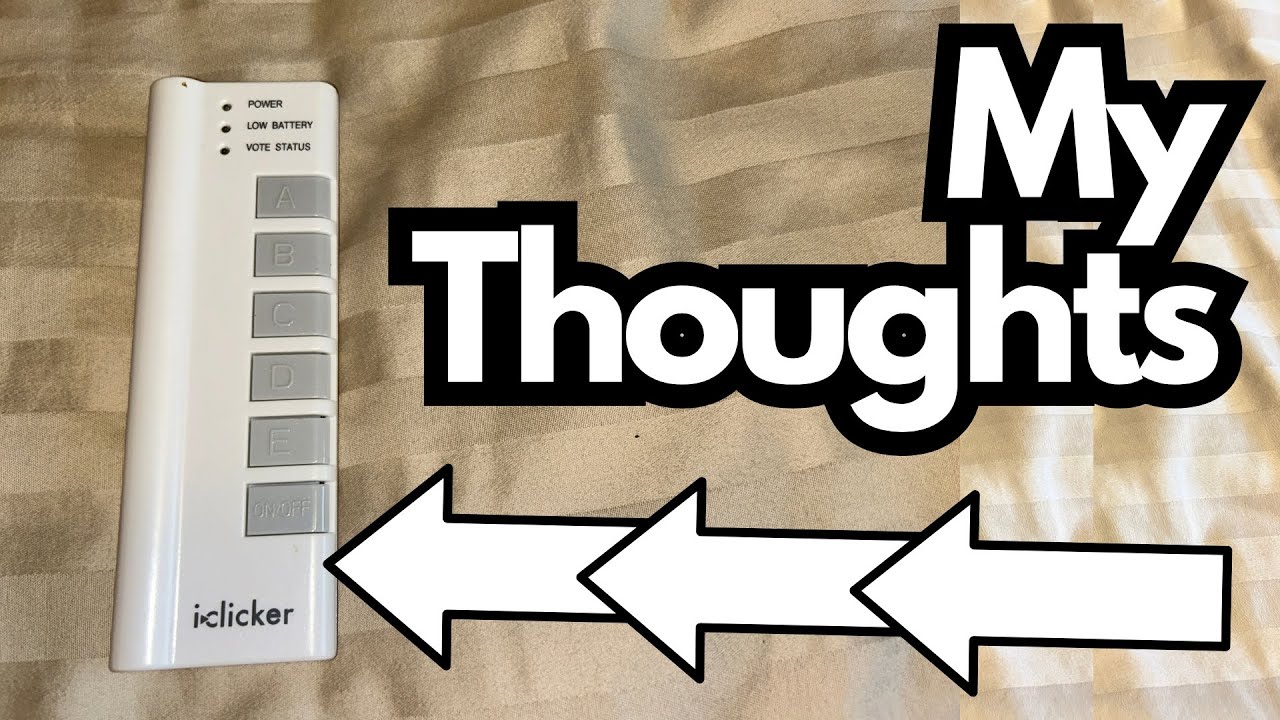
If you’ve ever sat in a big university lecture, there’s a good chance you’ve seen (or used) an iClicker. These little white remotes have been a staple of college classrooms for years, helping professors take attendance, run quizzes, and get instant feedback from hundreds of students at once.
What’s surprising is just how tough and long‑lasting these things can be. The unit I’m talking about here is an original, first‑edition iClicker that has been in use for around 15 years—and it still works like the day it was new. You can grab it here on Amazon if you’re interested.
Overview / First Impressions
The original iClicker is about as simple as classroom tech gets:
- A small, plastic handheld remote
- A few clearly labeled buttons for multiple‑choice responses
- A basic status light to show when you’ve submitted an answer
It was never flashy or high‑end. In fact, it feels almost cheap in the hand. But that’s part of the charm: it’s straightforward, no‑nonsense, and designed to do one job very reliably—let students respond to questions in real time.
And that reliability is the standout point here. After roughly a decade and a half, this first‑gen iClicker still powers on and functions exactly as intended.
Build Quality & Design
From a design standpoint, the original iClicker is minimal:
- Plastic housing: Lightweight and a bit toy‑like, but surprisingly durable.
- Simple layout: Large, clearly labeled buttons (usually A–E) make it easy to use without looking down.
- Status light: Confirms that your response has been sent.
Despite feeling “cheap,” the unit has held up extremely well over time. There’s no cracked casing, no unresponsive buttons, and no weird glitches. It’s a good example of how simple hardware, when done right, can outlast far more complex devices.
Power & Battery Life
One of the most practical aspects of the original iClicker is its battery setup:
- Battery type: Standard AAA batteries
- Ease of replacement: Pop off the back cover, swap the batteries, and you’re done
Because it uses AAA batteries instead of a built‑in rechargeable cell, it doesn’t suffer from the kind of battery degradation you see in phones or laptops. As long as you have fresh batteries, it just works.
That’s likely a big reason this particular unit is still fully functional after 15 years.
Features & Functions
The early iClicker models were intentionally limited in scope. They’re not smart devices; they’re simple response remotes. Core functionality includes:
- Multiple‑choice input: Typically A–E or A–F buttons for answering questions.
- Instant response sending: Communicates with the instructor’s base station in real time.
- Compatibility with classroom systems: Designed to work with the professor’s specific iClicker setup and software.
From a student’s perspective, there’s no setup, no menus, and no learning curve. You walk into class, turn it on if needed, and press the button that matches your answer.
How It’s Used in Class
This kind of device is mainly used for:
- Attendance tracking: Professors can ping the class and log who responds.
- Quick quizzes: Low‑stakes assessments during lectures to check understanding.
- Interactive polling: Gauge opinions, test knowledge, or spark discussion in large lectures.
If your professor requires an iClicker system, a working remote like this is all you need. There’s no extra value in having a newer, fancier model if the system in use still supports these original units.
Limitations / Things to Know
While the original iClicker is impressively durable, there are a few limitations worth noting:
- Dependent on your professor’s system: It’s only useful if your instructor uses an iClicker base and software that support this model.
- No advanced features: No screen, no stored data, no Wi‑Fi or Bluetooth—just basic response input.
- Not cross‑platform on its own: It doesn’t integrate with your laptop or tablet directly; it’s strictly for the classroom iClicker environment.
If your university or professor has moved to app‑based solutions (like iClicker Cloud or other polling apps), this older hardware remote might not be necessary or supported.
Final Thoughts
For what it is, the original iClicker is a quiet success story in educational tech. It’s:
- Simple
- Cheap
- Incredibly reliable over many years
If your professor still uses hardware iClickers and the system supports this first‑generation model, you can feel confident that—even after a decade or more—these devices are likely to keep doing their job with minimal fuss. Sometimes, the most unassuming gadgets end up being the ones that last the longest.