

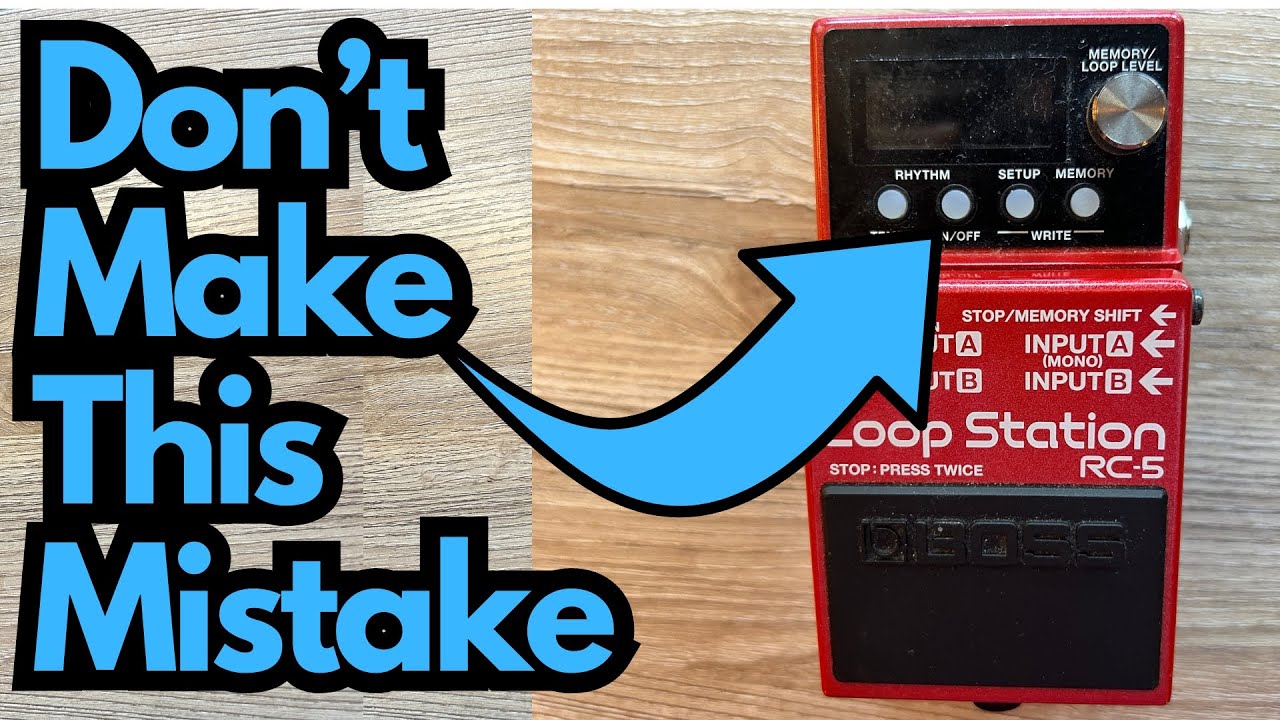
The Boss RC-5 is one of the most powerful compact loopers on the market. If you’ve used simpler pedals like the RC-1, TC Electronic Ditto X2, or MXR Clone Looper, the RC-5 can feel like a serious upgrade: more memory, built-in rhythms, a screen, and deep functionality in a small footprint.
But there’s one design quirk that catches a lot of players off guard—especially if you plug it straight into a guitar amp and hit play. You can grab one here on Amazon if you’re interested.
This post walks through what makes the RC-5 such a great looper, the key issue you need to fix on day one (the drum volume), and how to set it up so you don’t blow your ears—or your speakers—when you start jamming.
Overview / First Impressions
If you’ve tried a few loopers and want something more capable without going full spaceship, the RC-5 hits a sweet spot:
- It’s more advanced and flexible than simple one-knob loopers like the Ditto X2 or MXR Clone Looper.
- It offers more control and features than the older RC-1.
- It still fits on a standard pedalboard and uses a familiar Boss compact pedal format.
Out of the RC-1, Ditto X2, MXR Clone Looper, and RC-5, the RC-5 stands out as the most complete and versatile option. The built-in rhythms, memory banks, and visual display make it ideal for:
- Home practice
- Songwriting
- Solo performance
- Building backing tracks on the fly
However, there is one important caveat: the rhythm (drum) tracks are way too loud by default.
Build Quality & Design
From a guitarist’s perspective, the RC-5 feels like classic Boss:
- Sturdy enclosure – Standard Boss tank-like metal housing that can handle regular gigging.
- Single footswitch – Used for record, overdub, stop, etc., depending on how you configure it.
- Screen and controls – A small display plus a few knobs and buttons give you access to memory slots, rhythm settings, levels, and more.
Compared to ultra-minimal loopers, the screen is a big win. You can actually see which memory you’re on and adjust parameters without guessing.
Features & Functions (Guitarist-Focused)
Here’s what stands out for guitar players:
- Multiple Memory Slots
You’re not stuck with a single loop. You can store multiple loops in different memories—great for building a set list of backing tracks or saving practice loops. - Built-In Rhythms (Drums)
The RC-5 includes drum patterns you can loop along with. This is great for practicing timing, improvisation, or songwriting—no need for a separate drum machine. - Adjustable Rhythm Level
The drum volume can be adjusted per memory and then saved, which is crucial (more on that below). - Utility Write (Save) Function
Once you dial in a good setup (like rhythm volume), you can write/save it so every memory uses your preferred settings. - Boss Ecosystem Feel
If you’re used to Boss pedals, the navigation and feel are intuitive: press, hold, scroll, and write.
The Big Gotcha: Drum Volume Is Too Loud
Here’s the main design flaw you should know:
The RC-5’s rhythm (drum) tracks are very loud by default.
If you plug the pedal into your amp, set your guitar volume comfortably, and then turn on the rhythm for the first time, it will likely jump out way louder than your guitar. Through a computer or interface it may feel a bit more controlled, but through a guitar amp it can be jarring.
This isn’t just annoying—it can be uncomfortable and potentially rough on your ears and speakers.
The solution is simple once you know where to look: you need to turn down the rhythm level and save that setting so it applies across your memories.
How to Fix the Drum Volume on the RC-5
Here’s a step-by-step way to tame the drums and make the pedal much more usable with a guitar amp.
1. Lower the Rhythm Level
- Press the Memory button.
- Use the controls to navigate to Rhythm.
- Scroll to Level.
- Turn the level down from the default (usually 100) to around 70.
Around 70 is a good starting point for most guitar amp setups—loud enough to hear clearly, but not overpowering your loop or dry guitar tone. You can tweak from there to taste.
2. Test the New Volume
- Engage the rhythm and play along.
- Make sure the drums sit nicely under your guitar rather than dominating the sound.
If it’s still too loud or too quiet, adjust the level a bit more until it feels balanced.
3. Apply the Setting Across Memories
By default, each memory slot has its own settings. If you only adjust the rhythm level in one memory, switching to another memory may bring back the too-loud drums.
To avoid surprises:
- Once you’ve set the rhythm level (e.g., to 70), go into Setup or Memory.
- Use the Write function (often labeled as Write or Utility Write) to save the current settings to that memory.
You can repeat this for each memory, or use the write/utility options to carry the same rhythm level across multiple memories. The goal is simple:
Every memory you plan to use should have its rhythm level set and saved, so you don’t get a blast of drums when you switch presets.
When done correctly, if you jump to another memory (say, Memory 07) and check the rhythm level, it should already be at your chosen value (like 70).
How It Sounds / Use Cases
Once the drum level is under control, the RC-5 is a fantastic musical tool:
- Practicing Timing & Groove
Loop a simple chord progression and play along with the built-in drums. This is great for tightening your rhythm playing and getting used to playing “in the pocket.” - Improvisation Practice
Record a loop in a given key and solo over it. The drums give you a more “band-like” feel than a bare metronome. - Songwriting
Build verse/chorus ideas, try out riffs over different grooves, and store them in different memories so you don’t lose ideas. - Live Performance (Solo or Duo)
With the volume set right, the drums can act as a lightweight backing track solution for acoustic gigs, street performance, or solo electric sets.
Compared to simpler loopers without rhythms, the RC-5 can feel more like a mini backing band than just a repetition machine.
Limitations / Things to Know
A few practical notes for guitarists:
- Default Drum Volume Is a Real Issue
If you don’t adjust it, you risk sudden loud transients through your amp. Make fixing this part of your day-one setup. - Single Footswitch Workflow
Advanced players may prefer more footswitches for separate stop, record, and overdub controls. The RC-5 can do a lot, but you’ll be doing some tap-dancing unless you add an external switch. - Menu Navigation
The screen and menus are powerful, but there’s a bit of a learning curve compared to ultra-simple loopers. Once you’ve set your base preferences (like rhythm level), day-to-day use is much smoother. - Best with Some Setup Time
If you’re expecting to plug in and go without any tweaking, the loud drum default might frustrate you. Spend 10–15 minutes dialing it in and saving your settings, and the pedal becomes far more enjoyable.
Final Thoughts
Among compact loopers like the Boss RC-1, TC Electronic Ditto X2, and MXR Clone Looper, the Boss RC-5 is the most capable and well-rounded option. The combination of multiple memories, built-in rhythms, and a clear display makes it a powerful tool for practice, songwriting, and even performance.
The one major downside—the overly loud drum tracks by default—is easy to fix once you know where to look. Dial the rhythm level down (around 70 is a solid starting point), save it across your memories, and you’ll avoid nasty surprises.
If you’re a guitarist who wants more than a bare-bones looper but doesn’t want to jump to a massive multi-switch unit, the RC-5 is a strong choice—just make sure you tame those drums first.
Resources & Further Study
If you’re using a looper like the RC-5 to work on your playing, it’s hugely beneficial to understand how chords and triads lay out across the fretboard. That way, your loops and solos aren’t just random shapes—they’re grounded in harmony.
Here are a couple of useful resources:
- Fretboard Memorization Cheat Sheet – Available at
travelingguitarist.com/fretboard-cheat-sheet
This focuses on major and minor triads in every key using octave mapping and other techniques. It’s designed to help you:
- Traveling Guitarist Forum –
forum.travelingguitarist.com
A place to talk about guitar, music, practice strategies, and gear with other players.
Using tools like the RC-5 alongside solid fretboard knowledge is a powerful combo: you’re not just looping—you’re actually building musical ideas that make sense.