

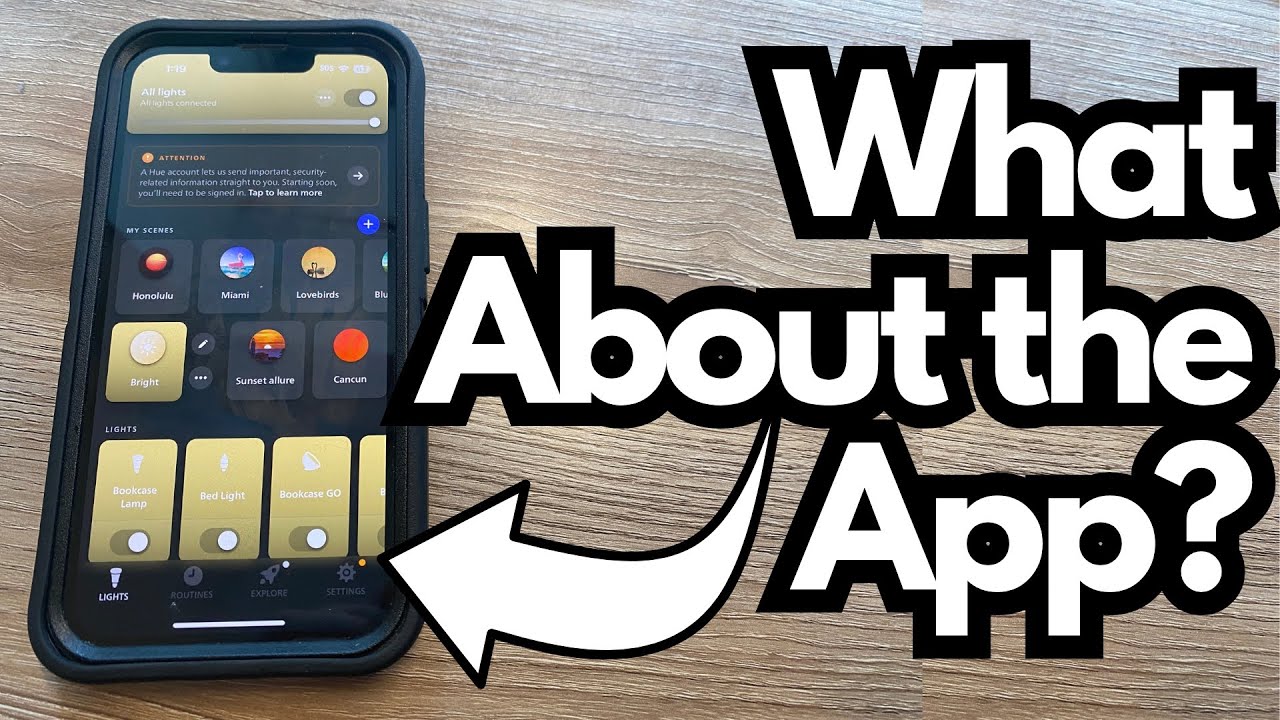
If you’ve ever tried smart LED lights for your studio or guitar desk setup, you know the pain: glitchy apps, slow response, and random disconnects right when you’re about to record.
The lights I’m using now are the opposite of that—they’re simple, responsive, and surprisingly reliable. You can grab one of these on Amazon if you’re interested.
This quick review focuses on the app control experience and why these lights make sense for guitarists, content creators, and anyone building a clean, controllable desktop or studio vibe.
Overview / First Impressions
These smart LED lights are designed to be controlled entirely through a companion app. Once set up, the app lets you:
- Change colors instantly
- Adjust brightness from full-on to barely-there
- Save different looks for different setups (e.g., recording, editing, practicing)
The big takeaway: the app just works. No freezes, no failed connections, no weird lag between tapping a color and seeing it change on the lights.
Build Quality & Design (From a User’s POV)
While the main focus here is the software side, the lights are clearly intended for desktop and studio use, especially around a computer desk:
- Slim, low-profile design that tucks nicely behind a monitor or along the back edge of a desk
- Clean look that doesn’t distract from your gear or screens
- Ideal for accent lighting behind racks, amps, or wall-mounted guitars
They’re not trying to be stage lights—they’re for creating a controlled, consistent atmosphere in your workspace or home studio.
Features & Functions (App Control)
The app is where these lights really shine. From a guitarist/content creator’s perspective, here’s what matters.
Precise Color Control
You can dial in exact colors rather than cycling through a fixed set of presets. That’s perfect if you:
- Want a specific color to match your channel branding
- Need consistent colors across multiple filming sessions
- Prefer subtle tones instead of loud, saturated colors
Smooth Brightness Adjustment
Brightness is fully adjustable, not just “low/medium/high”:
- Turn it all the way down for a soft, ambient glow while practicing
- Run it brighter when filming guitar demos or lesson videos
- Fine-tune it so it doesn’t blow out your camera exposure
Responsive Control
The app responds immediately:
- Color changes appear in real time
- Brightness shifts are smooth, not jumpy
- No noticeable delay between your tap and the light changing
For live streaming or quick video setups, that responsiveness is a big deal—you can tweak your lighting on the fly without wrestling with the tech.
How It Fits a Guitarist’s Setup
Lights don’t have tone, but they absolutely affect how your rig looks on camera and how comfortable your space feels.
Some practical ways these lights fit into a guitarist’s world:
- YouTube / Instagram videos – Match your lighting color to your thumbnail or channel theme.
- Practice space – Dim, warm colors for relaxed late-night sessions; brighter, cooler tones when you’re tracking or editing.
- Streaming – Keep your guitar, face, and background visible without harsh overhead lighting.
- Studio vibe – Subtle backlighting behind your desk, amp, or guitar wall to make the space feel intentional and inspiring.
Because the app is stable and fast, you’re not wasting time fighting with settings—you just set the color and brightness, then get back to playing.
Limitations / Things to Know
Based on this experience, the main points to be aware of are:
- These are desk/studio-focused lights, not stage or gigging fixtures.
- Their strength is app control and reliability, not heavy-duty physical robustness or outdoor use.
If you’re expecting road-ready gear for live shows, look elsewhere. If you want solid, dependable lighting for your computer desk or recording corner, they’re right in the pocket.
Final Thoughts
For guitarists and creators, lighting is part of your tone story—it shapes how your playing is seen and felt. These smart LED desk lights get the most important part right: the app is rock-solid.
- No connection issues
- No weird bugs
- Fast, reliable control over color and brightness
If you’re building a home studio, streaming rig, or guitar content setup and you’re tired of flaky smart lights, this kind of system is exactly what you want: set it up once, control everything from your phone, and then forget about it while you focus on your playing and production.
Resources / Further Study
If you’re refining your guitar studio or content setup, it’s worth exploring:
- Basic studio lighting guides for musicians (three-point lighting, backlighting, and color temperature)
- Camera settings that pair well with LED accent lighting (ISO, shutter speed, white balance)
- Desk and wall mounting ideas for LED strips and bars to highlight amps, pedalboards, or guitar racks
Dial in your light, then dial in your tone.