

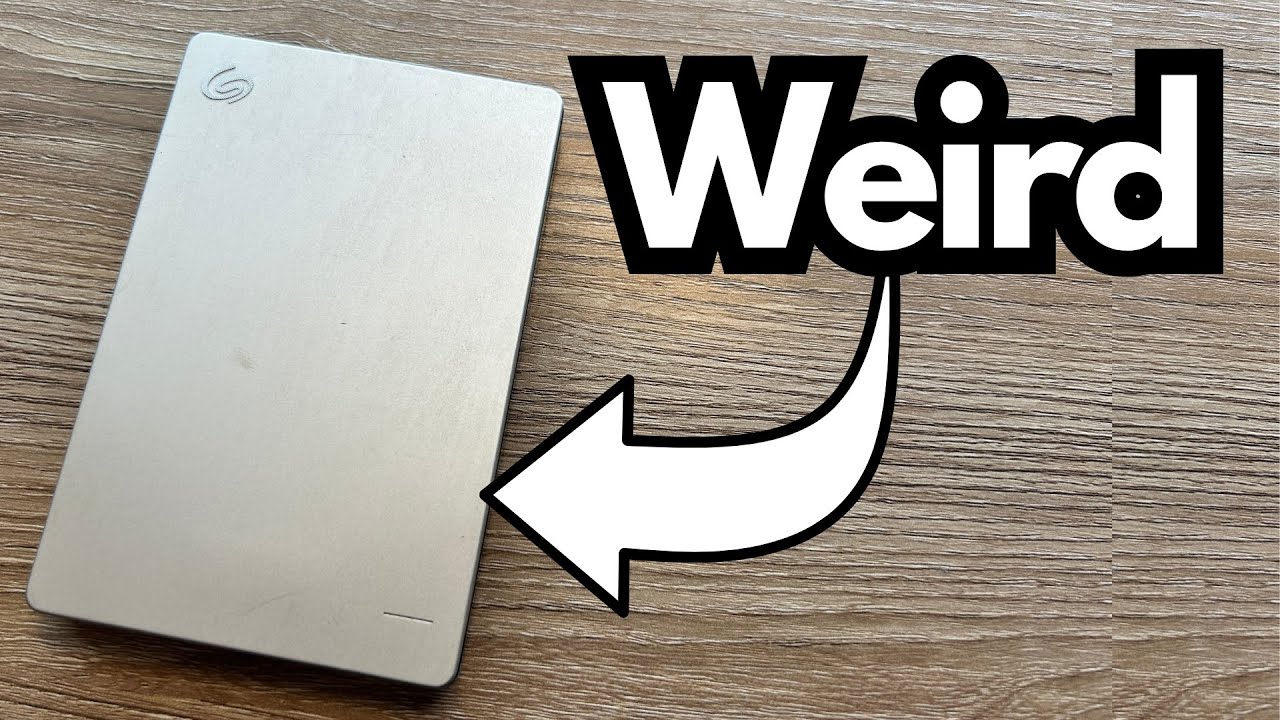
If you’re a guitarist, creator, or anyone dealing with big audio and video files, reliable storage is non‑negotiable. Sessions, mixes, project stems, backing tracks—once they’re gone, they’re gone. You can grab one here on Amazon.
The Seagate Backup Plus 1TB hard drive is far from new tech, but that’s exactly why it’s interesting: this thing has been running for close to a decade and still does its job. In a world where gear turns over every couple of years, that kind of longevity is worth talking about.
Overview / First Impressions
This particular Seagate Backup Plus is:
- Around 10+ years old (purchased circa 2013–2014)
- A 1TB external hard disk drive (HDD)
- Using an older, now-rare cable/port standard
- Still fully functional, just noticeably slower by modern standards
Despite its age, it still holds a ton of files and doesn’t throw errors or cause data issues. From a practical standpoint, it still works as a backup vault—just not a fast one.
Build Quality & Design
Physically, this Backup Plus feels very much like the older generation of portable drives:
- Mechanical hard drive inside – with moving parts, platters, and a read/write head
- Legacy connector – an older-style USB connector that you almost never see on current drives
- Compact and portable – small enough to toss in a bag, though not as slim or robust as modern SSDs
After nearly a decade of use, the drive still powers up and mounts correctly. That alone speaks well of the build quality and the durability of the mechanics inside.
You will, however, notice the age in one specific way…
Features & Functions
For its time, the Seagate Backup Plus offered exactly what most users needed:
- 1TB capacity – plenty of space for:
- DAW projects and stems
- Sample libraries
- Backups of finished mixes and masters
- General media (photos, videos, documents)
- USB connectivity – plug-and-play with computers from that era
- External power via USB – no separate power supply needed
There’s nothing fancy here by today’s standards—no hardware encryption, no NVMe, no high-speed USB-C—but the core function is still solid: plug it in, store files, and retrieve them.
How It Fits a Guitarist’s Workflow
Obviously, this isn’t an audio device in the sense of tone or sound quality, but for guitarists and producers, storage affects workflow more than we often realize.
Where It Still Works Well
For a guitarist or home studio user, this drive is still perfectly usable for:
- Long-term backups of:
- Guitar session files
- Re-amp tracks
- Impulse responses (IRs) and presets
- Final mixdowns and masters
- Archiving old projects that you don’t need to open often
- Offloading finished video projects for your YouTube or lesson content
If you’re not constantly streaming samples or editing massive 4K video files directly from this drive, it’s still fine as a cold storage solution.
Where It Starts to Struggle
You will notice the limitations when you try to:
- Load big projects directly from the drive – DAW sessions may open slower
- Transfer large libraries – moving hundreds of GB of multitracks or video can feel sluggish
- Use it as a main working drive – not ideal compared to an SSD for real-time editing
From a modern guitarist/creator’s perspective, this is best treated as a backup/archival drive, not your primary production drive.
Limitations / Things to Know
A few important realities with a drive this old:
1. It’s a Mechanical HDD, Not an SSD
- Slower speeds for reads and writes
- More moving parts, which means more potential points of failure
- Not ideal for intensive real-time work like editing large video projects or streaming big sample libraries
2. Old-School Port and Cable
- Uses an older USB connector that’s rarely seen now
- If you lose the cable, you may have trouble finding a replacement
- You may need adapters or hubs to use it with modern USB-C-only laptops
3. Age-Related Quirks
- The drive makes odd mechanical sounds—whirring and clicking that are typical of aging HDDs
- While it still works, any mechanical noise is a reminder: no hard drive lasts forever
For that reason, this is not a drive you want to trust as the only copy of anything important. It’s fine as part of a backup strategy, but not as your single point of failure.
Final Thoughts
The Seagate Backup Plus 1TB is a great example of why dependable gear matters more than flashy specs. It’s:
- Old
- Slow by current standards
- Using a dated connector
- But still doing exactly what it’s supposed to do after nearly a decade
For a guitarist or content creator, that’s huge. Your riffs, sessions, and videos are safe, and the drive just keeps chugging along.
Would I buy one of these new today, over a modern SSD? No. A current SSD will be faster, quieter, more shock-resistant, and easier to connect.
But if you already own a Backup Plus like this and it still works, it’s absolutely worth keeping around as a secondary backup or archive drive—especially for those old projects you don’t want to lose but don’t need daily.
Resources
If you’re relying on older drives like this, it’s worth looking into:
- A 3-2-1 backup strategy (3 copies of your data, on 2 different media types, with 1 off-site)
- Modern SSD options for active projects, keeping older HDDs like the Backup Plus for archival use