

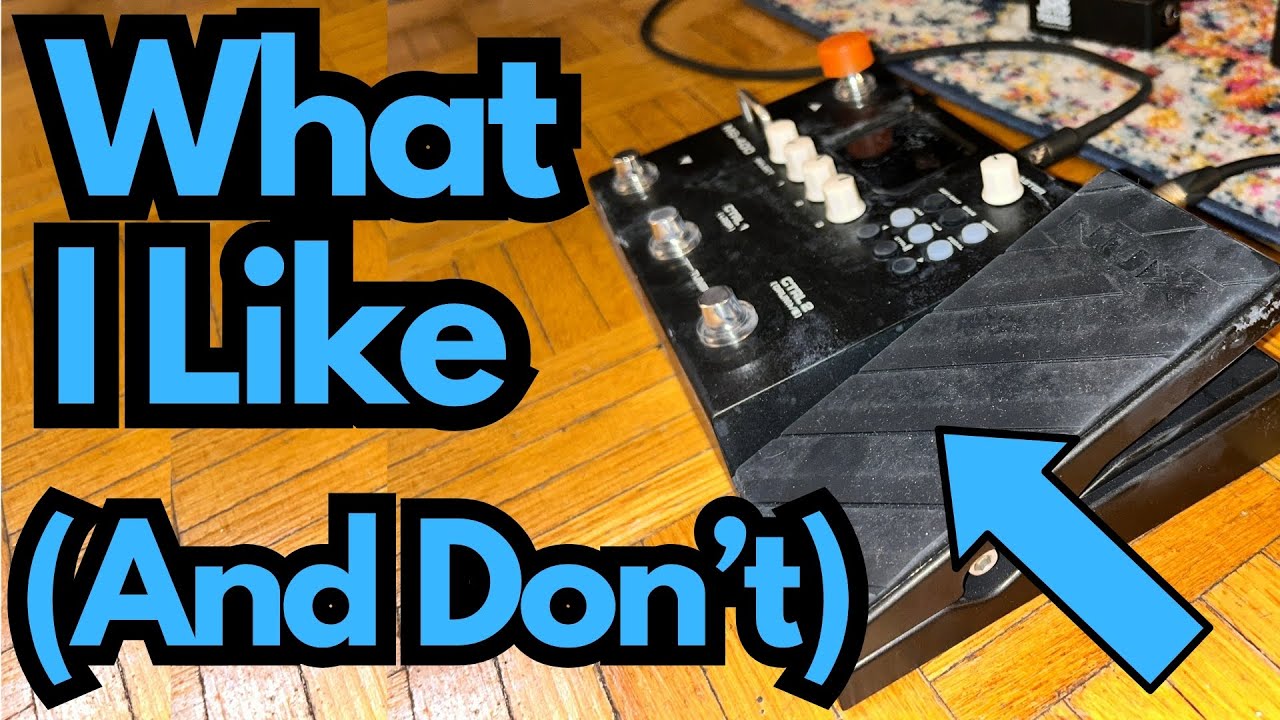
If you’re looking for an affordable, all-in-one guitar solution that can handle practice, recording, and live use, the NUX MG-400 is worth a serious look.
It packs amps, cabs, effects, drums, and an expression pedal into a compact unit that can go straight into your audio interface, your DAW, or even the effects return of a combo amp. You can grab it here on Amazon if you’re interested.
This post walks through how it’s set up, what it does well, and what you should know to get the most out of it—especially from a guitarist’s perspective.
Overview / First Impressions
The NUX MG-400 is a budget-friendly multi-effects and amp modeling unit designed to be a complete rig in a box. It gives you:
- Amp and cab modeling
- A full suite of effects (drives, modulation, delay, reverb, etc.)
- Built-in drum machine
- An expression pedal that can be assigned to volume, wah, or other parameters
- Multiple output modes for different setups (audio interface, combo amp, etc.)
At first, it can feel a little confusing—especially if you’re new to amp modelers. The key is understanding that you must set the output mode correctly for your setup. Once that’s dialed in, the unit really opens up.
Build Quality & Design
The MG-400 is compact but surprisingly full-featured. It includes:
- Footswitches for patch changes and turning effects on/off
- A Mode button to change the output configuration depending on how you’re using it
- An expression pedal that can be assigned to volume, wah, or other effect parameters
- A screen and controls for editing patches and navigating menus
It’s clearly aimed at guitarists who want a small footprint but don’t want to give up flexibility. While it doesn’t feel like a boutique, tank-like pedalboard, it’s solid enough for home use, rehearsals, and light gigging.
Features & Functions
Multiple Output Modes
One of the most important features is the way it handles different setups via the Mode button. You can configure the MG-400 depending on where you’re sending the signal:
- Studio / Direct – For going straight into an audio interface and DAW. This mode uses the internal amps, cabs, and effects to produce a full, mix-ready tone.
- FX Loop / Power Amp Return – For using the MG-400 with a combo amp or head by going into the effects loop return. In this case, you’re essentially using the amp’s power section while letting the MG-400 handle the preamp, cab sim (optional), and effects.
Choosing the correct mode is crucial. If you’re running into an audio interface like in the example setup, use the Studio/Direct mode. If you’re feeding the return of a combo amp, switch to the appropriate power-amp mode so you’re not fighting with the amp’s own preamp and EQ.
Amps, Cabs & Presets
The MG-400 includes:
- A variety of amp models
- Matching or mix-and-match cab simulations
- Ready-made presets, including some labeled with “Joco” (or similar) that tend to sound particularly good right out of the box
These presets can be a great starting point. You can tweak them, swap amps or cabs, and save your own sounds for different styles—clean, crunch, high gain, and more.
Effects
You get the usual suspects:
- Overdrive and distortion
- Modulation (chorus, phaser, etc.)
- Delay
- Reverb
- Wah and other filter-type effects
- Utility effects like EQ, noise gate, etc.
Effects can be turned on and off via the footswitches, and the expression pedal can be assigned to control things like:
- Volume
- Wah
- Other effect parameters (depending on how you set it up)
Drum Machine & Tap Tempo
The built-in drum machine is a nice bonus for practice:
- Multiple drum patterns
- Tap tempo to quickly set the speed
This makes it easy to jam, work on timing, or practice improvisation without needing an external backing track.
How It Sounds / Use Cases
From a guitarist’s point of view, the MG-400 covers a lot of ground.
Direct Recording
Running the MG-400 straight into an audio interface and DAW is one of its strongest use cases:
- Use the Studio/Direct mode
- Let the internal cab sims and amps do the heavy lifting
- Get consistent, recordable tones without miking an amp
For home studio players, this is a big win—especially if you need to keep volume down.
Using a Combo Amp
If you prefer to feel a real amp pushing air:
- Run the MG-400 into the effects loop return of your combo amp
- Use the amp as a power amp and speaker only
- Let the MG-400 handle preamp, effects, and (optionally) cab sim
This can give you a “real amp” feel on stage while still taking advantage of the flexibility of modeling.
Practice & Jamming
With:
- Built-in drums
- Effects
- An expression pedal
- Easy patch switching
The MG-400 is a solid all-in-one practice tool. You can:
- Practice rhythm with the drum machine
- Work on lead playing and improvisation over different tones
- Experiment with effects and control them in real time
Limitations / Things to Know
A few important points to keep in mind:
- Initial setup matters. If you don’t choose the right mode for your signal chain, the MG-400 can sound underwhelming or “off.” Selecting the correct configuration (Studio/Direct vs. Power Amp Return) is essential.
- Learning curve. If you’re new to modelers and multi-effects, there’s a bit of a learning curve with menus, modes, and routing. It’s not overly complicated, but it’s not as plug-and-play as a single stompbox.
- Preset reliance. Some of the best tones (like the “Joco” presets) sound great out of the box, but you’ll get the most from the unit by learning to tweak and build your own patches.
Final Thoughts
The NUX MG-400 is a surprisingly powerful little unit for guitarists who want:
- A compact, all-in-one rig
- Direct recording capability into a DAW
- The option to run into a combo amp’s effects return
- Built-in drums and a flexible expression pedal for practice and performance
Once you understand how to set it up for your particular rig, it becomes a very capable and versatile tool—especially for the price. It’s not just a multi-effects pedal; it’s an entire guitar rig in a small footprint.
Resources & Further Study
If you’re using something like the MG-400 to explore new tones and improve your playing, it helps to deepen your fretboard and harmony knowledge at the same time. Two useful resources mentioned:
Fretboard Memorization Cheat Sheet – Available at
travelingguitarist.com/fretboard-cheat-sheet
This covers major and minor triads in every key using octave mapping and other techniques. It’s designed to help you:
- Memorize the notes on the fretboard
- Understand triads as the foundation of chords and harmony
- Improvise more confidently in different keys
Traveling Guitarist Forum –
forum.travelingguitarist.com
A place to talk with other players about guitar, music, gear, and related topics.