

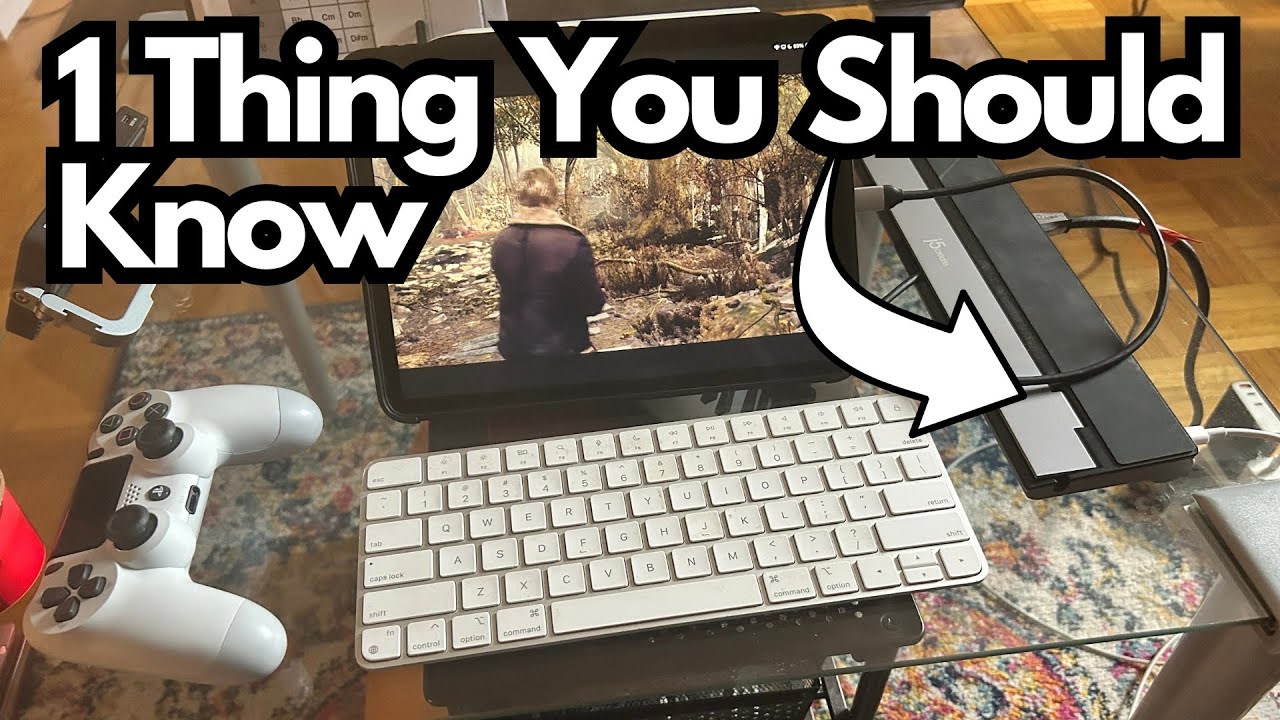
If you’re juggling a MacBook Pro, an iPad Pro, and maybe even a console or two, a reliable USB‑C adapter quickly becomes essential. The J5Create USB‑C adapter is one of those compact hubs that quietly does a lot of heavy lifting—especially if you want something that works seamlessly across macOS and iPadOS.
This isn’t the flashiest dock on the market, and it doesn’t have every port under the sun, but for many people it strikes a smart balance between versatility, portability, and reliability.
You can grab it here on Amazon if you’re interested.
Overview / First Impressions
The J5Create adapter started out as the main hub for a MacBook Pro setup, handling everyday tasks without fuss. Over time, it was replaced in that role by a more fully featured dock—but that actually turned into a win, because it found a second life as an iPad Pro adapter.
The key takeaway: it works well with both MacBook Pro and iPad Pro, including more demanding use cases like:
- Running PS5 games from an iPad Pro to a TV via remote play/streaming
- Using a PS4 controller with that setup
- Handling typical desktop tasks on a MacBook Pro
- Supporting music production workflows
Not every USB‑C dock plays nicely with iPadOS, so the fact that this one does is a big plus.
Build Quality & Design
While this isn’t a rugged, industrial‑grade dock, the J5Create adapter feels solid and well put together:
- Compact and easy to toss in a bag
- Clean, minimal design that doesn’t clutter your desk
- Light enough for travel, but not so flimsy that you worry about it breaking
It’s clearly designed to be a portable, everyday adapter rather than a big, stationary docking station.
Features & Functions
Exact port layouts can vary by specific J5Create model, but the core idea is the same: a USB‑C hub that expands your connectivity in a simple, plug‑and‑play way.
From the use described, it delivers:
- USB‑C connectivity to MacBook Pro and iPad Pro
- Video output to a TV or external display (crucial for gaming and media)
- Support for game controllers like the PS4 controller when used with an iPad/PS Remote Play
- Compatibility with macOS and iPadOS, which is not guaranteed with every third‑party dock
It’s not the most feature‑packed dock on the market, but it covers the essentials for:
- External display output
- Basic peripheral connections
- Everyday creative work (music production, general productivity)
How It Performs for Creators & Gamers
From a creator and general user perspective, here’s where the J5Create adapter really shines.
1. Gaming via iPad Pro → TV
If you like using your iPad Pro as a streaming or remote play device, this adapter holds up well:
- You can run PS5 games from your iPad Pro to your TV using this adapter.
- The adapter handles the video signal cleanly, so the experience on the TV feels similar to playing directly on a console.
- It works seamlessly with a PS4 controller, so you’re not stuck with touchscreen controls.
This makes the J5Create adapter a surprisingly capable little hub for casual or remote gaming setups.
2. MacBook Pro Workstation
Originally used as the main adapter for a MacBook Pro, it proved to be:
- Plug‑and‑play with macOS
- Stable for long sessions
- Ideal for a simple desk setup where you just need to add a display and a few extra connections
It may not be ideal if you want a massive, multi‑monitor, multi‑drive studio rig—but for a streamlined, portable setup, it works well.
3. Music Production & Creative Work
If you’re using your MacBook Pro or iPad Pro for music production, this adapter fits into that workflow nicely:
- It’s suitable for a music production station, especially if your needs are modest (DAW, interface, maybe a controller or two).
- Its compatibility with both macOS and iPadOS makes it a good fit for hybrid workflows—start an idea on iPad, finish it on MacBook, all with the same hub.
Limitations / Things to Know
A few points to keep in mind:
- Not the most fully featured dock: It was eventually replaced as the main MacBook adapter by a hub with “more options,” likely meaning more ports or more specialized connectivity.
- Best as a secondary or portable hub: It really shines as a compact, reliable adapter you can repurpose between devices, rather than as an all‑in‑one studio centerpiece.
- iPadOS compatibility is a key strength: Many USB‑C docks don’t behave well with iPads. This one does, and that’s arguably its biggest selling point.
If you need multiple HDMI outputs, tons of USB‑A ports, Ethernet, SD card readers, and more, you might outgrow this adapter. But if you want something that just works across Mac and iPad, it’s a strong option.
Final Thoughts
The J5Create USB‑C adapter is a practical, versatile hub for people who live between a MacBook Pro and an iPad Pro—and maybe like to sneak in some PS5 remote play on the side.
Use it if:
- You want one adapter that works reliably with both macOS and iPadOS
- You need to connect your iPad Pro to a TV for games, movies, or presentations
- You’re building a simple, portable music or creative setup without a ton of extra hardware
It may not be the most advanced dock out there, but its cross‑platform reliability and solid performance make it a very handy piece of gear to keep around.
Resources
If you’re using your MacBook or iPad for music creation and want to get more out of your setup, you might also like this fretboard reference for guitarists:
- Guitar Fretboard Cheatsheet: travelingguitarist.com/fretboard-cheatsheet