

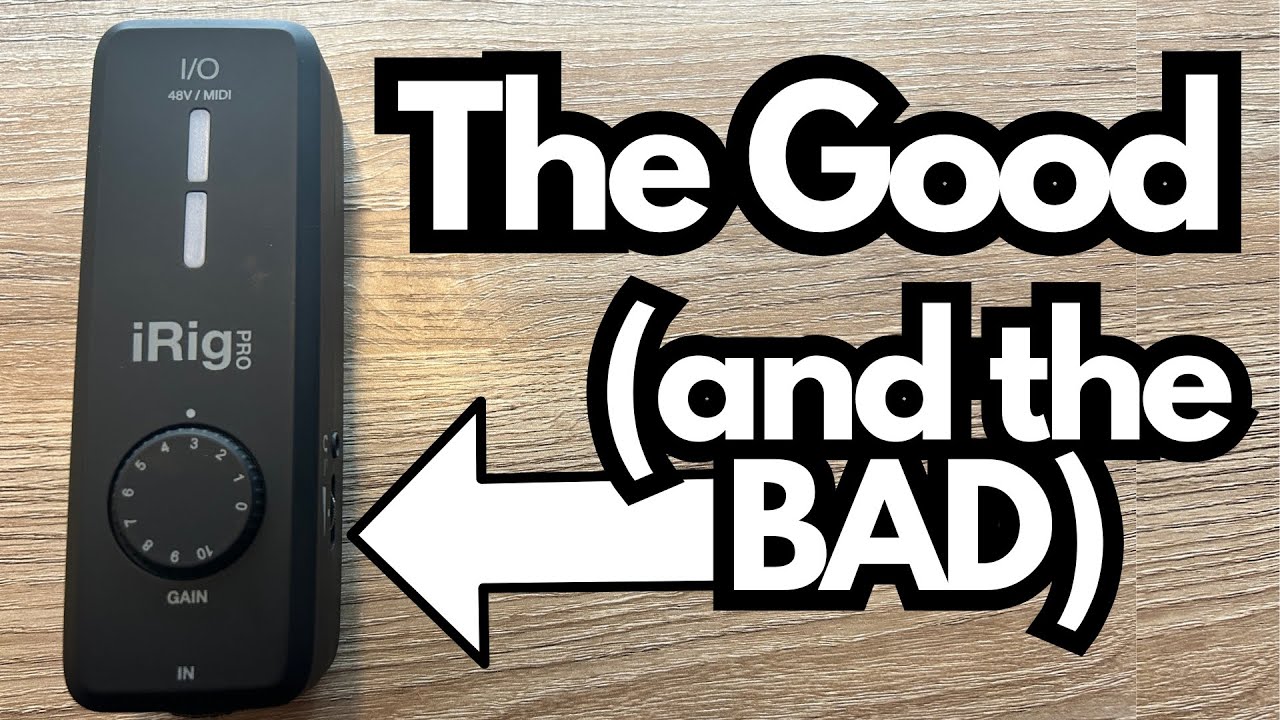
If you’re a guitarist or content creator looking for a compact way to record guitars, bass, vocals, or other instruments straight into your iPad, iPhone, or computer, the iRig Pro is one of those “throw it in the bag and go” interfaces that’s hard to ignore (get it on Amazon).
It’s essentially an upgraded, more versatile version of the iRig HD2, with added mic support, MIDI, and phantom power. But it’s not perfect, and there are some things you’ll want to know before you buy.
Overview / First Impressions
The iRig Pro is a small, portable audio interface designed to handle:
- Guitar and bass (via 1/4″ instrument input)
- Microphones, including condensers (via XLR with phantom power)
- MIDI devices (via TRS MIDI in/out)
Compared to the iRig HD2, it’s:
- Larger
- More versatile (mic + instrument + MIDI)
- Battery-powered (for phantom power)
From a guitarist’s perspective, this is a step up if you want to record both your guitar and vocals, or if you’re moving into more serious home recording or mobile production.
Build Quality & Design
This is where the iRig Pro feels a bit compromised.
Chassis Material
- The main body is plastic.
- It works, but it doesn’t feel as premium or robust as it could.
- An aluminum chassis would be far more reassuring for gigging musicians or anyone tossing this into a backpack regularly.
Controls & Hardware
- The main gain knob is surprisingly solid and feels sturdy in use.
- The switch hardware is also decent and doesn’t feel flimsy.
- You get LED indicators to show your input level and whether you’re clipping, which is essential when you’re dialing in gain quickly.
So while the outer shell feels a bit “budget,” the actual control elements (knob, switch, LEDs) are well executed.
Features & Functions
Here’s what the iRig Pro brings to the table.
Inputs & Outputs
- Combo XLR / 1/4″ input
- 1/4″ instrument input for guitar, bass, violin, and similar instruments
- XLR input for microphones, including condensers
- Phantom Power
- Runs on batteries to provide 48V phantom power for condenser mics
- Phantom power is controlled on the side of the unit
- MIDI
- TRS MIDI jacks for connecting and controlling MIDI devices
Power Options
- Battery Power
- Required if you want to use phantom power for condenser mics
- Handy for fully mobile setups, but not ideal if you hate dealing with batteries
- DC Input
- There’s a DC power input so you can power the unit without batteries
- The downside: the DC adapter is not included. You have to buy it separately.
For comparison, the iRig HD2 is bus-powered (no batteries needed), but it also doesn’t offer the same level of mic support and phantom power.
Connectivity
The iRig Pro uses a mini connector on the interface side, then breaks out to USB-C or Lightning depending on your device.
Cables are included in the box, so you can start using it right away.
That said, the mini connector is dated. A direct USB-C port on the unit itself would be much more in line with modern gear and would reduce cable clutter and potential failure points.
How It Sounds / Use Cases
General Sound & Gain Staging
Setting the iRig Pro up is straightforward:
- Connect the included mini cable to the iRig Pro.
- Plug the other end (USB-C or Lightning) into your iPad, iPhone, or computer.
- When the LED glows bright blue, it’s properly connected.
- In your DAW (e.g., Logic Pro), set:
- Input: iRig Pro
- Output: your speakers or headphones
- Use the gain knob to dial in your input level while watching the LED to avoid clipping.
With proper gain staging, it delivers a clean, usable signal for both guitar and vocals.
Using Guitars with Active Pickups
If you’re a guitarist using active pickups, you’ll need to be more careful:
- Active pickups have higher output than passive pickups.
- This makes it easier to overload the input and cause clipping.
To get a good tone without unwanted distortion:
- Turn down the volume on your guitar.
- Start with the iRig Pro gain fairly low.
- Gradually increase until the tone is strong but the clip indicator stays under control.
It’s usable, but you need to be more precise and sensitive with your gain adjustments than you might expect.
Mic Recording
With phantom power engaged, you can run a condenser mic and get a clear vocal or spoken-word recording. In the example setup:
- The mic was used in a DAW with a dark choir sound layered underneath, giving that cinematic “movie intro” vibe.
- The iRig Pro handled this cleanly as long as gain was set properly.
For singer-songwriters, this makes it possible to capture both guitar and vocals on the go with a single compact unit.
Software Bundle: What You Actually Get
The iRig Pro is often advertised with software like AmpliTube and other IK Multimedia titles. However:
- You typically get demo versions, not the full, unlocked software suites.
- For example, AmpliTube will install, but you’ll only have access to:
- One amp
- A limited selection of effects and features
You do get some proprietary software from IK Multimedia, but don’t expect a full “everything included” production bundle. It’s more of a starter pack than a complete rig.
Limitations / Things to Know
Here are the main drawbacks to keep in mind:
- Plastic chassis
- Functional, but not as durable or premium-feeling as aluminum.
- Battery dependence for phantom power
- Necessary for condenser mics, but adds hassle if you forget or run out of batteries.
- No DC adapter included
- You can power it via DC, but you’ll have to buy the adapter separately.
- Mini connector instead of USB-C
- Works, but feels dated and less robust than a direct USB-C connection.
- Active pickups can be tricky
- Higher-output guitars require more careful gain staging to avoid clipping.
- Software is mostly demo-level
- Don’t buy this expecting a full suite of pro software out of the box.
Final Thoughts
From a guitarist and home-recording perspective, the iRig Pro is a flexible, portable interface that makes it easy to:
- Record guitars and bass direct
- Capture vocals or acoustic instruments with a condenser mic
- Integrate MIDI gear into a mobile or compact setup
It’s essentially a more capable version of the iRig HD2, especially if you want to move beyond just guitar into vocals and more serious recording.
However, the plastic build, reliance on batteries for phantom power, mini connector, and lack of an included DC adapter all keep it from feeling truly “pro” in a hardware sense. It’s more of a practical, portable workhorse than a luxury studio piece.
If you value compact size and versatility, and you’re willing to live with the plastic chassis and power quirks, the iRig Pro is a solid option for mobile recording and practice. If build quality and fully included software bundles are top priorities, you may want to look at more robust interfaces in a similar price range.
Resources & Further Study
If you’re diving deeper into recording and mixing with interfaces like the iRig Pro, you may find these helpful:
- Free Mixing Cheat Sheet – Available at Producer Society
(A resource with mixing tips and techniques that aren’t shared elsewhere.) - Producers Society Forum –
A community space to ask questions, share setups, and learn more about recording and production. It’s currently free to join, with plans to expand it into a more complete course platform in the future.