

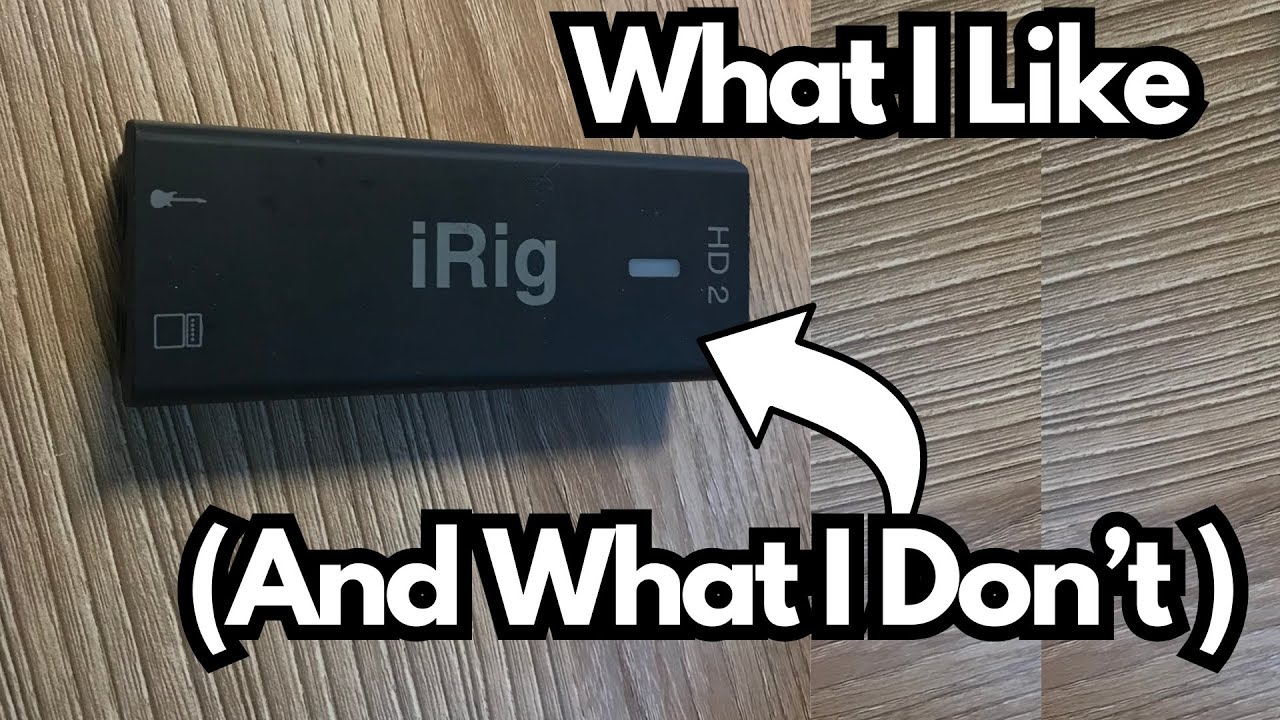
If you’re a guitarist who wants to record or practice quietly with an iPad, iPhone, or computer, the IK Multimedia iRig HD 2 (on Amazon) is probably on your radar. It’s one of the most portable guitar interfaces out there, and it promises easy plug‑and‑play recording and amp sim use on the go.
But it’s not perfect.
This post walks through what it actually does well, where it falls short, and who it’s really for—so you can decide if it deserves a spot in your gig bag.
Overview / First Impressions
The iRig HD 2 is a compact, bus‑powered audio interface designed primarily for:
- Guitar and bass
- Other instrument‑level sources (e.g., violin with a 1/4″ jack)
- Line‑level gear like keyboards and synths (via its 1/4″ input)
Its main selling point is portability. This thing is tiny—small enough to fit in your pocket or any gig bag pocket—and it’s light enough that you’ll barely notice it’s there.
From a guitarist’s perspective, the appeal is clear:
- Practice silently with headphones through your iPad/iPhone or laptop
- Record straight into GarageBand, AmpliTube, or your DAW
- Route your iPad tones back out to a real amp
It does all of that. But the experience is a mix of strengths and compromises.
Build Quality & Design
Let’s get the bad news out of the way.
The Plastic Chassis
Like many IK Multimedia products, the iRig HD 2 is made from lightweight plastic. That keeps it extremely portable, but it doesn’t inspire a lot of confidence:
- It feels fragile compared to metal‑chassis interfaces.
- You really don’t want to drop it.
- It doesn’t have the rugged, “throw it in the gig bag and forget it” vibe of more premium units.
If you’re used to aluminum or steel interfaces, this will feel like a step down in durability.
The Micro USB Port
This is the other big downside: the iRig HD 2 uses micro USB instead of USB‑C.
Two problems here:
- Outdated standard – Practically everything else is USB‑C now, especially on newer iPads and laptops. Micro USB just feels behind the times.
- Port quality & cable sensitivity –
- The micro USB connection doesn’t feel especially solid.
- Not all micro USB cables will work properly.
- You really need to use the included cable, or a cable that you know is compatible and can supply enough power.
If you grab a random micro USB cable from another device, there’s a good chance it either won’t power the unit correctly or will be flaky.
Features & Functions
Despite the build quirks, the iRig HD 2 offers a useful feature set for guitarists.
Inputs & Outputs
- 1/4″ Instrument Input
- Labeled for guitar, but can also handle:
- Bass
- Keyboards
- Synths
- Any instrument with a 1/4″ output
- Primarily designed for instrument‑level signals, but can accept line‑level in practice.
- Labeled for guitar, but can also handle:
- 1/4″ Amp Output
- Lets you send the processed signal from your iPad/iPhone/computer back out to a real amp.
- Great for using mobile amp sims live through a physical amp.
- Headphone Output
- For silent practice and monitoring.
- Has its own volume control so you can dial in your listening level independently.
Gain Control & LED Metering
On the interface you’ll find:
- A gain knob to set your input level.
- An LED indicator that shows signal status:
- Green/Blue – Good, healthy level.
- Orange/Red – Too hot; you’re clipping.
Practical tips:
- Aim to keep the LED green or blue.
- If you’re using active pickups, turn down your guitar’s volume or lower the gain on the iRig. Active pickups can easily overload the input and cause clipping.
Power & Connection
The unit is bus‑powered via micro USB.
To use it with an iPad Pro (USB‑C), for example:
- Connect the iPad via USB‑C to the micro USB cable that comes with the iRig.
- Plug that into the iRig’s micro USB port.
- When connected properly and powered, the LED will light fully and clearly blue.
If the LED is a pale blue or looks dim, that usually indicates:
- Insufficient power, or
- A problematic cable/connection.
How It Sounds / Use Cases
Sound Quality
For what it is, the iRig HD 2 sounds good:
- Clean, usable tones for guitar and bass.
- Low enough noise for home recording and practice.
- Works well with amp sims like AmpliTube, GarageBand’s built‑in amps, and other modeling apps/plugins.
It’s not trying to be a high‑end studio interface, but for mobile guitar work, it gets the job done well.
Typical Guitarist Use Cases
1. Silent Practice
- Plug your guitar into the iRig.
- Connect it to your iPad or iPhone.
- Run GarageBand or an amp sim app.
- Plug headphones into the iRig and practice without bothering anyone.
2. Mobile Recording
- Record guitar or bass directly into GarageBand on iOS or a DAW on your computer.
- Use the LED and gain knob to avoid clipping.
- Great for capturing ideas or doing basic demos.
3. Running iPad Tones into an Amp
- Guitar → iRig → iPad (amp sim) → iRig Amp Out → your physical amp.
- Lets you use mobile amp/effects apps but still feel your real speaker moving air.
4. Keyboard/Synth Input
- Even though it’s labeled for guitar, you can plug in a keyboard or synth.
- Just be mindful of levels—line‑level sources can be hot, so use the gain control and LED as your guide.
Limitations / Things to Know
Before you buy, there are a few important caveats.
1. Fragile Feel
- Plastic chassis + lightweight build = not ideal for rough treatment.
- If you gig a lot or travel heavily, you’ll want to be careful how you pack and handle it.
2. Micro USB Headaches
- You must use a suitable micro USB cable.
- The included cable is your safest bet.
- Random cables from other devices may not:
- Power it correctly
- Maintain a stable connection
3. Software “Included” (But Mostly Demos)
The iRig HD 2 comes with access to software like AmpliTube, but here’s the catch:
- What you actually get is essentially demo content:
- You might get one amp or a very limited set of features unlocked.
- The rest is behind in‑app purchases or upgrades.
- You can download these demos from the website anyway, so the “included software” marketing is a bit misleading.
In other words: don’t buy this expecting a full version of AmpliTube or a complete software suite. Treat the software as a bonus demo, not the main value.
Final Thoughts
The iRig HD 2 is a highly portable, genuinely useful guitar interface with a few design choices that hold it back.
What it does well:
- Extremely compact and lightweight
- Easy way to practice silently with realistic tones
- Simple recording solution for guitar and bass
- Flexible enough for keyboards and other 1/4″ instruments
- Handy amp output for running mobile tones into a real amp
What could be better:
- Plastic build feels fragile
- Outdated and finicky micro USB port
- “Included” software is mostly demo‑level access
If you’re a guitarist who:
- Values portability above all else,
- Mostly records/practices at home or on the go,
- And doesn’t mind babying your gear a bit,
then the iRig HD 2 can be a very practical tool.
If you want something built like a tank with modern USB‑C and more robust I/O, you may want to look at higher‑end interfaces. But for a small, simple, guitar‑focused box that slips into your pocket, the iRig HD 2 still earns its place.
Resources & Further Study
If you’re using something like the iRig HD 2 to practice and want to get more out of your fretboard time, these resources are worth checking out:
Fretboard Memorization Cheat Sheet – A guide to major and minor triads in every key, using octave mapping and other techniques to help you:
- Memorize the fretboard
- Understand the harmonic foundation of chords
- Start improvising more confidently across multiple keys
Traveling Guitarist Forum – A community space where you can:
- Talk guitar, music theory, and gear
- Ask questions and share ideas with other players
Both are geared toward helping you not just plug in and play, but actually grow as a musician while you do it.