

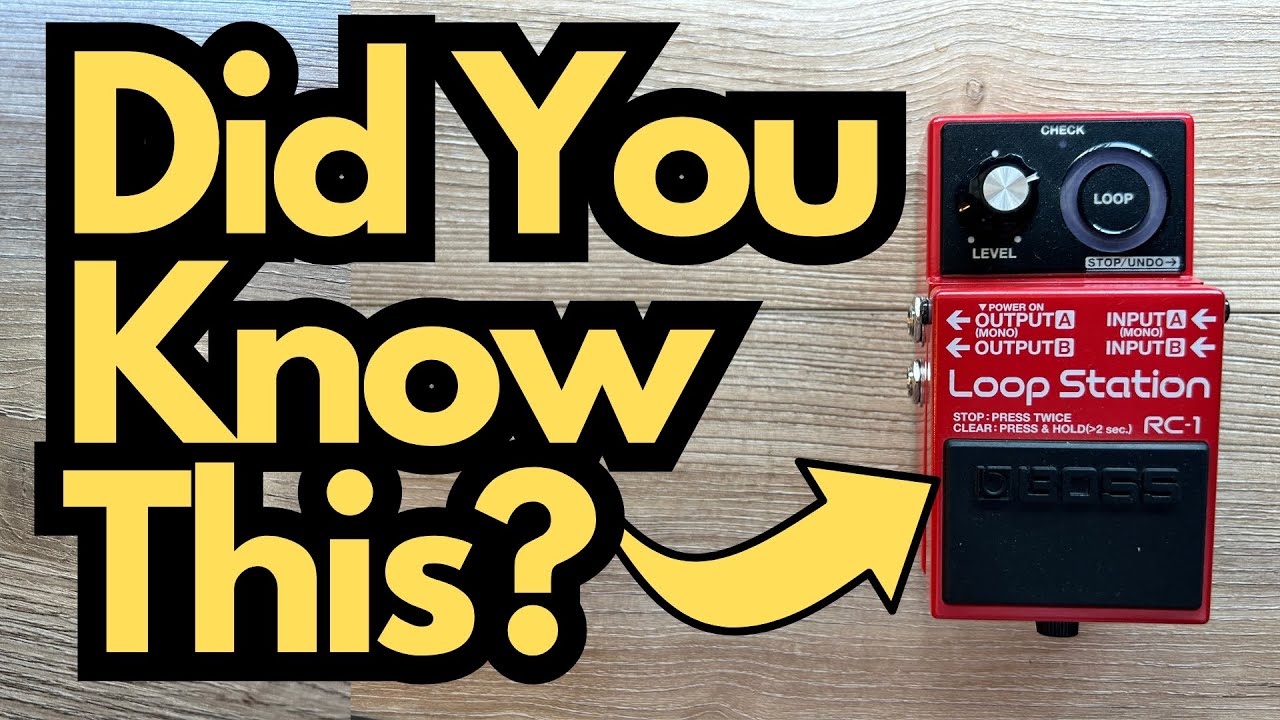
The Boss RC-1 is one of the most popular compact loopers out there—simple, reliable, and perfect for practice or live use. But there’s one feature that confuses a lot of players: silent delete.
Many guitarists assume the RC-1 doesn’t have silent delete at all. I thought the same thing at first. The good news? It does have it—you just need to know how to unlock it. You can grab one here on Amazon if you’re interested.
This post walks you through how silent delete works on the RC-1, what extra gear you need, and why it matters for your looping workflow.
Overview / First Impressions
The Boss RC-1 is designed to be a no-nonsense looper: one footswitch, one big loop indicator, and a straightforward workflow. That simplicity is what makes it so appealing for guitarists who don’t want to dive into menus or complex multi-button sequences.
However, that same simplicity can hide functions like silent delete, which don’t appear obvious if you’re just using the main footswitch.
If you’ve ever been annoyed by having to stop your loop and hear it stutter or restart when you clear it, silent delete is exactly what you’re looking for.
Build Quality & Design
From a guitarist’s point of view, the RC-1 is classic Boss:
- Compact pedal format
- Single built-in footswitch
- Side jacks for input/output and external control
- Big circular LED display that shows loop length and status
The key design detail for silent delete is the external footswitch input. This is where you’ll plug in an additional Boss footswitch to gain more control over your loops.
Features & Functions Relevant to Silent Delete
To use silent delete, you’ll need:
- Boss RC-1 Looper
- External footswitch, such as:
- Boss FS-7 (most commonly used)
- Another compatible Boss footswitch (FS-5U, FS-6, etc.)
The external footswitch gives you extra control beyond the single onboard switch. With it, you can perform actions like:
- Stopping the loop cleanly
- Deleting the loop silently (without hearing it reset or glitch)
The silent delete function is not obvious from the top panel, but it’s built into how the RC-1 responds to multi-taps and holds when controlled via an external switch.
How to Use Silent Delete on the Boss RC-1
Here’s a step-by-step way to use silent delete in a real-world scenario.
1. Record a Loop
- Press the main RC-1 footswitch to start recording.
- Play your phrase.
- Press the switch again to close the loop and go into playback.
- Press again to start overdubbing if you want to layer more parts.
At this point, your loop is running and playing back normally.
2. Pause the Loop
To set up for a silent delete:
- Use your external Boss footswitch (e.g., FS-7) to stop/pause the loop. Now the loop is stopped; you’re not hearing it play.
3. Perform the Silent Delete
Once the loop is paused:
- Hit the external footswitch twice, then hold it on the second press.
- Keep holding until the RC-1 confirms the loop is cleared.
What this does:
- The loop is deleted without playing back or glitching.
- You’re left with a clean slate, ready to record a new loop.
This is especially useful in live situations where you don’t want the audience to hear the old loop as you’re clearing it, or in practice when you want to reset quickly without any extra noise.
Use Cases for Guitarists
Silent delete becomes really handy in several situations:
- Live performance transitions
Clear a loop between songs without the crowd hearing any awkward stutters or repeats. - Practice and improvisation
Quickly reset your loop while working on scales, triads, or chord progressions without interrupting your flow. - Layer-heavy looping
If you’re building complex soundscapes, silent delete lets you wipe everything and start fresh without broadcasting the reset.
Limitations / Things to Know
A few important points to keep in mind:
- You need an external footswitch.
Silent delete is not really practical using only the RC-1’s built-in switch. Plan on picking up an FS-7 or similar. - Timing matters.
The double-tap-and-hold sequence needs to be deliberate. If you’re too quick or too slow, you may just stop or start the loop instead of deleting it. - Still a simple looper.
The RC-1 doesn’t have advanced functions like multiple loop banks, reverse, or half-speed. Silent delete makes it more gig-friendly, but it’s still a minimalist looper at heart.
Final Thoughts
The Boss RC-1 is often underestimated because of how simple it looks. Silent delete is a perfect example of a “hidden” feature that makes it far more usable for serious practice and live performance—especially for guitarists who rely on clean transitions.
If you already own an RC-1 and thought you were stuck without silent delete, an external Boss footswitch is a small upgrade that unlocks a much smoother looping workflow.
Resources & Further Study
If you’re using the RC-1 to practice and want to get more musical mileage out of your loops, it helps to really know your fretboard and harmony.
Here are two useful resources mentioned:
- Fretboard Memorization Cheat Sheet
Available at: travelingguitarist.com → search for “fretboard cheat sheet”
This resource lays out major and minor triads in every key, using octave mapping and other techniques. It’s great for:- Learning the notes on the fretboard
- Understanding how triads form the foundation of chords and harmony
- Practicing improvisation in different keys over your loops
- Traveling Guitarist Forum
Visit: forum.travelingguitarist.com
A place to chat with other players about guitar, music theory, gear (like the RC-1), and general playing questions.
Using a looper like the RC-1 together with focused fretboard and triad practice is one of the fastest ways to improve your timing, phrasing, and overall musicianship.