

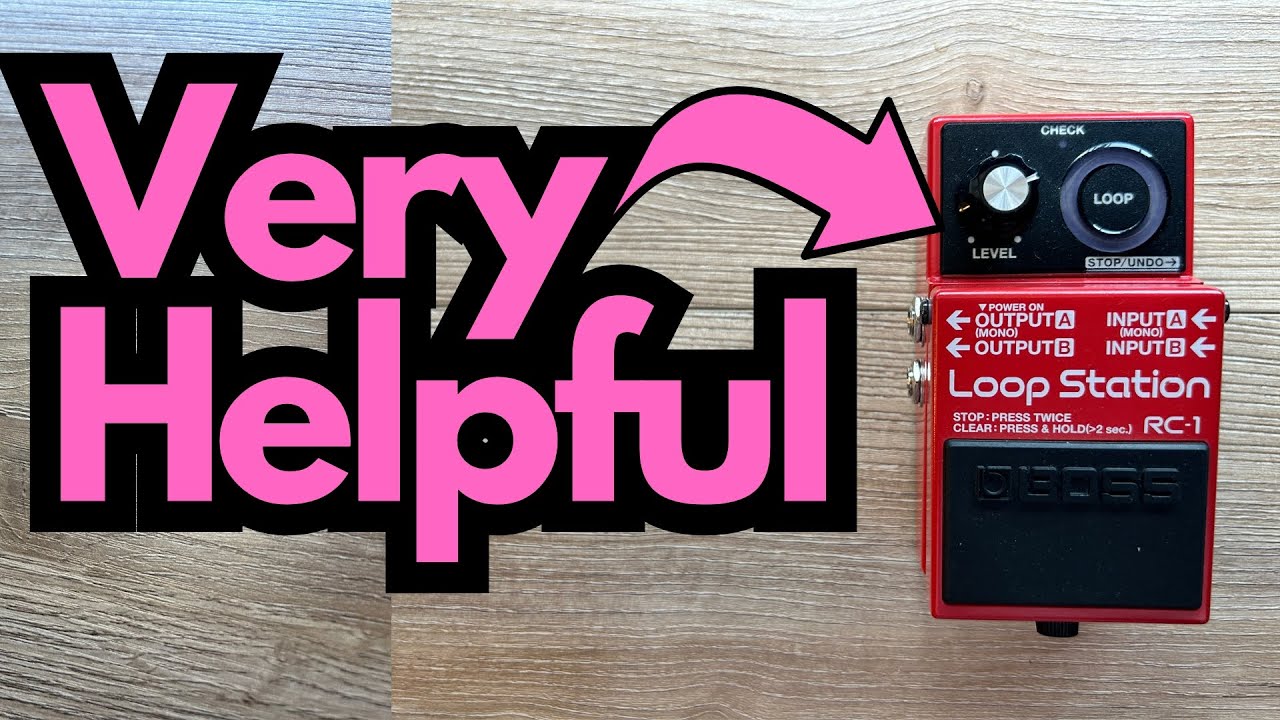
The Boss RC-1 is one of the most popular compact loopers on the market—and for good reason. It’s simple, reliable, and perfect for guitarists who want to practice, write, or perform without getting lost in menus.
What many players don’t realize, though, is that the RC-1 actually has three configurable modes that dramatically change how the pedal behaves. If you’ve ever wished it recorded, stopped, or displayed your loop differently, you can probably set it up exactly how you want.
You can grab one here on Amazon if you’re interested.
This guide walks you through those modes—Recording Mode, Stop Mode, and Display Mode—from a guitarist’s perspective, and shows you how to change them.
Overview / First Impressions
The Boss RC-1 looks like a straightforward, single-button looper:
- One footswitch
- One big circular LED display
- A level knob
Under the hood, though, it gives you three main behavior “modes” you can customize:
- Recording Mode – How the pedal cycles through Record → Play → Overdub.
- Stop Mode – How you stop or pause your loop.
- Display Mode – What the circular LED display actually shows you.
By default, the RC-1 is set up in the way most guitarists will find intuitive:
- First press: Record
- Second press: Play
- Third press: Overdub
- Double-tap: Stop
- LED ring: Shows the length of your loop
If you’re happy with that, you can plug in and play. But if you want more control over how it behaves on your board or in your practice sessions, it’s worth understanding the modes.
Build Quality & Design
From a guitarist’s standpoint, the RC-1 nails the essentials:
- Sturdy Boss enclosure – Classic compact Boss pedal, metal housing, built to take abuse on stage.
- Single footswitch – All major functions are controlled with one stomp, so timing is critical but operation is simple.
- Circular LED display – A ring of LEDs that rotates as your loop plays, giving you a visual reference of where you are in the loop.
- Top-panel Level knob – Controls the loop playback volume relative to your dry guitar signal.
The LED ring isn’t just eye candy—it’s directly tied to the Display Mode, which you can configure to suit how you like to “see” your loop timing.
Features & Functions
The Three Main Modes
The RC-1 offers three categories of modes:
- Recording Mode – Determines the order of Record, Play, and Overdub.
- Stop Mode – Determines how you stop or pause playback.
- Display Mode – Determines what the LED ring shows.
Each mode has multiple options, and the pedal uses the LED ring to show you which setting you’re on.
Entering the Mode Setup
To change these modes, you need to enter the configuration state:
- Hold down the footswitch.
- While holding the switch, plug in the power cable (or audio cable if that’s how you power it).
- The LED ring will light up in a particular way to show you which category (Recording, Stop, or Display) you’re currently editing.
From here, you can move through and change settings.
Recording Mode
Recording Mode controls the order of operations when you step on the footswitch.
In the example mode described:
- Lower half of the LED ring lit → This indicates a specific Recording Mode: Record → Play → Overdub.
In this configuration:
- First press: Record
- Second press: Play
- Third press: Overdub
This is also one of the default and most commonly used behaviors. Many guitarists prefer this because it’s predictable and feels natural for building up layers.
If you like that flow—record, then immediately play, then overdub—you’re probably already in the ideal Recording Mode.
Stop Mode
Stop Mode determines how you stop or pause your loop.
In the described setup:
- Upper half of the LED ring lit → This indicates the default Stop Mode.
In this mode:
- Double-tap the footswitch quickly to stop or pause the loop.
This is the standard Boss-style behavior: you keep everything on one footswitch and use a quick double-tap to stop. It’s simple, though it does require accurate timing with your foot—something to practice if you’re using the RC-1 live.
Display Mode
Display Mode controls what the circular LED display is showing you.
In the default configuration:
- Upper half of the ring lit with red and green → This indicates the default Display Mode, where the LED ring reflects the length of the loop as it plays.
Practically, that means:
- As your loop cycles, the LEDs move around the circle.
- You can visually see where you are in the loop—very handy for timing fills, leads, or changes.
For many guitarists, this visual feedback is one of the best features of the RC-1, especially when you’re working on tight rhythmic loops or practicing timing.
How to Change Each Mode
Within the configuration state, you move through and change settings using the footswitch:
- Double-tap the footswitch to move through the options within the current mode category.
For example:
- If you’re currently adjusting Display Mode, a double-tap will cycle through the different Display options.
- If you’re in Recording Mode, a double-tap cycles through the different Record/Play/Overdub behaviors.
Once you land on the setting you like, simply leave it as is and power-cycle the pedal normally. The RC-1 will remember your choices.
In the example described, the user chose to leave everything on the default settings because they liked the standard behavior:
- Recording: Record → Play → Overdub
- Stop: Double-tap to stop/pause
- Display: LED ring shows loop length
How It Sounds / Use Cases (From a Guitarist’s Perspective)
While this walkthrough focuses on modes rather than tone, the RC-1 is designed to be:
- Transparent – It doesn’t color your core guitar tone in any obvious way.
- Practice-friendly – Ideal for:
- Working on timing and rhythm
- Practicing scales, arpeggios, and triads over your own chord loops
- Building chord progressions and improvising over them
- Performance-ready – Once you’re comfortable with the timing of the footswitch, you can:
- Create live loops on stage
- Layer rhythm, bass lines (with octave pedals), and leads
- Use the LED display to keep track of the loop phrase length
For guitarists working on fretboard knowledge and harmony, a looper like the RC-1 pairs perfectly with triad and fretboard exercises: record a simple chord progression, then practice outlining chords and triads across the neck on top of it.
Limitations / Things to Know
A few practical points to keep in mind:
- Single footswitch control – Everything is controlled by one switch. It’s simple, but:
- Double-tap timing for stop/pause can take practice.
- There are no separate switches for stop, clear, or undo like on larger loopers.
- Mode changes require power cycling – To change Recording, Stop, or Display Mode, you need to:
- Hold the footswitch while plugging in power.
- Use double-taps to move through options.
It’s not something you’ll want to do mid-gig; it’s more of a “set it and forget it” configuration.
- Default settings work best for most players – The defaults (Record → Play → Overdub, double-tap to stop, LED shows loop length) are well chosen. Unless you have a specific need, you may never need to change them.
Final Thoughts
The Boss RC-1 is deceptively simple. On the surface, it’s just a compact looper with one knob and one footswitch, but the three internal modes—Recording, Stop, and Display—let you tailor how it behaves to your playing style.
For most guitarists, the default settings are ideal:
- Record → Play → Overdub flow
- Double-tap to stop
- LED ring showing loop length
But knowing how to access and adjust these modes means you can fine-tune the pedal for your practice rig or live setup, instead of fighting against its behavior.
If you’re using the RC-1 to work on timing, phrasing, and harmony, it can become one of the most valuable tools on your board.
Resources & Further Study
If you want to go deeper into fretboard knowledge and make better use of your looper for practice, there are a couple of helpful resources mentioned:
- Fretboard Memorization Cheat Sheet
Available at travelingguitarist.com (search for “fretboard cheat sheet”). It focuses on:- Major and minor triads in every key
- Techniques (including “Optive mapping”) to memorize the fretboard
- Using triads to understand harmony and improvise in multiple keys
- Traveling Guitarist Forum
At forum.travelingguitarist.com, where you can:- Talk guitar and music with other players
- Ask questions about practice, gear, and theory
- Share ideas and get feedback
Pairing a solid looper like the Boss RC-1 with structured fretboard and harmony practice is a powerful way to accelerate your growth as a guitarist.