

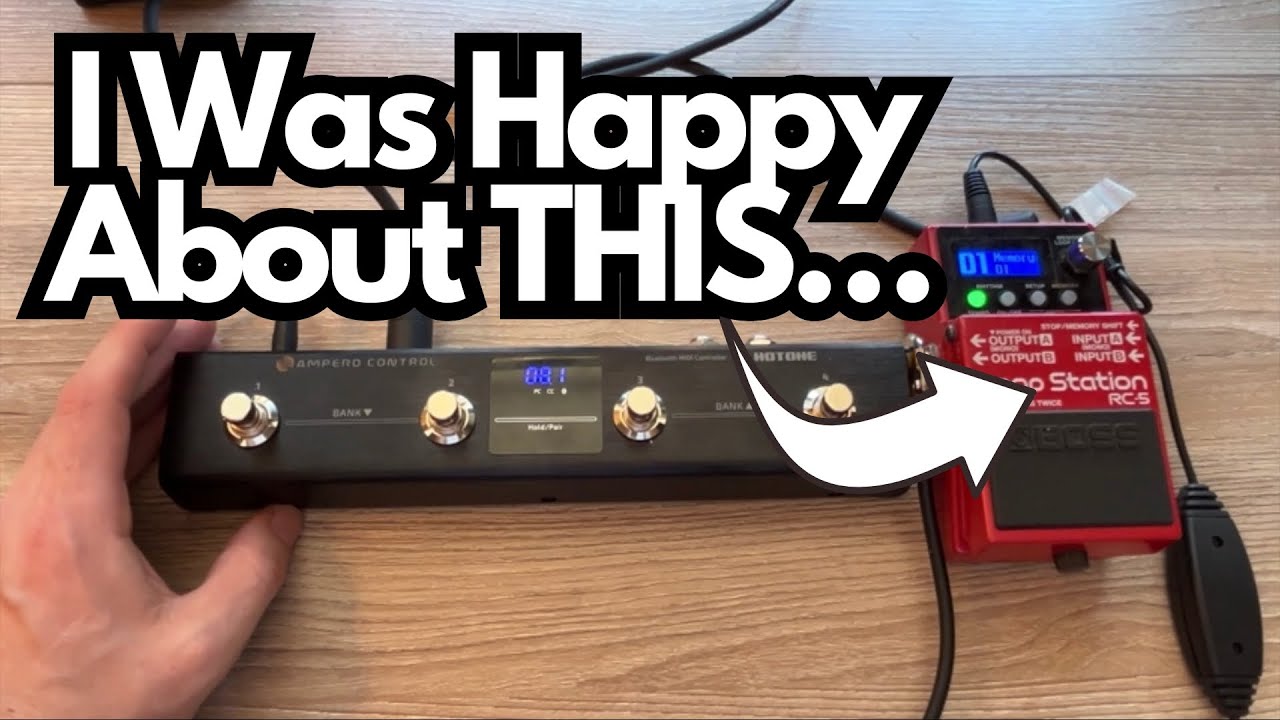
If you’re into looping, backing tracks, or just want more control under your feet, a compact MIDI controller can completely change how you use your pedals.
The Hotone Ampero Control is one of those small-format MIDI footswitches that looks perfect on paper—but the big question for many of us is:
Despite a lot of online chatter claiming it won’t, you can control a Boss RC-5 with the Ampero Control once it’s set up correctly.
This post walks through what the Ampero Control is, how it behaves with Boss products, and what you can realistically expect from it in a pedalboard context.
Overview / First Impressions
The Hotone Ampero Control (on amazon) is a compact MIDI foot controller designed to send programmable MIDI messages to your pedals, multi‑FX units, and other MIDI-capable gear.
In practice, with a Boss RC-5 Loop Station, you can use it to:
- Start and stop playback
- Change memory slots / presets
- Control the drum machine on/off
- Tap in tempo
Once it’s configured, the Ampero Control feels like a natural extension of the RC-5—especially if you’re tired of bending down or doing awkward double-taps to access basic functions.
Build Quality & Design
While the transcript doesn’t go deep into physical details, a few things are worth noting based on real-world use:
- Compact footprint – It’s small enough to fit on most boards without a major reshuffle. Great if you’re already tight on space.
- Multiple footswitches – You get several switches you can assign to different MIDI commands (play, stop, drum on/off, tap tempo, etc.).
- Digital configuration – Most of the power comes from the internal settings and how you program it, not from physical knobs.
It’s clearly designed as a utility piece: not flashy, but functional and focused on control.
Features & Functions
The key strength of the Ampero Control is its programmability. You can assign each footswitch to different MIDI messages, then map those to functions on your Boss RC-5 (or other MIDI devices).
Here’s what was successfully set up:
- Playback Control
- Start/Stop the loop playback via MIDI.
- Preset / Memory Navigation
- Change memory numbers on the RC-5 (e.g., switching between different loops or setups).
- Drum Machine Control
- Turn the RC-5’s drum track on and off from the Ampero Control.
- Tap Tempo
- Use one of the Ampero switches as a dedicated tap tempo for the RC-5.
All of this was done by:
- Adjusting the settings inside the Ampero Control (assigning the correct MIDI CC/PC messages, channels, etc.)
- Matching those settings in the Boss RC-5’s MIDI menu so it knows what to listen for
Once the two devices “agree” on channels and control numbers, the Ampero Control becomes a very capable remote for the RC-5.
How It Sounds / Use Cases
The Ampero Control doesn’t have a sound of its own—it’s all about workflow and performance control. But in terms of how it changes your sound-making process, it’s a big deal.
Practical Use Cases with the RC-5
- Hands-Free Loop Management
Start and stop loops without relying solely on the RC-5’s main footswitch. This can make your timing more precise and your performance smoother. - Preset-Based Practice Rigs
Use the Ampero to scroll through different RC-5 memories: backing tracks, practice loops, or song sections. One stomp, new idea. - Drum Machine Integration
Turn the RC-5’s drums on/off on the fly. Great for:- Practicing with a beat, then muting it while you work on timing
- Bringing drums in for a chorus or solo section
- Tap Tempo Control
Having tap tempo on a separate switch is extremely useful:- Quickly match tempo to a drummer or backing track
- Adjust tempo mid-song without menu-diving
For a guitarist who practices a lot, writes with loops, or plays live with an RC-5, this kind of MIDI control can make the pedal feel more like a compact looper workstation.
Limitations / Things to Know
A few important points to keep in mind:
- Setup is not plug-and-play.
- You do need to spend some time in the menus of both the Ampero Control and the RC-5 to:
- Set the correct MIDI channel
- Assign the right CC (Control Change) or PC (Program Change) numbers
- Map each Ampero switch to a specific RC-5 function
Contrary to some online claims… it does work.
Some “experts” on Reddit have said the Ampero Control isn’t capable of controlling the Boss RC-5. In practice, that turned out to be wrong. With proper configuration, it clearly is capable of controlling the Loop Station.
Know Your MIDI Basics
If you’re new to MIDI, expect a short learning curve. Once you understand:
- What channel your RC-5 is on
- Which CC/PC numbers trigger which functions
…the rest is just matching values.
Final Thoughts
If you’re a guitarist using a Boss RC-5 (or other Boss MIDI-capable pedals) and you want more hands-free control, the Hotone Ampero Control is a surprisingly capable option.
It can control Boss products like the RC-5, despite what some forum posts suggest. You can use it for playback control, preset changes, drums on/off, and tap tempo.
It’s especially useful for practice, looping, and performance setups where you want multiple functions underfoot without menu-diving.
It’s not magic—you’ll need to put in a bit of time to configure it—but once dialed in, it turns a simple looper into a much more flexible tool.
Resources & Further Study
If you’re using looping and MIDI as a way to get better at guitar (not just to geek out on gear), structured fretboard knowledge will help you get more musical with your loops.
A recommended resource is the Triads document at:
TravelingGuitarist.com/fretboard-cheatsheet.com
This covers:
- Triads all over the neck
- Root-note awareness for each triad shape
- An “octave mapping” technique to help memorize the fretboard
It’s been used consistently over 6–8 months with good results, and pairs nicely with a looper/MIDI setup for practical, musical practice.