

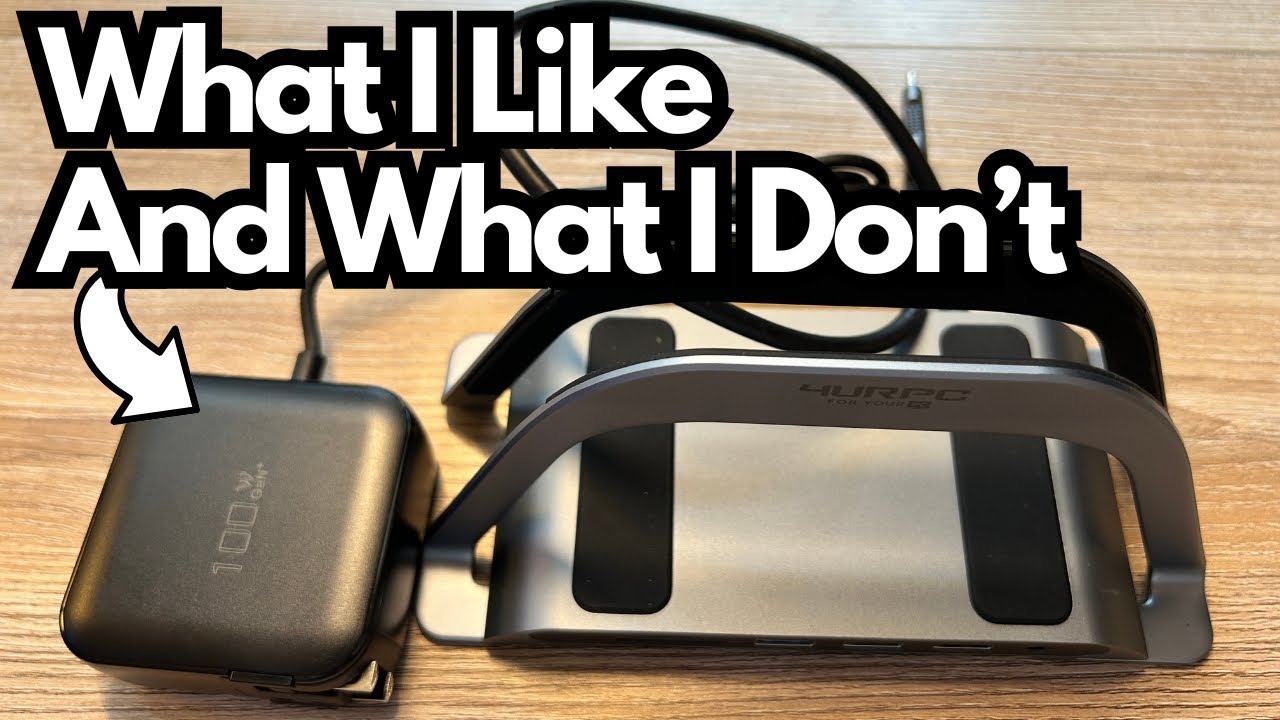
If you’re trying to tame cable clutter and get more ports out of your laptop or small desktop, a monitor stand with a built‑in dock can be a really practical solution.
The 4URPC Monitor Stand Adapter (on Amazon) aims to do exactly that: raise your machine, add a bunch of connectivity, and keep everything clean and organized.
I’ve used a lot of USB-C docks and adapters over the years—probably seven or eight at this point—so I have a decent sense of what works and what doesn’t. This stand hits some important marks, but it also has one major omission that could be a deal‑breaker depending on your setup.
Overview / First Impressions
The For Your PC adapter is essentially a monitor stand with an integrated multi-port hub. You set your laptop or small computer on it, plug in a single cable, and gain access to:
- Extra USB ports
- Dual HDMI outputs
- Ethernet
- MicroSD
- 3.5 mm audio jack
- Power delivery input
The big win right away: it’s plug‑and‑play. There’s no driver installation required. You just connect it to your machine and it works, which is exactly what you want from a dock like this.
Build Quality & Design
Physically, the unit is designed to act as a stand or riser for your computer. When everything is set up, your machine sits neatly in or on the stand, and your cables run out the back and sides. It’s meant to clean up your workspace visually while also giving you more connectivity.
A few design notes:
- Form factor: It’s compact enough for most desks and looks like a typical minimal monitor stand with ports built in.
- Charger included: It comes with its own power supply. The cable is about 57–58 inches long—roughly what you’d expect and long enough for most desk setups.
- Standing desk consideration: If you use a standing desk and frequently raise or lower it, remember that the stand, your computer, and all the cables will move as one unit. In some setups (especially if you need the desk to drop down over or around other gear), the physical height and position of this stand can become an issue.
Features & Functions
Here’s what you get in terms of I/O:
Front / Side Ports
- 3 × USB-A ports – for peripherals like keyboards, mice, external drives, etc.
- MicroSD card slot – handy for quickly pulling files off cameras or portable recorders.
- 3.5 mm audio jack – standard headphone/line-out connection.
Rear Ports
- 2 × HDMI ports – for connecting up to two external displays.
- Ethernet port – for a wired network connection (often faster and more stable than Wi‑Fi).
- Power Delivery (PD) input – for powering the dock and, depending on your system, passing power to your device.
From a functionality standpoint, it does what a dock is supposed to do: extend your connectivity, support multiple monitors, and give you wired network and audio options.
How It Works in Practice
Once it’s plugged in, the For Your PC adapter behaves like a straightforward docking station:
- Displays: The dual HDMI outputs work as expected. You can run two external monitors without any drama.
- Peripherals: The three USB-A ports handle typical accessories just fine—mice, keyboards, USB drives, and similar devices.
- Networking and audio: Ethernet and the 3.5 mm jack both function normally, giving you stable internet and a simple way to hook up headphones or speakers.
- Desk organization: If you keep your desk at a fixed height, this stand can help keep your machine off the surface and your cables routed more cleanly.
For someone with a relatively simple setup—especially if you’re on an older laptop that relies heavily on USB-A—this stand can streamline your workspace nicely.
Limitations / Things to Know
1. No USB-C Port
The biggest drawback is the lack of a USB-C port on the unit itself.
For many modern setups, especially if your primary machine relies on USB-C for:
- Power
- External drives
- Audio interfaces
- Hubs or other adapters
this omission can be a serious limitation. In my case, it’s enough that I can’t realistically integrate this stand into my daily workflow.
If you still live mostly in the USB-A world, this may not bother you. But if USB-C is central to your rig, you’ll feel this missing immediately.
2. Not Ideal for Certain Standing Desk Setups
Because it’s a stand, your computer is elevated above the desk surface. On a standing desk that moves up and down, this can cause two issues:
- Clearance problems: If your desk needs to lower down over something (like other gear or a cabinet), having the extra height of the stand plus your computer can get in the way.
- Cable strain: More vertical travel can mean more tugging on cables if they’re not managed carefully.
If your standing desk has plenty of clearance and you manage cables well, you may be fine. But it’s something to consider before committing.
Final Thoughts
The For Your PC Monitor Stand Adapter is a solid concept: a clean, plug‑and‑play way to raise your machine and add extra ports, dual HDMI, Ethernet, and audio in one shot. It works as advertised in terms of functionality, and the included power supply and reasonable cable length make setup straightforward.
However, the lack of USB-C is a significant limitation in 2025. For users with modern laptops and USB-C‑centric workflows, this is likely a deal‑breaker. For those on slightly older machines who mainly need USB-A, HDMI, Ethernet, and a simple headphone jack, it could be a practical, tidy solution—especially if your desk height is fixed.
If your setup doesn’t depend on USB-C and you want a simple, driver‑free dock that doubles as a stand, this adapter can do the job. If USB-C is essential, you’ll want to look elsewhere.