

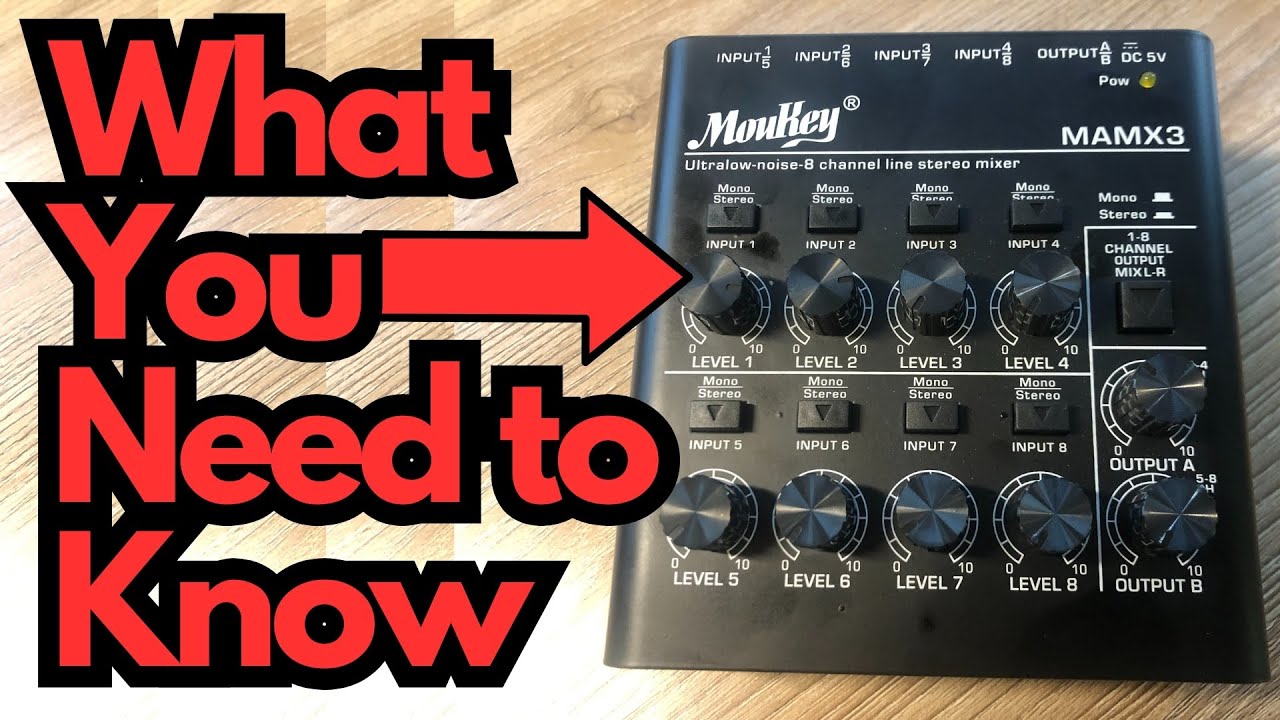
If you’re a guitarist or home-recording musician looking for a compact, affordable way to get sound into your computer, a small USB-C Mixer like this one can be a game changer. It’s built to live on your desk, in your gig bag, or beside a laptop on the road, without feeling cheap or flimsy.
After using this interface on and off for over a year—mostly for recording guitar and a bit of piano—the main takeaway is simple: it quietly does its job well, with very little to complain about.
You can grab one here on Amazon if you’re interested.
Overview / First Impressions
The first thing that stands out is the overall build quality. For something in this price range, it feels unexpectedly solid:
- The knobs and buttons feel tight and precise
- The ports are well-fitted and don’t feel loose
- The whole unit gives a “reliable tool” vibe rather than a budget gadget
It’s also very compact, making it easy to throw in a backpack alongside a laptop, small MIDI controller, or a couple of cables. If you’re working in a tight space or moving between home, rehearsal, and studio, the size is a real plus.
Build Quality & Design
From a physical standpoint, this interface is one of its own best features:
- Sturdy chassis – It feels like it can handle regular use without babying it.
- Quality controls – The knobs and buttons don’t wobble, and they have a nice resistance.
- Clean layout – Everything is clearly labeled and logically placed, so you’re not hunting around for basic functions.
Even though it’s “cost effective,” it doesn’t look or feel like a toy. It has the kind of build that inspires confidence when you’re plugging in instruments or moving it around your setup.
Power & Connectivity
One of the quirks of this unit is its power requirement:
- Power: DC 5V over USB-C
- Not a standard 9V pedal-style input
From a guitarist’s perspective, this is a mixed bag:
- If you’re used to 9V center-negative power supplies for your pedals, you can’t just plug one of those in and go.
- On the other hand, the USB-C power means you can run it off a power bank, which is a huge plus for mobile recording with a laptop or tablet.
So while the 5V requirement is a minor inconvenience if you were hoping to integrate it directly into a pedalboard-style power setup, it’s very convenient for portable, computer-based rigs.
Features & Functions
While this isn’t meant to be a deep, feature-packed studio centerpiece, it covers the essentials well:
- Multiple ports for basic recording and playback needs
- Clear, tactile buttons and knobs for hands-on control
- Compact footprint without sacrificing usability
For guitarists and basic home studio users, it’s ideal for:
- Plugging in a guitar or keyboard to track ideas
- Simple overdubs and demos
- Practicing silently with amp sims on your computer
It’s not overloaded with extras, but it does what it’s supposed to do in a straightforward way.
How It Sounds / Use Cases
In use, this interface has been:
- Clean and reliable for recording guitar and piano
- Quiet enough for home recording and demo work
- Transparent, in the sense that it doesn’t add noticeable noise or coloration
It’s particularly well-suited for:
- Guitarists who want a small, no-fuss interface to plug into amp sims or record ideas
- Songwriters who need a simple way to capture guitar, keys, and basic tracks
- Mobile musicians who want something that works well with a laptop and a power bank
Even though it hasn’t been used heavily yet, there haven’t been any audio issues or reliability problems to speak of.
Limitations / Things to Know
A few points to keep in mind:
- 5V power:
- Can’t be powered by a typical 9V pedal adapter
- Great with USB power banks, less ideal if you wanted to integrate it into a pedalboard power chain
- Not heavily stress-tested:
- It’s held up well so far, but it hasn’t been used daily or pushed in complex recording sessions
- Based on the build, there’s no obvious red flag, but long-term durability is still an open question
If you’re expecting a full-featured studio interface with tons of I/O and advanced routing, this isn’t that. It’s more of a compact, practical workhorse for straightforward recording.
Final Thoughts
After a year of casual use, the verdict is quite positive:
- Pros
- Excellent build quality for the price
- Compact and portable
- USB-C power works great with power banks
- Clean, reliable performance for guitar and basic recording
- Cons
- 5V power instead of 9V may be inconvenient for pedal-based setups
- Not extensively tested under heavy, long-term studio use yet
If you’re a guitarist or home producer looking for a small, affordable interface that doesn’t feel cheap and integrates well with a laptop-based rig—especially a mobile one—this unit is absolutely worth considering. There’s very little to complain about, and a lot to like.
Resources
If you’re using this interface mainly for guitar and want to get more out of your recording time, you might find this fretboard resource helpful:
- Fretboard & triads cheat sheet: travelingguitarist.com/fretboard-cheatsheet
It’s a handy way to quickly find shapes and ideas when you’re plugged in and ready to record.