

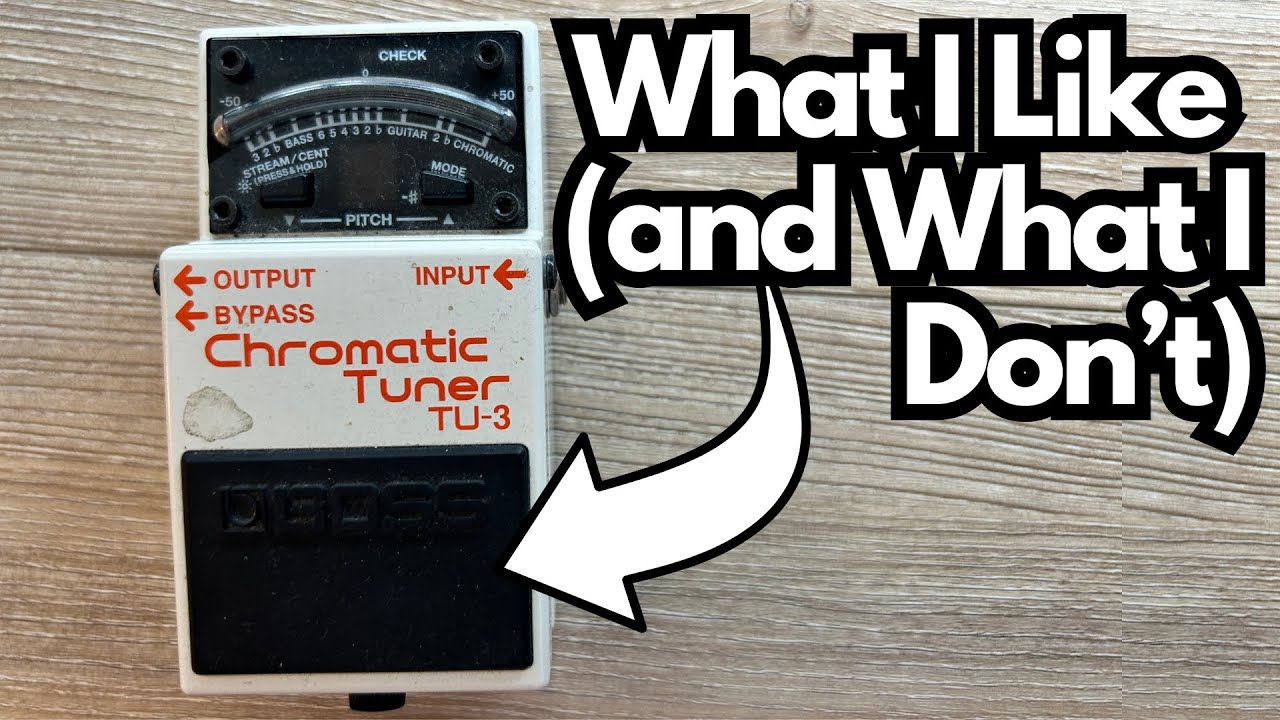
Everyone needs a tuner they can trust. The Boss TU-3 has become the default choice on countless pedalboards for a reason: it’s rugged, accurate, and does exactly what it’s supposed to do without drama. You can get it here on Amazon.
This post walks through how it works in real-world use, a few quirks that can confuse new users, and why it’s still such a solid choice for gigging guitarists.
Overview / First Impressions
The Boss TU-3 is the modern evolution of the classic Boss TU-2. It’s a compact, stompbox-style tuner that:
- Mutes your signal when engaged (ideal for live use)
- Offers multiple display modes
- Supports guitar and bass
- Can run on battery or power supply
It’s not flashy, it doesn’t have a big color screen, and it doesn’t try to be anything other than a solid tuner. For many players, that’s exactly the point.
Build Quality & Design
Like most Boss pedals, the TU-3 feels like it’s built to survive a nuclear winter:
- Tank-like enclosure: Standard Boss metal housing, designed for heavy foot use.
- Classic Boss footswitch: Large, easy to hit, with a clear on/off state.
- Battery compartment: Accessible via the traditional Boss pedal method—unscrew the thumbscrew at the front and lift the pedal top to swap the 9V battery.
- LED display: Simple, bright enough to see onstage, and power-efficient.
This is not a delicate piece of boutique gear. It’s a workhorse.
Features & Functions
True Bypass-Style Mute
When you step on the pedal, it mutes your signal so the audience doesn’t hear you tuning. When it’s off, your guitar signal passes through as normal.
For live players, this is essential: no one wants to hear you tuning between songs.
Display Modes (The “Stream/Cent” Button)
One thing that can trip people up at first is the STREAM/CENT button on the face of the pedal.
- Stream mode: The LEDs flow left or right like a moving “stream” as you tune. Some players find this visually distracting or harder to read.
- Center mode: The tuner behaves more like a traditional needle-style display—when you’re in tune, the center LED lights up and the side LEDs are balanced.
If you don’t like the default display (often the streaming mode), just press the STREAM/CENT button to switch. Many players prefer the more straightforward center mode for quick, no-nonsense tuning.
Note Display & Sharp Indicator
The TU-3 clearly shows the note you’re tuning to. A small dot next to the note indicates a sharp:
- For example, if you’re tuned down a half step and playing what would normally be an E string, the tuner will show E♯ / F behavior depending on how it interprets the pitch.
- The small dot next to the letter is the sharp symbol, so you’ll know you’re targeting, say, F♯ instead of F.
This is especially useful if you play in alternate tunings or tune down (e.g., E♭ standard).
Tuning Modes
On the side of the pedal, you’ll find a mode selector. The TU-3 supports:
- Chromatic mode: Detects any pitch (guitar, bass, or otherwise). This is the most flexible option and often the easiest to use.
- Guitar modes (standard and down-tuned):
- Standard E tuning
- Variants for tuning down (e.g., a half-step, whole-step, etc.).
- Bass modes:
- Tailored to bass guitar strings and ranges, with similar down-tuning options.
For most guitarists, Chromatic mode is the best choice: it’s simple, it works with any tuning, and it’s less confusing than trying to remember which numbered mode matches which tuning.
How It Sounds / Use Cases
The TU-3 doesn’t color your tone in any meaningful way in normal use—it’s a tuner, not an overdrive. The main “sound” feature is the mute when engaged. That said, it’s supposed to be a buffered-bypass tuner which means it does your signal a wee bit.
But not enough to make you perk your ears up. Most people put a buffered bypass tuner like this one first in their chain as best practice, especially if you have tons of pedals and cables.
- Live performance: Step on it between songs, tune silently, step off, and you’re back in the mix.
- Practice: Leave it always connected as your first pedal in the chain so you can quickly check tuning as you go.
- Alternate tunings: In Chromatic mode, it handles half-step, whole-step, and more exotic tunings without any trouble.
Because the display is clear and the tracking is solid, it’s easy to get in tune fast—which is really all you want from a tuner.
Battery Life & Power
The TU-3 can run on:
- A 9V battery
- A standard 9V DC power supply
One nice practical detail: the battery life is excellent. In testing, it clocked in around 32 hours of use on a single 9V battery. That’s a lot of rehearsals and gigs, especially since the LEDs are relatively simple and efficient.
If you’re building a pedalboard, you’ll probably power it with a supply, but it’s reassuring to know the battery option is so solid.
Limitations / Things to Know
A few practical notes:
- Display mode confusion: If the tuner feels weird or hard to read out of the box, you’re probably in the streaming mode. Hit the STREAM/CENT button and try the other display style.
- Not a mini pedal: It uses the standard Boss footprint, so it’s not as compact as some modern micro tuners. If board space is ultra-tight, that might matter.
- No fancy extras: No strobe simulation, no multi-string tuning display, no built-in metronome. It’s a straightforward tuner.
For most guitarists and bassists, these “limitations” are actually part of its appeal: it just tunes and gets out of the way.
Final Thoughts
The Boss TU-3 is one of those pedals you buy once and keep for years. It’s:
- Rugged enough for heavy gigging
- Clear and accurate enough for serious practice and recording
- Flexible enough to handle alternate tunings and bass
If you want a dependable, no-nonsense tuner pedal that just works, the TU-3 is still a fantastic choice. It won’t be the flashiest thing on your board, but it might be the one you rely on the most.
Resources & Further Study
If you’re working on your fretboard knowledge and want to go beyond just being in tune, check out:
- Fretboard Memorization Cheat Sheet at travelingguitarist.com – A triad-based system for learning the neck in every key using octave mapping and other practical techniques.
- Traveling Guitarist Forum at
forum.travelingguitarist.com, where you can talk guitar, harmony, improvisation, and gear with other players.
A good tuner keeps you in tune; a good practice system helps you make real music with it. The TU-3 will handle the first part—these resources can help with the second.