

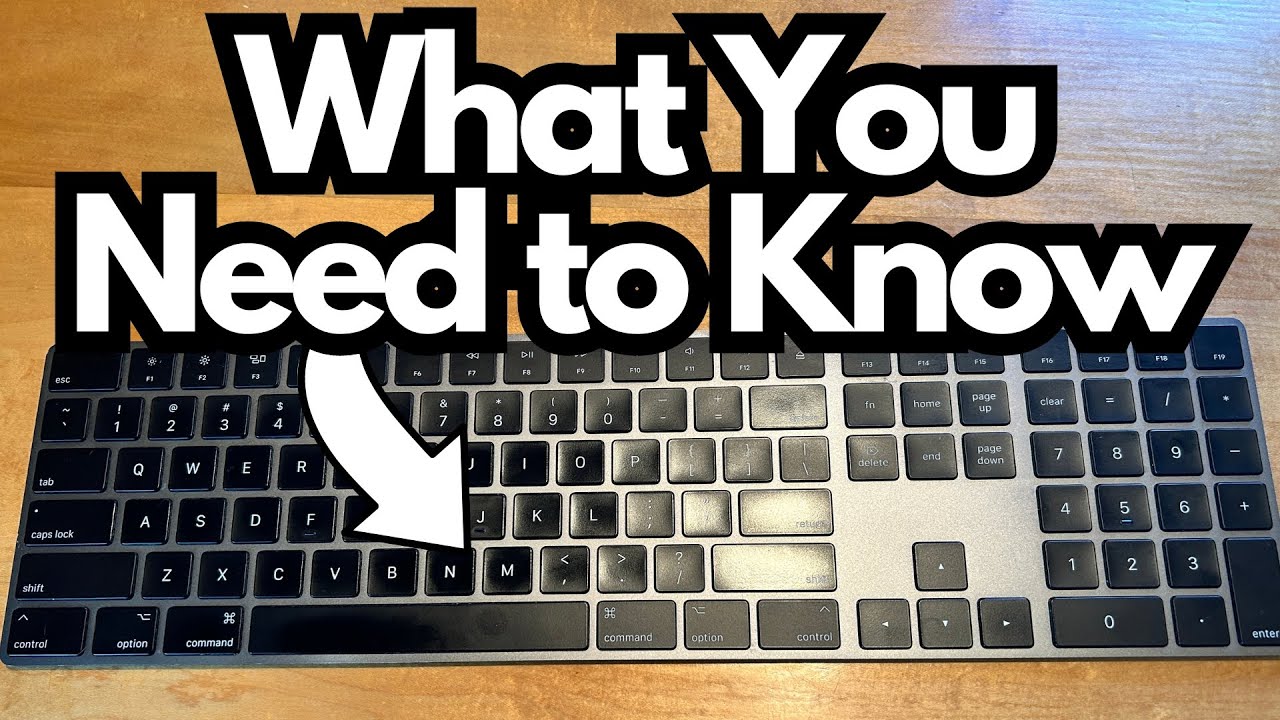
If you spend a lot of time typing, working in spreadsheets, or punching in numbers for things like taxes or budgeting, your keyboard becomes one of your most important tools.
The Apple Magic Keyboard with Numeric Keypad (on Amazon) is designed exactly for that kind of work: it’s a full-size, wireless keyboard that adds a proper number pad to the standard Apple typing experience.
This write-up is for anyone considering upgrading from the smaller Magic Keyboard, or from a laptop keyboard, and wondering if the larger footprint and price tag are worth it.
Overview / First Impressions
The Magic Keyboard with Numeric Keypad is essentially the “extended” version of Apple’s standard Magic Keyboard. It adds:
- A full numeric keypad on the right
- Extra function keys and navigation keys (Home, End, Page Up/Down, etc.)
- A wider overall footprint
It’s noticeably larger than a typical book or small notebook, and that has practical implications for portability. It won’t comfortably fit in a small satchel or compact laptop sleeve. It’s much more at home on a desk than in a travel setup.
Functionally, it does exactly what you’d expect: you turn it on, it connects, and it just works. No drama, no weird connection drops, no random lag.
Build Quality & Design
Apple’s design language is all over this keyboard:
- Slim, low-profile chassis that looks clean and minimal on a desk
- Integrated rechargeable battery, so no AA batteries to swap out
- Consistent Apple aesthetic, matching Macs and other Apple peripherals
One of the standout design details is the key shape. The keys have a subtle indentation that gently cups your fingertips. It’s a small thing, but it makes typing feel more controlled and comfortable, especially during long sessions.
Overall, the build feels solid and premium. There’s no sense of flex or cheapness—it feels like a piece of hardware you can happily use every day for years.
Features & Functions
Here’s what you get in practical, everyday terms:
Full Numeric Keypad
Perfect for:
- Entering data into spreadsheets
- Doing taxes or financial work
- Any workflow that involves a lot of numbers
Wireless Connectivity
- Pairs easily with Macs
- Stays connected reliably—no random disconnections or dropouts in normal use
Rechargeable Battery via Lightning
- No disposable batteries
- Charges with a standard Lightning cable
It’s not packed with flashy extras or programmable keys; it’s more about doing the basics very well and giving you that extended layout that a lot of people miss when they’re stuck with compact keyboards.
How It Feels to Type On
The typing experience is one of the best reasons to use this keyboard.
- Key feel: The low-profile keys with that slight indentation make it easy for your fingers to land in the right place. It feels precise and comfortable.
- Travel and feedback: Typical Apple scissor-switch feel—light, crisp, and quiet, without being mushy.
If you’re used to the smaller Magic Keyboard or a MacBook keyboard, this will feel very familiar, just with more real estate and the added convenience of the number pad.
Battery Life: Good, But Not the Best in the Lineup
The battery life is solid, but not quite as impressive as the smaller white Magic Keyboard.
- Expect to charge it roughly every 2–3 weeks, sometimes stretching to about once a month, depending on your usage.
- That’s still very good for a wireless keyboard, especially one used daily.
- Compared to the smaller Magic Keyboard, which can feel almost endless between charges, this one is just “very good” instead of “insane.”
The important part: you don’t need to babysit it. Charge it occasionally and it’ll be ready when you are.
Limitations / Things to Know
A few practical considerations to keep in mind:
Size & Portability
- It’s wide—wider than a standard book.
- It may not fit in smaller bags or satchels comfortably.
- Best suited for a permanent or semi-permanent desk setup rather than a travel rig.
Battery vs. Smaller Model
- Battery life is excellent, but not quite as long-lasting as the smaller Magic Keyboard.
- If you value ultra-long battery life above all else and don’t need a number pad, the smaller version might make more sense.
If you’re mostly working at a desk and you use numbers regularly, these trade-offs are usually worth it.
Final Thoughts
The Apple Magic Keyboard with Numeric Keypad does exactly what it’s supposed to do, and it does it reliably:
- Comfortable, precise typing experience
- Full numeric keypad for serious number work
- Solid wireless performance with no connection headaches
- Good long-term durability and daily usability
If you:
- Work with numbers a lot
- Prefer a clean, Apple-style desktop setup
- Don’t mind a slightly larger footprint on your desk
…then this keyboard is a strong, no-nonsense choice. It’s not the flashiest upgrade, but it’s one of those tools that quietly makes your daily workflow smoother—and once you get used to having that number pad, it’s hard to go back.