

If you’re a guitarist who spends a lot of time recording, editing, or managing presets and plug‑ins on an iPad or Mac, your “rig” isn’t just guitars, amps, and pedals. The tools you use to control your DAW, tweak modeler settings, or write charts matter just as much to your workflow.
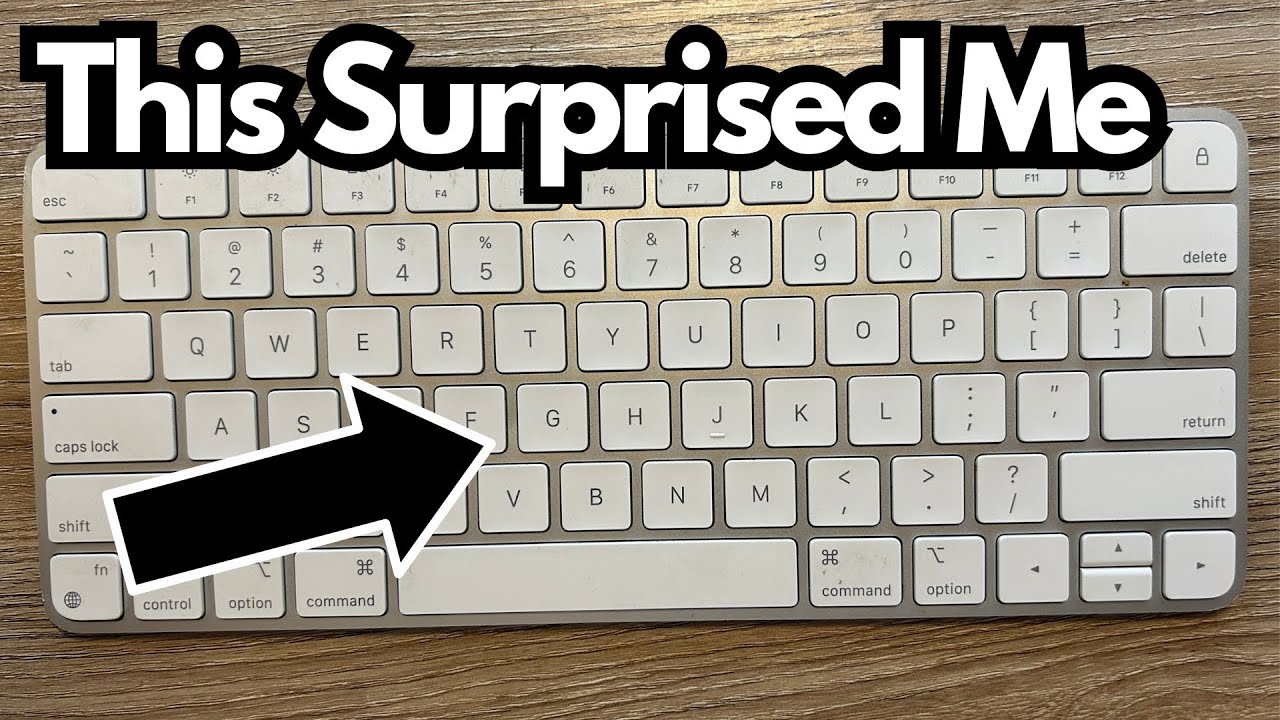
One of the most surprisingly essential pieces of gear in my setup isn’t a pedal at all—it’s the Apple Magic Keyboard (on Amazon).
I’ve been using this keyboard heavily since 2022, mainly with my iPad, and it’s become one of those “buy it once, forget about it, and it just works” tools.
If you’re a guitarist who lives between a practice space, studio, and couch, this might be exactly the kind of low‑friction accessory you didn’t know you needed.
Overview / First Impressions
I’ve been using the Apple Magic Keyboard for about two years, and I’m still a little stunned by how little attention it needs.
- Battery life: I’m not exaggerating when I say I’ve only charged it about twice in that entire time.
- Primary use: Almost exclusively paired with my iPad.
- Experience: It connects quickly, types reliably, and basically disappears into the background—which is exactly what you want when you’re focused on tone, not tech.
For things like:
- Renaming presets on a modeler app
- Typing notes about pedal settings
- Managing setlists or charts
- Controlling a DAW on the iPad
…it’s been rock solid.
Build Quality & Design
The Magic Keyboard feels like a typical Apple product: clean, minimal, and well put together.
A few design points that matter in a musician’s world:
Compact size
It’s only slightly larger than a TV remote, which means it slips easily into a backpack, gig bag pocket, or pedalboard case. If you’re moving between home studio, rehearsal space, and gigs, that kind of portability is gold.
Low profile
The slim design makes it easy to throw on a crowded desk next to an audio interface, pedals, and cables without feeling like it’s in the way.
Charging port placement
The Lightning port is on the top edge—not on the bottom like the infamous Apple Mouse. You can actually use it while it’s charging.
Overall, it feels sturdy enough to handle regular use without being precious about it.
Features & Functions
Here’s what stands out in day‑to‑day use:
- Bluetooth connectivity
Pairs quickly with the iPad and stays connected. I almost never deal with random dropouts or glitches. - Rechargeable internal battery
No AA batteries, no swapping cells mid‑session. Just plug in a Lightning cable when needed (which, in my experience, is almost never). - Full‑size key layout
Even though it’s compact, it still feels like a normal keyboard, so typing out song notes, emails, or session details is comfortable. - Seamless integration with Apple devices
Designed for the Apple ecosystem, so you don’t have to wrestle with drivers or weird compatibility issues.
Why I Personally Like It (Guitarist’s Perspective)
If all you do is browse YouTube, you can live on the iPad’s onscreen keyboard. But for anything more serious, this thing becomes a quiet workhorse.
Some practical use cases:
- DAW control on iPad
If you’re running GarageBand, Logic Remote, or other recording apps, having real keys makes naming tracks, punching in notes, and navigating menus way faster. - Preset and patch management
Whether you’re using amp sims, multi‑FX apps, or MIDI controllers, you’ll often be typing patch names, notes, and song titles. A physical keyboard turns that from a chore into something painless. - Songwriting and charting
If you write lyrics, tab, or chord charts on your iPad, a real keyboard is a massive upgrade over tapping on glass. - On‑the‑go productivity
Because it’s so small, it fits in the same bag you’d use for cables, a small interface, or your iPad. That makes it easy to capture ideas wherever you are—rehearsal room, backstage, or couch.
It’s not flashy like a new delay pedal, but it absolutely improves the workflow around your tone.
Limitations / Things to Know
A few points to keep in mind:
- Not a “mechanical” feel
If you love big, clicky mechanical keys, the Magic Keyboard’s low‑profile feel may not be your favorite. It’s more like typing on a MacBook. - Apple ecosystem focus
It can work with other devices, but it’s really meant for Apple gear. If you’re not in that world, you might want something more universal. - Price vs. alternatives
There are cheaper Bluetooth keyboards out there. What you’re paying for here is the integration, battery life, and compact design.
Final Thoughts
This is honestly one of the best Apple purchases I’ve made for my music workflow.
- The battery life is absurd—I’ve charged it maybe twice in two years.
- The size makes it a perfect companion for an iPad‑based rig.
- The reliability (no random disconnects, no fussy behavior) means I never have to think about it.
If you’re a guitarist who uses an iPad for recording, practicing, managing patches, or writing, the Magic Keyboard is the kind of tool that quietly makes everything smoother. It won’t change your tone—but it might change how easily you get to it.