

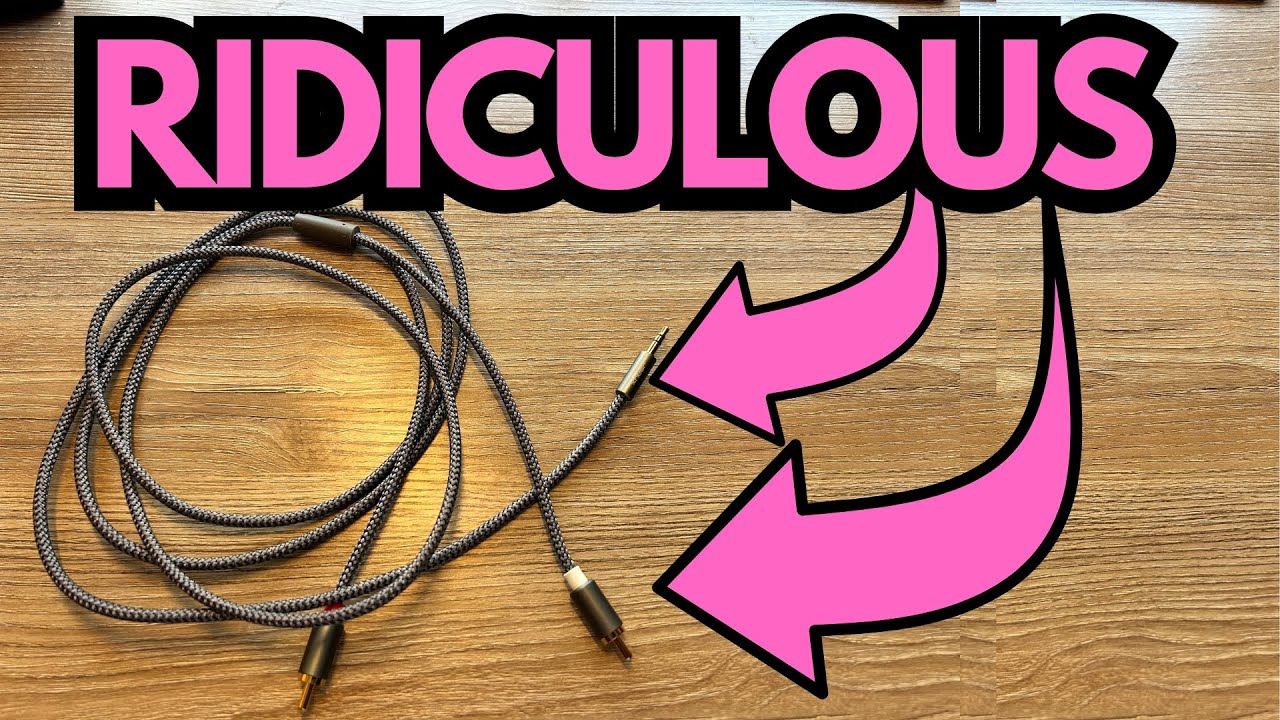
If you own IK Multimedia’s iLoud Micro Monitors, you’ve probably noticed something right away: they sound great, but getting the right cable setup can feel more complicated (and more expensive) than it should be.
IK sells their own branded cable options, but the price can be a bit much for what is, at the end of the day, just a way to get audio from your laptop into your speakers. The good news: you don’t have to buy the official IK Multimedia cable to make your iLoud Micro Monitors work properly.
You can grab one here on Amazon if you’re interested.
This post walks through a simple, cheaper cable solution that works perfectly with the iLoud Micro Monitors from a home studio / laptop setup perspective.
Overview / First Impressions
The cable in question is a straightforward solution:
- One end plugs into the headphone/line-out jack on a laptop.
- The other end splits into left and right connectors that plug directly into the back of the iLoud Micro Monitors.
The main concern going in was whether IK Multimedia had built in any kind of proprietary limitation that would force you to use their own cable. Fortunately, that’s not the case. A properly wired third-party cable works exactly as it should.
Bottom line: you don’t need the expensive IK-branded cable. A well-made third-party cable will do the job just fine.
Build Quality & Design
While the exact brand isn’t the focus here, the key design elements that matter are:
- Standard laptop connector on one end (typically a 3.5mm stereo plug).
- Two separate connectors on the other end (left and right) that match the input jacks on the back of the iLoud Micro Monitors.
- A reasonably solid build so it doesn’t feel fragile where the cable meets the plugs.
You’re not looking for anything exotic here—just a well-made cable with the correct connectors and decent strain relief so it doesn’t fail after a few weeks.
Features & Functions
Here’s what this type of cable setup gives you:
- Direct connection from laptop to speakers
Plug one end into your laptop’s headphone or line-out jack. - Independent left/right speaker inputs
The two plugs on the other end go straight into the L and R jacks on the back of the iLoud Micro Monitors. - No special drivers or interfaces required
For basic playback, you don’t need an audio interface—just the cable and your speakers.
This is ideal for:
- Practicing guitar along with backing tracks from your laptop
- Watching videos or listening to music through the iLouds
- Simple home recording playback (mix checks, reference listening, etc.)
How It Sounds / Use Cases
Once everything is connected:
- The iLoud Micro Monitors receive a clean stereo signal from the laptop.
- There’s no noticeable loss of quality or weird behavior from using a non-IK cable.
- The speakers behave exactly as you’d expect—no hums, no dropouts, no channel issues.
Typical use cases for guitarists and home producers include:
- Running modelers or amp sims on your laptop (Neural DSP, AmpliTube, Bias, etc.) and monitoring through the iLouds.
- Playing along with YouTube, Spotify, or DAW sessions.
- Using the iLoud Micro Monitors as your main desktop speakers for both music and general computer audio.
If your laptop’s output is reasonably clean, this setup is more than good enough for practicing, composing, and casual mixing.
Limitations / Things to Know
A few practical notes before you grab a cable:
- Match the connectors
Make sure you get:- A 3.5mm stereo plug (for the laptop) to
- The correct left/right plugs that match the rear panel of the iLoud Micro Monitors (often RCA or 1/4″ depending on the version/region).
- Laptop output isn’t a full audio interface
For serious recording and mixing, you’ll eventually want a proper USB audio interface. But for everyday playing and listening, this cable–laptop combo works fine. - Cable quality still matters (a bit)
You don’t need boutique cables, but avoid the absolute cheapest, flimsiest options. A mid-tier, well-reviewed cable is usually the sweet spot. - No proprietary lock-in
Despite the initial worry, the iLoud Micro Monitors do not require a brand-specific cable. As long as the wiring and connectors are correct, third-party cables work without issue.
Final Thoughts
If you’ve been hesitating to hook up your iLoud Micro Monitors because the official IK Multimedia cable seems overpriced, you can relax. A standard, well-made third-party cable with the right connectors will:
- Plug into your laptop
- Feed the left and right inputs on the iLoud Micro Monitors
- Work perfectly for everyday use
For guitarists and home studio users, this is an easy, budget-friendly way to get your monitors up and running without sacrificing functionality or sound.
Resources
If you’re using the iLoud Micro Monitors as part of a guitar practice or recording setup and want help navigating the fretboard more efficiently, you can grab a handy fretboard cheat sheet here: