

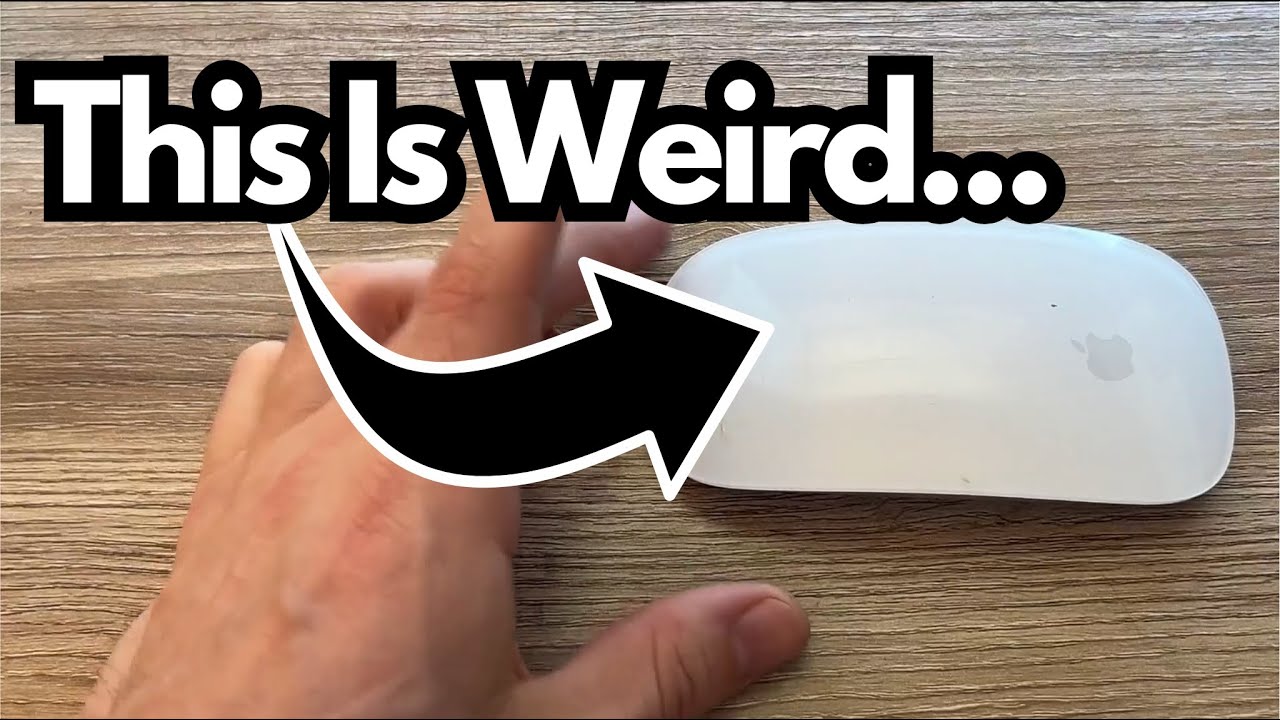
This isn’t a flashy pedal or a new amp, but it is a tool you’ll touch thousands of times while working on your music. So it’s worth asking: is the standard Apple Magic Mouse (on Amazon) good enough for serious, guitar-focused computer work?
Let’s dig into it from the perspective of someone who spends 6–10 hours a day on the computer—writing, recording, editing, and managing guitar content and music.
Overview / First Impressions
The standard Apple Magic Mouse is about as minimal as it gets:
- Low-profile, sleek Apple design
- Simple, clean surface with gesture support
- Wireless with a built-in rechargeable battery
In day-to-day use, it just works. You pair it once, and it becomes a quiet, reliable part of your workflow. There’s not much “wow factor,” but there is a lot of “it never gets in the way,” which is exactly what you want when you’re focused on tone, not tech.
The one thing everyone talks about is the charging port placement—and we’ll get to that.
Build Quality & Design
Apple’s design language is all over this mouse:
- Solid feel: It doesn’t feel cheap or flimsy. It’s light, but not toy-like.
- Minimalist look: No visible buttons, no clutter. Just a smooth top surface that handles both clicking and scrolling.
- Low profile: It sits very close to the desk. Some people love how sleek it feels; others wish it were a bit taller for ergonomic reasons.
From a guitarist’s perspective—especially if you’re constantly reaching over from a guitar to the keyboard and mouse—the small footprint can be nice. It’s easy to slide around, and it doesn’t dominate your workspace the way some larger ergonomic mice do.
Features & Functions
The Magic Mouse isn’t packed with gamer-style features, but what it does, it does well:
- Wireless & rechargeable: No batteries to swap. You charge it via Lightning cable.
- Multi-touch surface with:
- Vertical scrolling with one finger
- Horizontal scrolling (great for DAW timelines)
- Simple gestures for navigation (back/forward in browsers, etc.)
- On/Off switch: A physical switch on the bottom to power it down when you’re not using it.
For guitar work, that horizontal scrolling alone can be a lifesaver when you’re editing long takes in Logic, Pro Tools, Reaper, etc. Flicking through a session feels natural once you’re used to it.
Battery Life in Real-World Use
If you’re spending 6–10 hours a day on the computer—recording, mixing, editing videos, or just living in your DAW—the battery life holds up surprisingly well.
- Typical charge interval: About every 3 weeks to a month with heavy daily use.
- Day-to-day reality: You don’t really think about it until you get the low-battery warning.
For long studio days or content-creation marathons, not having to worry about batteries dying mid-session is a big plus. Just top it off occasionally and you’re good.
How It Performs in Daily Guitar Work
From a guitarist’s workflow perspective, here’s how it holds up:
Editing Audio & MIDI
The precise tracking and smooth scrolling make it easy to zoom into waveforms, trim clips, and move regions around.
Navigating DAWs & Plugins
The gestures and scrolling are particularly handy when moving across large sessions or scrolling through plugin parameters and presets.
General Studio Use
Whether you’re browsing reference tracks, managing files, or tweaking tones in amp sims, it stays responsive and predictable.
Occasionally, the mouse may cut out briefly—you’ll feel the cursor freeze or lose connection for a moment. In those cases:
- A quick off/on toggle using the switch on the bottom almost always restores perfect function immediately.
It’s not a constant issue, more of a minor hiccup that’s easy to fix when it happens.
Limitations / Things to Know
There are a couple of quirks that are worth mentioning before you commit to using this as your main “studio mouse.”
1. The Infamous Charging Port Placement
The charging port is on the bottom of the mouse.
That means:
- You can’t use it while it’s charging—it has to lie on its back like a flipped-over turtle.
- If you forget to charge it and it dies mid-session, you’re taking a short break whether you like it or not.
Is it a dealbreaker? Not necessarily, especially with the long battery life. But it’s a strange design decision and something to be aware of.
2. Occasional Connection Glitches
As mentioned:
- Every once in a while, it may briefly lose connection or act up.
- Turning it off and back on almost always fixes it instantly.
It’s not a constant problem, but if you’re in the middle of a tight edit or a recording session, even a few seconds of glitching can be annoying.
3. Ergonomics Are Personal
The low-profile design looks great, but:
- Some users find it less comfortable than larger, more contoured mice for all-day use.
- If you’re prone to wrist or hand fatigue, you might want to test it against a more ergonomic option.
For many guitarists who split time between playing and editing, it’s fine. But if you’re doing hardcore 8–10 hour editing days, comfort is worth considering.
Final Thoughts
For a guitarist who spends serious time on the computer—writing, recording, editing, or creating content—the standard Apple Magic Mouse is a solid, no-drama choice:
What it does well:
- Long battery life (roughly 3–4 weeks between charges with heavy use)
- Clean, minimal design that fits nicely into a studio setup
- Smooth scrolling and gestures that are genuinely useful in DAWs
- Simple, reliable performance most of the time
What might bother you:
- Charging port on the bottom (you can’t use it while charging)
- Occasional brief connection hiccups (though easily fixed with a quick power toggle)
- Low-profile shape that may not be ideal for everyone’s hands
If you’re deep in the Apple ecosystem and want a mouse that integrates cleanly and mostly disappears into your workflow, this one gets the job done. It won’t transform your tone, but it will quietly support the hours you spend chasing it.