

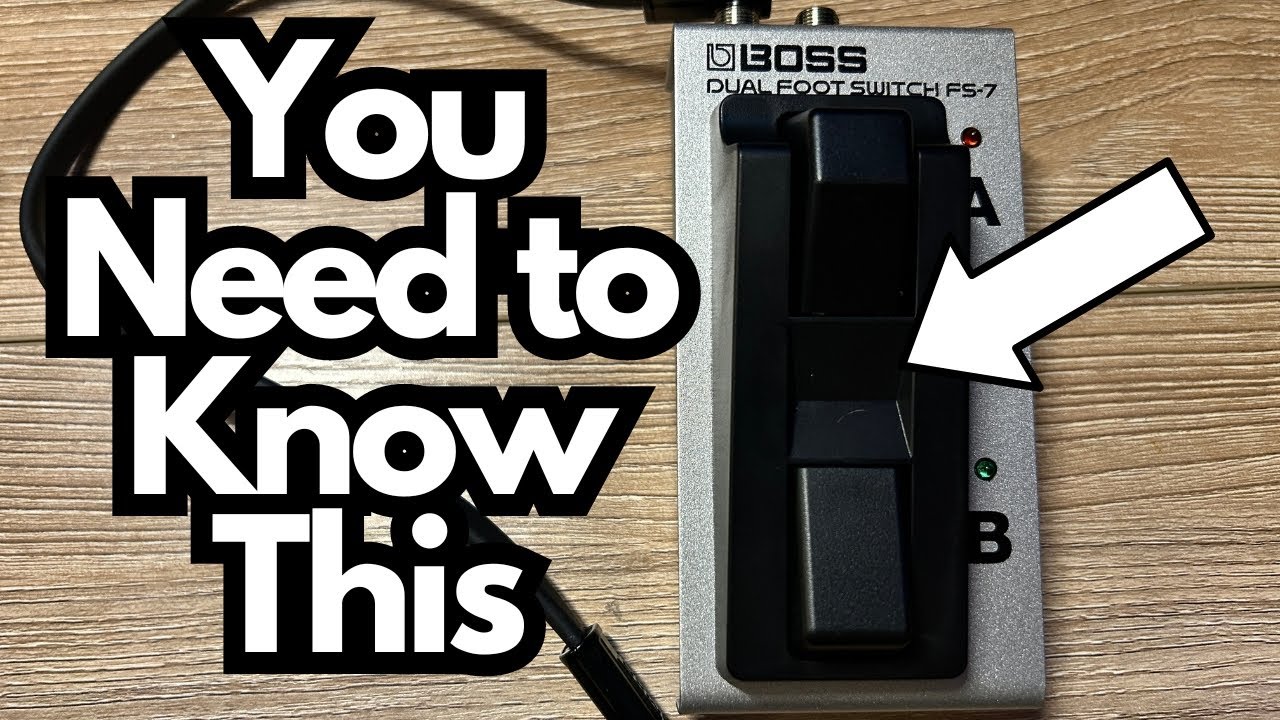
If you’re running a compact pedalboard and using something like the Boss RC-5 Looper (on Amazon) (or any Boss pedal with external control), the Boss FS-7 Dual Footswitch (also on Amazon) is one of those “why didn’t I get this sooner?” pieces of gear.
It doesn’t make sound, it doesn’t have knobs, and it won’t impress anyone on Instagram. But it can make your existing pedals way more usable—especially for looping, rhythm control, and live performance.
This post walks through what the FS-7 is, how to hook it up properly, and what to watch out for so you don’t get stuck wondering why nothing’s happening when you stomp on it.
Overview / First Impressions
The Boss FS-7 is a compact dual footswitch that lets you control compatible pedals with your feet—things like:
- Start/stop rhythm on an RC-series looper
- Play/stop/clear a loop track
- Trigger tap tempo, bank up/down, or other assignable functions on multi-effects and loopers
Size-wise, it’s roughly the same length as a Boss RC-5 looper, just narrower. If you’re used to standard Boss enclosures, this will actually feel smaller than you might expect. It’s designed to squeeze into tight pedalboard spaces while still giving you two separate switches (labeled A and B).
Who it’s for:
- Loopers who want dedicated switches for play/stop/clear or rhythm
- Players using Boss multi-effects or delay units that support external control
- Live performers who need more hands-free control without adding another giant pedal
Build Quality & Design
In typical Boss fashion, the FS-7 feels solid and roadworthy.
- Chassis: Sturdy metal (aluminum-style) construction. It feels like you could drop it and it would survive just fine.
- Footswitches: Two low-profile switches labeled A and B. They’re close together, but still usable with normal shoes or boots.
- Jacks & Ports: All the jacks feel tight and well-built—no wobble or cheap-feeling connectors.
- LED Indicators: Each switch has its own LED, which can be powered to show status (more on that below).
It’s clearly designed to live on a pedalboard and take abuse without complaining.
Features & Functions
At its core, the FS-7 is simple:
- Two independent footswitches (A and B)
- Single stereo (TRS) output jack to send both switch signals down one cable
- Power input (standard 9V center-negative) for powering the LEDs
- Passive operation for switching itself (it can work without power if you don’t need LEDs)
The real magic comes from what you plug it into. The FS-7 doesn’t decide what A and B do—your main pedal does.
For example, with a Boss RC-5 looper you can assign:
- Control 1 (e.g., A switch): Rhythm Play/Stop – turns the drum machine on and off
- Control 2 (e.g., B switch): Track Play/Stop/Clear – controls looping playback and clearing the loop
Inside the RC-5’s menu (under Control settings), you can choose what each external control does. That’s where you map the FS-7 to specific functions like:
- Start/stop loop
- Clear loop
- Start/stop rhythm
- Undo/redo
- Tap tempo
- And so on, depending on the pedal
How to Connect It (Important: Use a Stereo Cable)
This is the single most important practical detail:
You absolutely must use a stereo (TRS) cable with the FS-7.
Here’s how to hook it up to something like a Boss RC-5:
1. Get a TRS cable
– Not a regular guitar cable (TS).
– Look for a cable with two black rings on the jack (that’s TRS: Tip-Ring-Sleeve).
2. Plug the TRS cable into the FS-7’s A/B output
– It’s one jack that carries both A and B signals.
3. Plug the other end into your pedal’s control jack
– On the RC-5, that’s labeled STOP/MEMORY SHIFT (or similar control input on other Boss pedals).
4. Assign functions in your main pedal’s menu
– On the RC-5, go to Control settings and set:
– Control 1 = Rhythm Play/Stop (for example)
– Control 2 = Track Play/Stop/Clear (or whatever you want)
Once that’s set, pressing A and B on the FS-7 will control those functions on your main pedal.
If you try to use a standard mono guitar cable, you’ll either get only one switch working or nothing behaving the way you expect. TRS is non-negotiable here.
Power & LEDs: How It Works
The switching itself is passive, so the FS-7 doesn’t need power to function—but the LEDs do.
– Without power:
– The A and B switches still work and send control signals.
– The LEDs will be off, so you won’t get visual feedback.
– With power (9V DC):
– The LEDs above each switch light up and reflect the status your main pedal is sending.
– This is extremely helpful on stage or in dark environments.
In some setups, the pedal you’re controlling can provide enough power to drive the FS-7 (depending on the design), but the straightforward way is:
– Plug a standard 9V center-negative power supply into the FS-7’s power jack.
If you’re a live performer, powering the FS-7 so the LEDs work is highly recommended. Being able to glance down and see whether your loop or rhythm is active can save you from some very awkward on-stage moments.
—
How It Sounds / Use Cases
The FS-7 doesn’t affect your tone directly—it’s a controller, not an audio pedal—so there’s no coloration, no buffers, and no change to your signal path. Its entire job is to make your other pedals easier to control.
Here are some practical use cases, especially with something like the Boss RC-5:
1. Dedicated Loop Transport Control
Assign B to Track Play/Stop/Clear:
– Press once: start your loop
– Press again: stop
– Hold (or double-tap, depending on assignment): clear the loop
This lets you keep your main RC-5 switch for recording/overdubbing while the FS-7 handles playback and clearing. Much smoother and more intuitive once you get used to it.
2. Rhythm On/Off at Your Feet
Assign A to Rhythm Play/Stop:
– Turn the drum pattern on or off without bending down or juggling multiple taps on the main looper switch.
– Great for practicing timing, songwriting, and building structured loops.
You can, for example:
– Start a loop
– Kick in the drums with the A switch
– Stop the loop with B
– Turn off the drums with A
All without touching the main pedal once you’re set up.
3. General External Control
Outside of loopers, the FS-7 can handle:
– Tap tempo on delays
– Bank up/down on multi-effects
– Turning specific effects blocks on/off (if your unit supports that via external control)
It’s a simple way to expand the control surface of an existing pedal without buying a whole new multi-footswitch controller.
—
Limitations / Things to Know
A few practical notes before you buy:
- TRS cable is mandatory
Don’t skip this. A regular mono cable will not give you proper dual-switch operation. - No sound shaping
This is obvious, but worth stating: the FS-7 doesn’t improve or change your tone. It just makes your other pedals more usable. - LEDs require power
If you want visual feedback from the LEDs, you need to power it with 9V.
Without power, it still works, but you’ll be flying blind visually. - Function depends on the main pedal
The FS-7 itself doesn’t decide what A and B do. Your main pedal must support external control and let you assign functions.
Check your pedal’s manual to see which parameters can be controlled.
—
Further Study / Resources
If you’re using something like the RC-5 for practice and want to get more musical mileage out of it, working with triads and fretboard mapping pairs perfectly with a looper.
There’s a helpful triads resource at:
- TravelingGuitarist.com → Fretboard Cheatsheet
- A triads document that helps you:
- Learn triads all over the neck
- Map the fretboard using octave relationships
- Memorize root note locations for each triad shape
Practicing triads over loops you create with the RC-5 (and controlling everything smoothly with the FS-7) is a powerful way to internalize the fretboard over time.
Final Thoughts
The Boss FS-7 is one of those unglamorous but incredibly useful tools. It’s small, solid, and, when paired with something like the RC-5, it dramatically improves how you interact with your gear.
If you:
- Use a Boss looper or multi-effect with external control
- Want easier access to play/stop/clear, rhythm, or tap tempo
- Need compact, reliable foot control on a tight board
…then the FS-7 is absolutely worth adding. Just remember:
- Get a TRS stereo cable
- Power it if you want LEDs
- Assign your controls properly in the main pedal’s menu
Set up correctly, it becomes one of those “always-on-the-board” utilities that makes your whole rig feel more professional and stage-ready.