

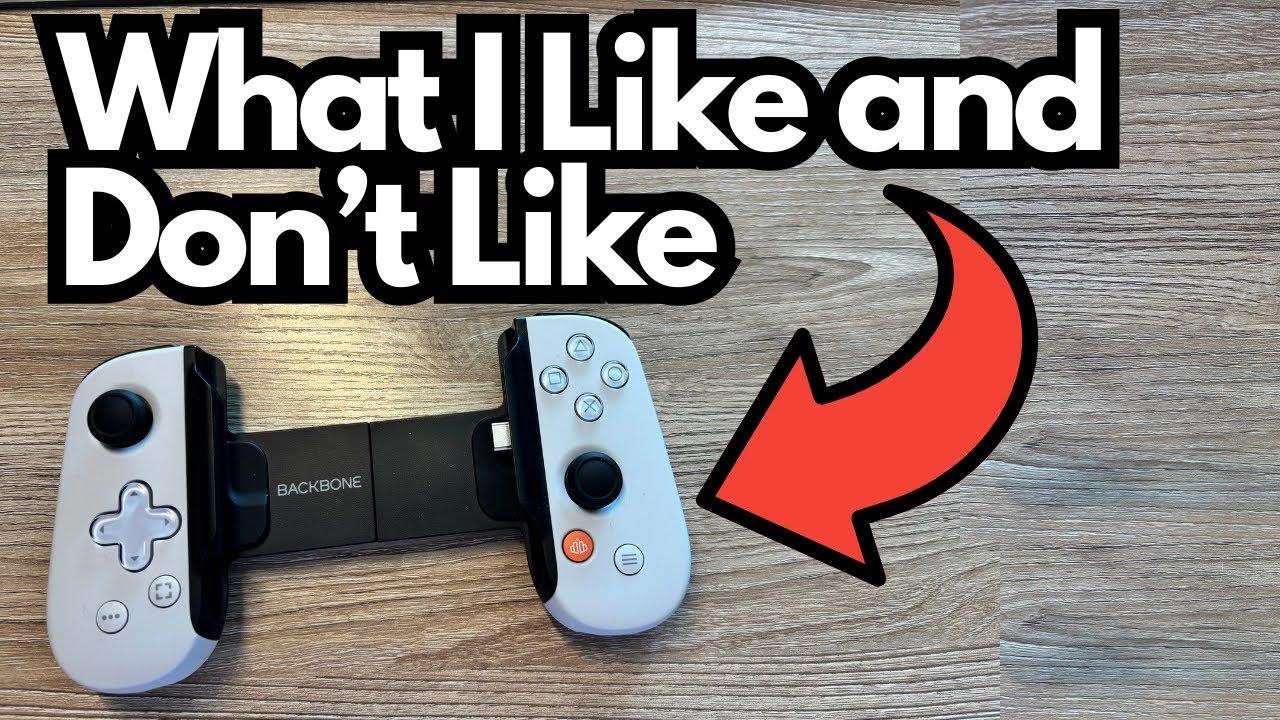
If you love gaming on your phone but can’t stand touch controls, the Backbone controller is one of those accessories that can completely change how you play.
It turns your phone into a handheld console, gives you proper buttons and sticks, and works great with emulators like RetroArch.
This post breaks down what it does well, where it falls short, and whether it’s worth adding to your mobile gaming setup.
You can grab it here on Amazon if you’re interested.
Overview / First Impressions
The Backbone is a clamp-style controller that connects directly to your phone’s charging port. Once attached, your device basically becomes a Nintendo Switch–style handheld.
From the moment you plug it in:
- It works seamlessly with RetroArch and similar apps.
- The controls feel responsive and tactile.
- It makes mobile gaming feel like “real” gaming instead of a compromise.
In terms of performance and feel, it does its job extremely well.
Build Quality & Design
The Backbone’s physical design is one of its strongest points:
- Tactile controls – The buttons, triggers, and sticks feel solid and responsive. There’s none of that mushy, laggy feeling you get with some cheaper mobile controllers.
- Comfortable layout – It’s designed to mimic a modern console controller, so if you’re used to Xbox/PlayStation layouts, you’ll feel at home.
- Slide-to-connect mechanism – The controller expands to fit your phone, then grips it securely once connected.
However, one key part of the design could be better: the connector length.
The Connector Issue
The Backbone plugs into your phone via the standard charging port. The connector:
- Works perfectly if your phone is naked (no case).
- Technically works with some cases (like Otterbox), but not reliably.
- Is a bit too short to comfortably clear thicker case edges.
Because of this, you may experience:
- The controller disconnecting if the phone shifts in the case.
- Needing to reseat or reconnect the phone more often than you’d like.
A slightly longer connector would solve this for most people with protective cases.
Features & Functions
Despite that one annoyance, the Backbone is very capable feature-wise.
Core Features
- Direct connection – No Bluetooth lag; it plugs right into your phone’s port.
- Full controller layout – Analog sticks, D-pad, face buttons, shoulder buttons, and triggers.
- Works with RetroArch – The controller is fully compatible and feels great with emulated games.
- “Console-like” control – You get precise movement and input, which makes a huge difference for action games, platformers, and anything that needs quick reactions.
Power & Charging
The Backbone also supports pass-through charging:
- You can plug a basic 5V / 2A charger (like a standard iPhone charging block) into the Backbone while you play.
- This keeps your phone charged so long sessions don’t drain your battery.
No special power brick is required—just a regular phone charger.
How It Plays / Use Cases
Once you’re in a game, the Backbone really shines.
Gaming Experience
- Highly responsive – There’s no noticeable input lag; it feels like using a dedicated handheld console.
- Great for emulation – Paired with RetroArch, it’s ideal for:
- Retro console games
- Platformers
- Action and fighting games
- RPGs that benefit from a D-pad and buttons
- Perfect for casual sessions – If you’re bored at home and want to quickly dive into a game, it’s incredibly convenient.
In short, if you regularly play games on your phone, the Backbone makes the whole experience more enjoyable and much more precise.
Limitations / Things to Know
The Backbone is a strong product, but it’s not perfect. Here’s what you should be aware of before buying.
1. Case Compatibility Is Its Biggest Flaw
This is the main downside:
- Thick or rugged cases (like Otterbox) can interfere with the connection.
- The phone may:
- Not seat fully on the connector.
- Disconnect if bumped or moved.
- For best results, you’ll likely need to remove your case when using the Backbone.
It can work with a case, but it’s not ideal or foolproof.
2. Designed Around a “Bare Phone” Setup
Because of that connector length:
- The Backbone feels optimized for people who don’t use bulky cases.
- If you rely on a rugged case for drop protection, you’ll be constantly taking it off and putting it back on.
If that sounds annoying, it’s something to seriously consider.
Final Thoughts
The Backbone is, at its core, a high-quality, console-style controller for your phone:
- It works beautifully with RetroArch and other games.
- The controls feel precise, tactile, and satisfying.
- It’s easy to power with a standard 5V / 2A phone charger.
- It’s a fantastic way to turn “I’m bored at home” into “I’ve got a handheld console in my hands.”
The only real drawback is the case compatibility issue. If you’re willing to pop your phone out of its case when you play—or you use a slim case or no case at all—the Backbone is very easy to recommend.
If that’s not a dealbreaker for you, this is absolutely a device you can feel good about buying and using regularly.