

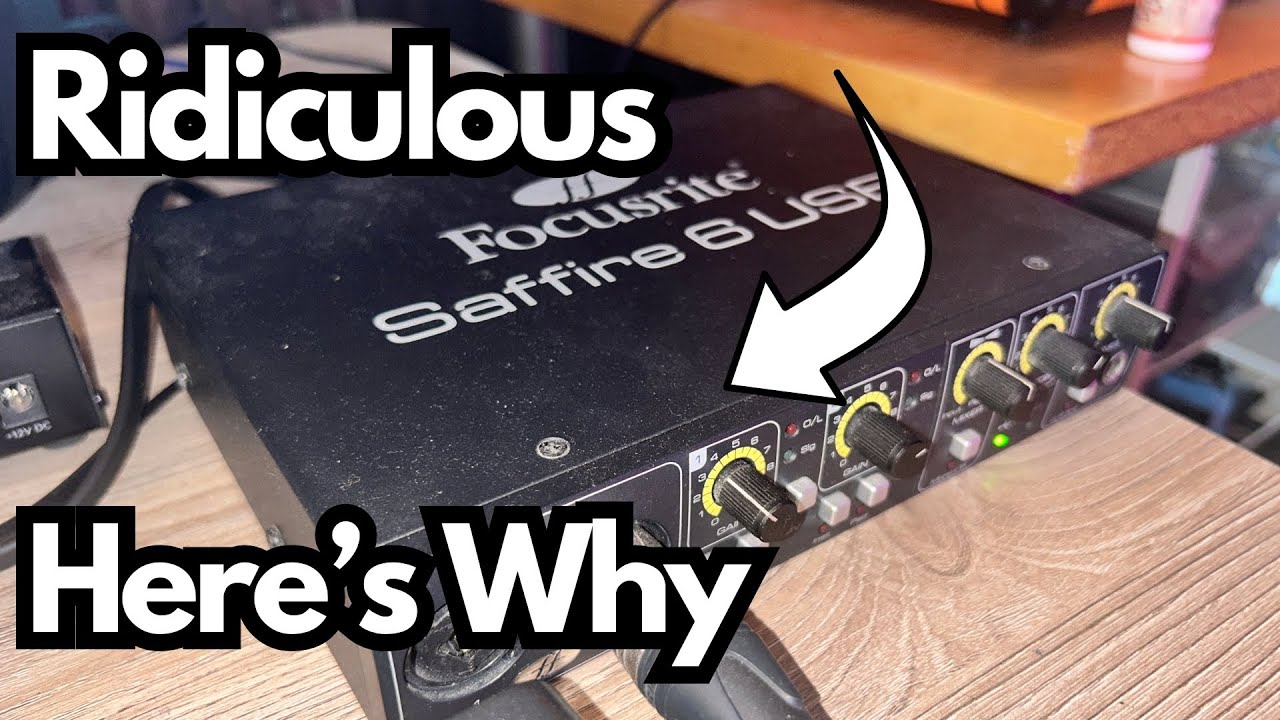
If you’re a guitarist or home producer looking for a solid, no-fuss audio interface, it’s easy to get overwhelmed by specs and hype. But sometimes the gear that actually stays on your desk for a decade isn’t the newest or flashiest—it’s the stuff that just works.
This post is about one of those pieces: an older Focusrite USB interface (in my case, the Saffire 6 USB) that’s still going strong after more than 10 years. I’ll walk through why it’s held up so well, what makes it useful for guitar players and home studios, and why I still reach for it over my newer Scarlett 2i2 in certain situations.
Overview / First Impressions
Focusrite has a reputation for making reliable, musician-friendly interfaces, and this unit is a great example of that. It’s a mid-tier, no-frills box that:
- Sounds clean and professional
- Handles both guitar and microphones easily
- Includes MIDI I/O on the back (a big deal for some setups)
I’m not going to pretend this is some magical, tone-changing interface. In the modern mid-tier range, most interfaces sound pretty good. The main question is: does it do what you need, every day, without drama? For me, the answer with this Focusrite has been yes.
Build Quality & Design
One of the standout things about this interface is how rugged it feels.
- Aluminum chassis: The housing is metal and feels almost indestructible. It’s the kind of unit you could toss in a backpack, drop a few times, and it would still power on like nothing happened.
- Longevity: I’ve owned this Saffire 6 USB for over 10 years. It still works exactly as it did on day one—no noisy pots, no random disconnects, no weird glitches.
- Road-worthy: If you’re gigging, moving between rehearsal spaces, or just not super gentle with your gear, this kind of build quality matters more than the latest spec bump.
Design-wise, it’s straightforward: inputs and controls on the front, connections and MIDI on the back. No touchscreens, no gimmicks—just a solid, functional layout.
Features & Functions
Front Panel: What You Actually Use
- Instrument input:
Plug your guitar straight in. Select the instrument setting, set your gain, and you’re good to go for amp sims, re-amping chains, or direct tones. - Mic input (XLR):
Standard XLR input for your microphone. Great for: - Pad switch:
There’s a pad option that attenuates the input signal. I’ll be honest: I don’t use it much, and many players won’t need it day-to-day. It’s mainly there if your signal is too hot and you need to bring the level down to avoid clipping. - Gain controls:
Each input has its own gain knob. For most guitar and vocal work, you’ll just:
That’s really the core workflow, and it’s simple.
The Big Deal: MIDI I/O
The killer feature on this particular unit, and the reason I still use it over my Scarlett 2i2, is the MIDI in/out on the back.
For many modern interfaces, MIDI has quietly disappeared, forcing you to buy a separate USB MIDI interface. On this Focusrite, it’s built in.
Here’s how I use it:
- I connect my old-school Yamaha PSR-640 keyboard via MIDI to the interface.
- In GarageBand, I can:
That combination—audio and MIDI through a single box—is a huge workflow win if you have older keyboards, drum machines, or other MIDI hardware.
How It Sounds / Use Cases
From a sound quality standpoint, this interface does exactly what a modern mid-tier interface should:
- Clean preamps:
No noticeable noise or coloration for typical home-studio use. Guitars, vocals, and keys all come through clearly. - Guitar recording:
Either way, it handles the job without fuss. - Home recording setups:
Perfect for:
I’m not doing a scientific A/B shootout here because, honestly, in this price range, most interfaces sound very similar. If your gain staging is good and your source sounds good, this Focusrite will capture it just fine.
Limitations / Things to Know
No piece of gear is perfect, and there are a few things to keep in mind:
- Not the newest model:
This is an older interface, so you may not get the latest drivers or super-low latency performance that brand-new units offer. That said, it’s still perfectly usable for most home setups. - No deep-dive DSP or fancy software:
If you’re looking for onboard effects, cue mixes with built-in plugins, or complex routing, this isn’t that type of interface. It’s more of a “plug in and record” tool. - Pad switch is niche:
The pad is there, but many guitarists and vocalists won’t need it. It’s mainly helpful if you’re dealing with very hot signals (like certain synths or line outputs). - Scarlett 2i2 comparison:
I also own a Focusrite Scarlett 2i2, which sounds great and is more current. But:
If MIDI isn’t important to you, a 2i2 or similar modern interface might be the better choice. If it is, this kind of older Focusrite with MIDI is gold.
Final Thoughts
For guitarists and home producers who just want a reliable, sturdy interface that sounds good and includes MIDI, this older Focusrite unit remains a strong option—even after a decade of use.
Key reasons it’s still on my desk:
- Rock-solid build quality
- Simple, effective guitar and mic inputs
- Crucial MIDI in/out for older keyboards and hardware
- Clean, professional sound that holds up against modern mid-tier interfaces
If you’re the kind of player who values reliability and practicality over chasing the latest spec sheet, a Focusrite interface like this can easily be the centerpiece of your home studio for years.
Resources & Further Study
If you want to go deeper into recording and mixing with guitar and home-studio gear, you can check out:
- Free Mixing Cheat Sheet – available here.
This will also put you on the email list for additional tips and techniques that aren’t shared elsewhere. - Producer Society Forum – at forum.producersociety.com.
A community where you can ask questions, share setups, and learn from other producers and players. It’s currently free to join, though it may evolve into a more structured course platform in the future.