

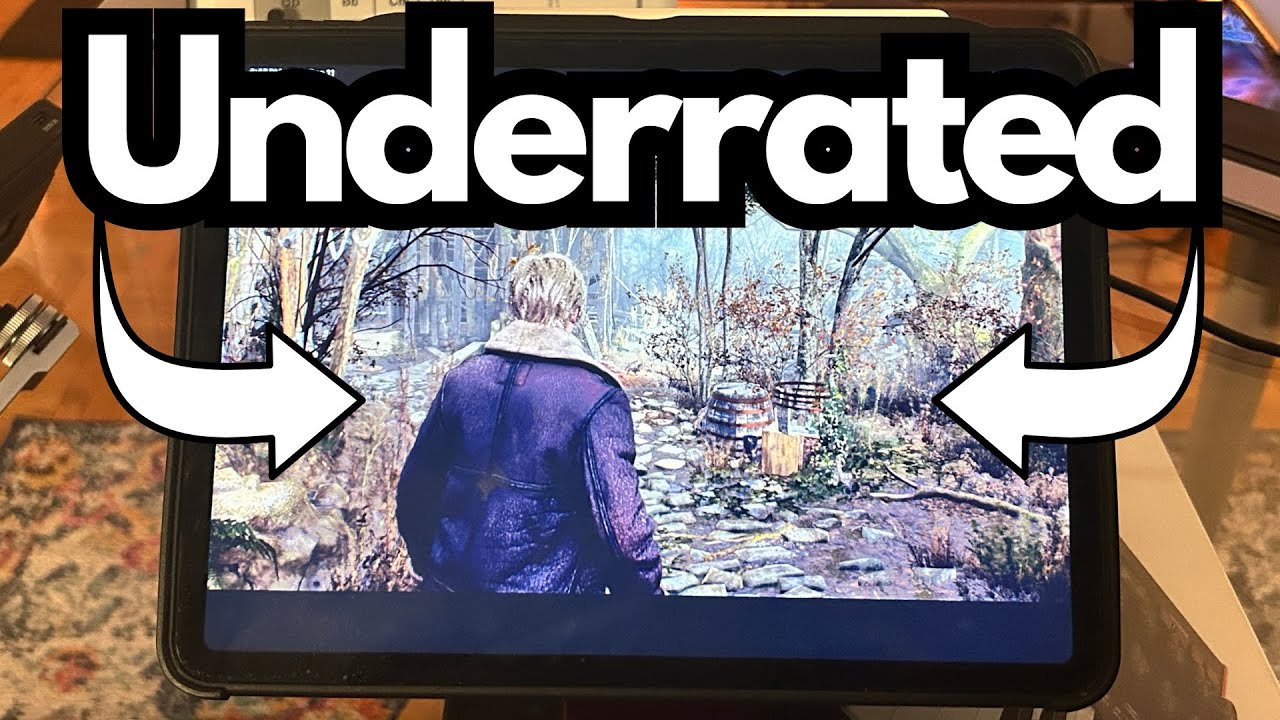
If you’ve been away from gaming for a while, it’s easy to miss how far things have come—especially on mobile devices. One of the most surprising developments is just how well full-blown console titles now run on something like an iPad Pro.
Resident Evil 4 on iPad is a perfect example. You can grab it right from the App Store, pair a PS4 controller, and suddenly your tablet feels a lot like a modern console—without dropping $800–$900 on dedicated hardware.
This post walks through what it’s like to play Resident Evil 4 on an 11″ iPad Pro, how it performs, how the controller integration feels, and a few practical notes if you’re thinking about trying it yourself.
You can grab one on Amazon if you’re interested.
Overview / First Impressions
Here’s the exact setup used for this test:
- Device: 2021 11″ iPad Pro (1 TB model)
- RAM: 16 GB
- Game: Resident Evil 4 (App Store, demo version in this case)
- Controller: PS4 (DualShock 4)
- Output: iPad connected to a TV via HDMI adapter
The biggest surprise is how console-like the experience feels. You download Resident Evil 4 from the App Store, pair your PS4 controller, and you’re basically ready to go. There’s no weird configuration, no janky workaround, and no obvious performance compromises.
If you’ve been out of the gaming loop, the idea that a flagship PlayStation title is now running natively on an iPad—and running well—feels pretty wild.
Build Quality & Design (iPad Pro as a Gaming Device)
While this isn’t a dedicated gaming handheld, the 11″ iPad Pro holds up extremely well in that role:
- Form factor: The 11″ size is a nice middle ground—large enough to see details clearly, small enough to be portable.
- Screen: Bright, sharp, and responsive. Resident Evil 4 looks clean and detailed, even when you’re not outputting to a TV.
- Thermals & noise: No fans, and no obvious thermal throttling in this use case. It just quietly runs the game.
You can absolutely play directly on the iPad screen, but where it really shines is when you plug it into a TV. At that point, the iPad is essentially acting as a silent, compact console.
Features & Functions
1. Native App Store Availability
You don’t need any hacks or streaming solutions. Resident Evil 4 is simply:
- Searched in the App Store
- Downloaded like any other app
- Ready to launch and play
The demo version works the same way, which is great if you want to test performance before committing.
2. PS4 Controller Support
The PS4 (DualShock 4) controller works seamlessly with this setup:
- Pairs over Bluetooth with the iPad
- Controls are responsive and stable
- No noticeable input lag in normal play
If you’re used to console gaming, this makes the transition to iPad feel natural. You’re not stuck with touch controls unless you want to be.
3. HDMI Output to TV
Using a simple HDMI adapter from the iPad to a TV:
- The game displays on the big screen
- The iPad essentially becomes the “console”
- The controller still works perfectly while you play on the TV
This is how you’d typically expect to play a game like Resident Evil 4, and the iPad Pro handles it without feeling like a compromise.
How It Performs / Use Cases
From a performance standpoint on the 2021 11″ iPad Pro (1 TB, 16 GB RAM):
- No stutters or glitches: Gameplay is smooth and consistent.
- No freezes or weird behavior: The game runs reliably without crashing.
- Controller stability: The PS4 controller connection is solid—no random dropouts noted.
Great Use Cases
- Console alternative: If you don’t want to spend close to a grand on a new PlayStation, this is a very practical middle ground.
- Living room gaming: iPad + HDMI + PS4 controller gives you a couch-ready setup with minimal clutter.
- Portable “console”: Take the iPad and controller with you and plug into any TV with HDMI when you travel.
For someone who hasn’t gamed seriously in 10–15 years, this setup makes it incredibly easy to jump back in without a huge hardware investment.
Limitations / Things to Know
A few practical notes to keep in mind:
- Hardware matters: This experience is based on a 2021 iPad Pro with 16 GB RAM. Older or lower-spec iPads may not perform as well.
- Adapter required for TV: To play on a TV, you’ll need a compatible HDMI adapter for your iPad.
- Controller requirement: While you can use touch controls, the experience described here assumes a PS4 controller, which makes a huge difference for a game like Resident Evil 4.
- Demo vs full game: The example here uses the demo version. Performance should be similar in the full game, but your mileage may vary depending on updates and settings.
Final Thoughts
Resident Evil 4 on the 11″ iPad Pro is a reminder of how powerful these tablets have become. If you’ve been on the fence about buying a full console, this kind of setup is a compelling alternative:
- It runs smoothly and reliably.
- A PS4 controller works almost as if you were on an actual PlayStation.
- Plugging into a TV turns the iPad into a very capable “stealth console.”
If you already own a recent iPad Pro and a PS4 controller, grabbing the demo from the App Store is a no-brainer way to see just how far mobile gaming has come.
Testing testing.