

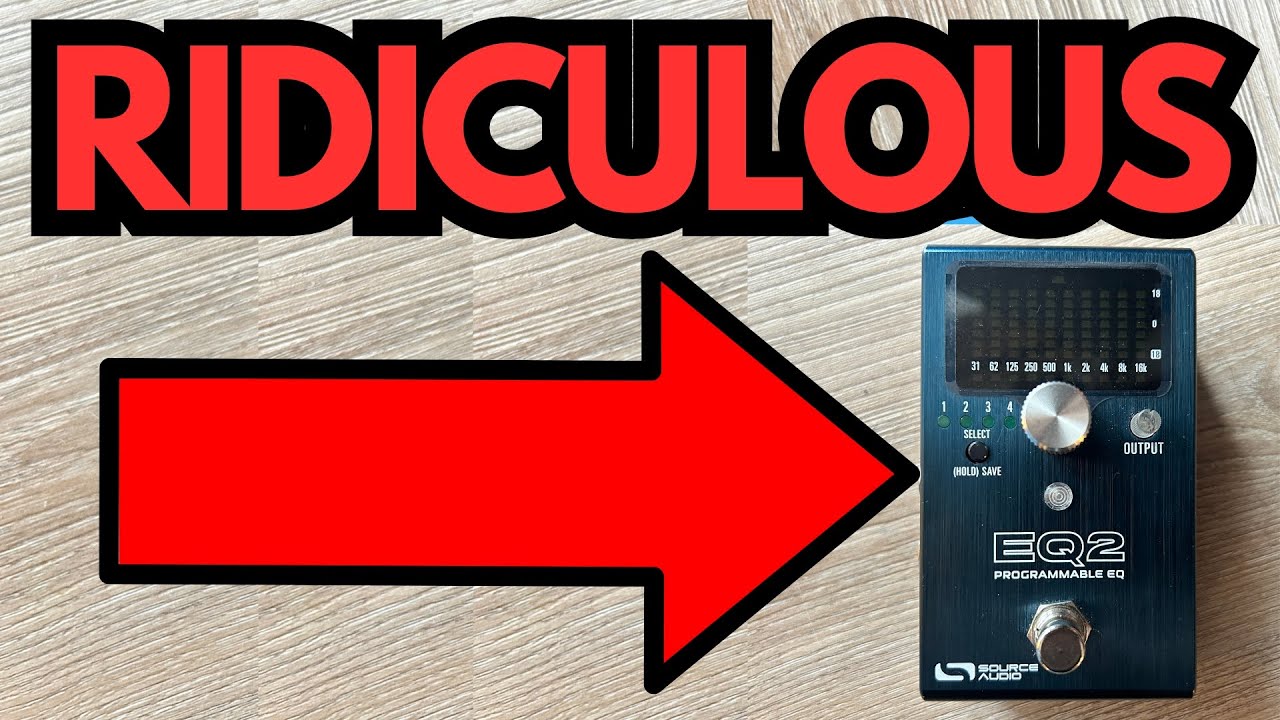
If you’ve ever wished your amp had just a bit more sparkle, slightly less honk, or a totally different voice at the tap of a switch, a good EQ pedal can be a game changer.
And if you’re the kind of guitarist who likes flexibility, presets, and modern control options, the Source Audio EQ2 is one of the most powerful tools you can put on your board. You can grab it here on Amazon if you’re interested.
I’ve owned a few EQ pedals over the years—including the classic MXR 10-Band—and the EQ2 is easily the most versatile I’ve tried. It can be a simple tone shaper, a clean boost, a preset machine, or even a quasi-filter/wah-style effect with an expression pedal.
This post walks through how it works, how it sounds, and what you should know before grabbing one.
Overview / First Impressions
The Source Audio EQ2 is a digital programmable EQ pedal that’s designed to be much more than a static tone shaper. At its core, it’s:
- A multi-band EQ with precise control over frequencies
- A preset-based pedal with up to 8 onboard slots
- MIDI-controllable for deep integration with modern rigs
- Expression-ready for dynamic, moving EQ effects
Despite all the power under the hood, you can use it very simply: set up a couple of presets and treat it like a “better tone” switch. That’s how I’ve mostly used it so far, and even at that level it’s incredibly useful.
Build Quality & Design
The EQ2 has the modern, compact footprint you’d expect from Source Audio:
- Sturdy enclosure that feels roadworthy
- Bright, clear display to show what you’re editing or which preset you’re on
- Simple interface with a footswitch and a few controls that double-function via button holds
It’s not a big, slider-based graphic EQ like the MXR 10-Band. Instead, you’re dealing with a more compact, digital-style interface where you:
- Select which band you’re adjusting
- Then dial in how much you’re boosting or cutting
If you’re used to a row of sliders, this is a different workflow—but the trade-off is far more precision and flexibility, plus presets and MIDI.
Features & Functions
Multi-Band EQ
The pedal lets you adjust multiple frequency bands, with the ability to:
- Cut mids for a more scooped, hi-fi clean tone
- Boost highs slightly for extra clarity and “sparkle”
- Add a touch of low-end for warmth and fullness
You can also get more surgical and specify exact frequencies numerically if you want to be very precise. Personally, I usually just scroll through and tweak by ear, but the option for exact values is there when you need it.
Presets
One of the biggest advantages over traditional EQ pedals: you can store up to 8 presets on the EQ2.
For example, you might set up:
- Sparkle Clean – Slight mid cut, gentle high boost, a bit of low-end lift
- Jazz / Darker Tone – Rolled-off highs to mellow out the sound
- Solo Boost – Mid boost with a slight overall volume lift
- Amp Fixer – A preset to tame harsh frequencies in a difficult room or amp
You can scroll through these on the pedal itself and instantly change the character of your tone without touching your amp.
MIDI Control
If you’re running a more advanced rig with a MIDI controller, the EQ2 can slot right in:
- Change presets via MIDI program changes
- Integrate EQ changes with song sections or patches on a larger board
For players using loop switchers or full MIDI rigs, this turns the EQ2 into a powerful, invisible helper that reshapes your sound automatically.
Expression Pedal Integration
This is where things get creative.
You can plug in an expression pedal and assign it to control:
- A specific frequency band
- Multiple bands at once
By sweeping an EQ band with an expression pedal, you can create:
- Wah-like effects
- Filter sweeps
- Almost flanger-style tonal movement
It’s not just a static EQ—it can become a moving, expressive effect if you want it to.
How It Sounds / Use Cases
Here’s how I’ve actually been using the EQ2 in real-world playing.
1. Clean Tone Enhancement (“Sparkle” Preset)
One of my main presets:
- Mids slightly cut – opens up the sound and removes some boxiness
- Highs gently boosted – adds air and clarity
- Lows boosted a touch – gives the sound more body
With this preset engaged, my clean tone just feels more alive:
- Chords shimmer more
- Single notes are clearer
- The overall sound is more polished and “produced”
It’s subtle, but once you turn it off, the dry tone suddenly feels a bit dull by comparison.
2. Jazzier / Darker Tone
For more jazz-influenced or mellow playing, I use another preset that:
- Rolls off some highs to soften the top end
This gives:
- A rounder, smoother tone
- Less pick attack in the high frequencies
- A more traditional, darker jazz feel, especially on the neck pickup
It’s nice to be able to switch from bright, sparkly cleans to a warm, rolled-off tone with a single foot tap.
3. Always-On Tone Shaping
In some setups, the EQ2 works beautifully as an “always-on” tone fixer:
- Taming harshness in bright amps
- Adding low-end to small combos
- Smoothing out the overall response of your rig
In that role, it becomes almost invisible—you just notice that your tone feels better, more balanced, and more inspiring to play.
4. Experimental Filter/Wah Effects
With an expression pedal controlling a specific band, you can:
- Sweep a mid band for a quasi-wah effect
- Move a peak around the spectrum for synthy, filter-like sounds
It’s not meant to replace a dedicated wah or flanger, but it can get you into those territories in a creative, flexible way.
Limitations / Things to Know
A few practical points to keep in mind:
- Interface Learning Curve
If you’re used to simple graphic EQs with sliders, the digital interface takes a bit of getting used to. You select a band, adjust it, and move on, rather than seeing everything at once. - Deep Features Require Time
MIDI control, precise numerical frequency settings, and advanced expression setups are powerful—but they do require some menu-diving and experimentation. If you only want basic tone shaping, you might not tap into everything this pedal can do. - Overkill for Simple Needs
If all you want is a single static EQ curve and you never plan to change it, a simpler analog EQ could be enough. The EQ2 really shines when you take advantage of presets and its programmability.
That said, you can absolutely keep it simple: set a couple of presets you love and treat it like a two- or three-sound tone enhancer.
Final Thoughts
The Source Audio EQ2 is one of the most versatile EQ pedals you can put on a guitar board:
- It works great as a subtle “make everything sound better” box.
- It can store multiple tones for different styles—sparkly cleans, jazzier warmth, solo boosts, and more.
- It integrates beautifully into modern, MIDI-controlled rigs.
- With an expression pedal, it even crosses into creative filter/wah territory.
If you’re serious about refining your tone, fixing tricky rooms or amps, or building a flexible preset-based setup, the EQ2 is absolutely worth a look. Even using just a few of its features, it can make your guitar sound more polished, responsive, and inspiring.
Resources & Further Study
If you’re working on your playing alongside dialing in your tone, two resources worth checking out:
- Fretboard Memorization Cheat Sheet – TravelingGuitarist.com
A downloadable guide that lays out all the major and minor triads in every key. It uses octave mapping and a few other techniques to help you: - Traveling Guitarist Forum – forum.travelingguitarist.com
An online community where you can talk guitar, music theory, gear, and more with other players.
Dialing in your tone with something like the EQ2 is powerful—but pairing that with a solid understanding of harmony and the fretboard takes your playing to a completely different level.