

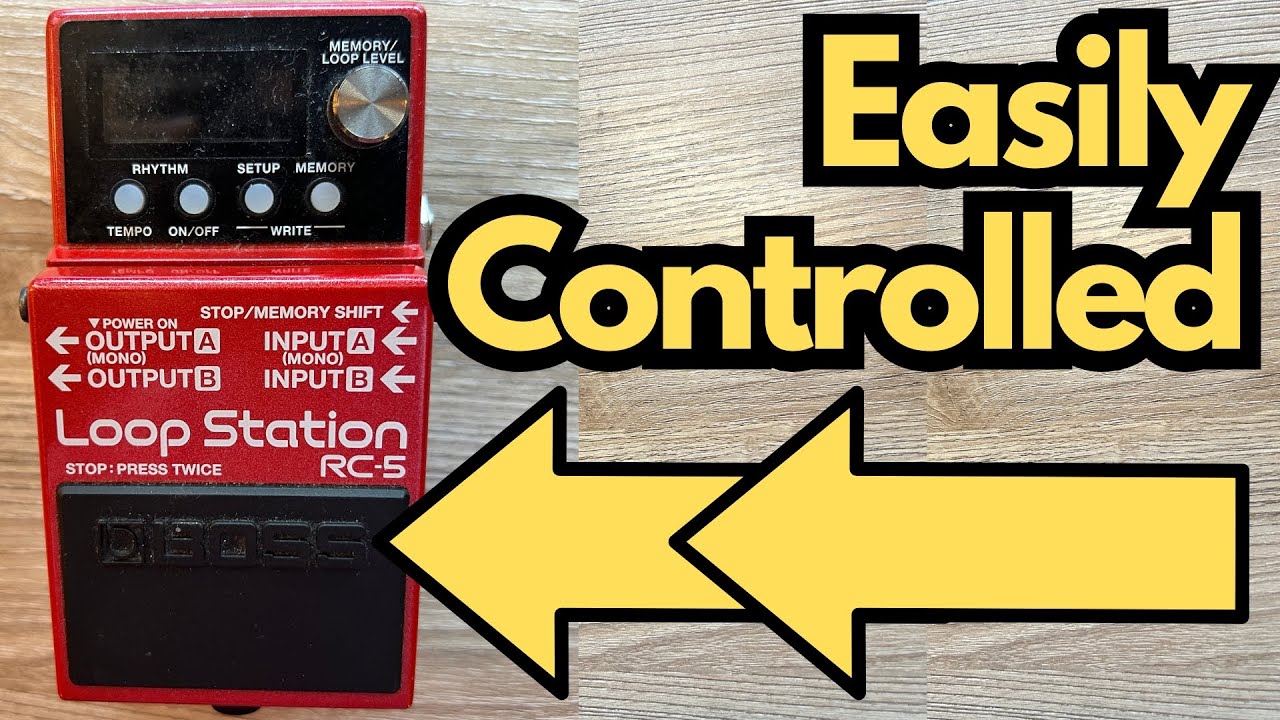
If you’re running a looper or multi-function pedal on your board, the fewer times you have to bend down, the better. That’s where external footswitches really shine.
In this post, we’ll look at how to use the Stop/Memory Shift port on a pedal (such as a Boss looper) with a Boss FS-7 dual footswitch to gain extra hands-free control over recording, playback, overdubs, and memory selection. You can grab one here on Amazon if you’re interested.
This setup is perfect for guitarists who want more control without upgrading to a huge multi-switch unit—especially if you’re into live looping, practice routines, or improvisation.
Overview / First Impressions
By connecting a stereo (TRS) cable from your pedal’s Stop/Memory Shift jack to a Boss FS-7, you can expand what your pedal does under your feet. In the example described here, the FS-7 is configured to:
- Control record / play / overdub
- Control memory selection (switching between saved loops or presets)
Once set up, you can do things like:
- Start recording a loop
- Play it back
- Add overdubs
- Change memories
…all without touching the main pedal’s controls.
Build Quality & Design (FS-7 + Stop/Memory Shift)
From a guitarist’s perspective, this kind of setup has a few practical design benefits:
- Compact footprint – The Boss FS-7 is a slim dual footswitch, so it doesn’t eat up much pedalboard space.
- Stereo/TRS connection – One TRS cable handles two separate control functions (Control 1 and Control 2), keeping your wiring clean.
- Hands-free workflow – You keep your hands on the guitar and your eyes off the pedal’s tiny buttons.
If you’re already running a Boss-style looper or multi-FX pedal that has a Stop/Memory Shift or CTL/EXP jack, adding an FS-7 is often the easiest way to expand control.
Features & Functions
Here’s how the setup typically works under the hood.
1. Connecting the FS-7
- Use a stereo (TRS) cable.
- Plug one end into the pedal’s Stop/Memory Shift (or similar control) jack.
- Plug the other end into the FS-7 input.
This gives you access to two separate switches via one cable:
- Control 1 (usually the A switch on the FS-7)
- Control 2 (usually the B switch on the FS-7)
2. Assigning Functions in the Pedal’s Setup
On the main pedal, you’ll go into the internal menu to assign what each control does. Typical navigation looks like:
- Enter Setup.
- Go to Controls.
- Scroll to Control 1.
- Assign a function (e.g., Record/Play/Stop).
- Scroll to Control 2.
- Assign a second function (e.g., Memory Up/Down or Stop).
In the example described:
- Control 1 is set to Record/Play/Stop (or Record/Play/Overdub, depending on the pedal).
- Control 2 is used to navigate or control memories.
Once that’s done, you can test it:
- Step on the assigned switch to record.
- Step again to play back.
- Step again to stop (or overdub, depending on how your pedal’s logic works).
How It Sounds / Use Cases for Guitarists
While the external switch doesn’t change your tone directly, it massively affects how you use your tone and loops in real time.
Practice & Fretboard Work
For practice, this is a game-changer:
- Record a quick chord progression.
- Loop it.
- Use both hands to work on scales, triads, and fretboard visualization.
- Overdub new ideas without breaking your flow.
If you’re drilling triads in different keys, you can:
- Save different backing loops in separate memories.
- Use the external switch to jump between them as you practice.
Songwriting & Live Looping
For songwriting or solo performance, you can:
- Build a base rhythm loop.
- Overdub lead lines, harmonies, or textures.
- Change memories to switch between sections (verse, chorus, bridge) if your pedal supports multi-memory performance.
The main benefit is timing and precision—you can hit the switches exactly when needed without fumbling for the main pedal’s controls.
Limitations / Things to Know
A few practical notes to keep in mind:
- You must use a stereo (TRS) cable. A regular mono patch cable won’t give you both Control 1 and Control 2.
- Functions depend on the pedal. Not every Boss (or similar) pedal offers the same assignable control options. Always check your pedal’s manual to see:
- What can be assigned to Control 1 and Control 2
- Whether Record/Play/Overdub and Memory Up/Down are available
- Menu navigation can be fiddly. You’ll have to dive into the Setup/Control menu to configure everything. It’s a one-time job, but it’s worth doing carefully.
- Behavior may differ by model. Some loopers use one footswitch for Record/Play/Overdub in sequence, others separate Stop or Undo/Redo. Make sure you understand your pedal’s specific logic.
Further Study & Resources
If you’re using this setup to get better at improvising and understanding the neck, there are a couple of useful resources mentioned:
Fretboard Memorization Cheat Sheet – Available at
travelingguitarist.com
This focuses on major and minor triads in every key, using octave mapping and other techniques to:
- Memorize the notes on the fretboard
- Understand the harmonic foundation of what you’re playing
- Improvise more confidently in multiple keys
Guitar Forum – You can join the community at
forum.travelingguitarist.com
A place to talk about guitar, music theory, gear setups (like this FS-7 configuration), and general playing questions.
Final Thoughts
Adding an FS-7 via the Stop/Memory Shift jack is a simple upgrade that gives you far more control over your looper or multi-FX pedal. For guitarists, it means:
- Cleaner, more musical loop transitions
- Hands-free operation while you focus on playing
If you’re already using a compatible Boss-style pedal, this is one of the most cost-effective ways to make your rig feel more like an instrument and less like a piece of gear you’re constantly bending down to adjust.