

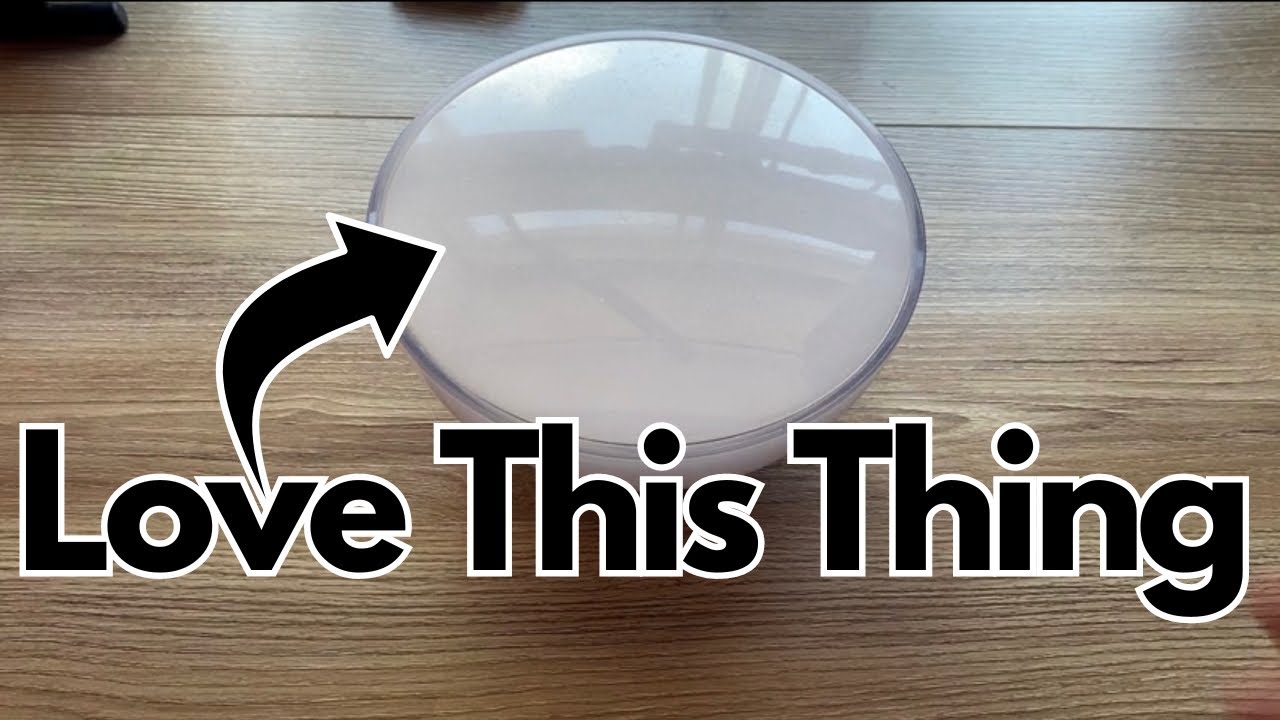
Lighting can totally change a vibe. Whether you’re filming pedal demos, practicing late at night, or trying to make a cramped studio corner feel usable, a small, flexible light makes a big difference.
That’s where the Philips Hue Go (on Amazon) comes in—a portable smart lamp you can drop behind an amp, tuck on a shelf, or use on a table.
I’ve been using it to brighten the awkward corners of my apartment, especially the ones a normal lamp can’t reach, and it quickly became one of those “why didn’t I get this sooner?” pieces of gear.
Overview / First Impressions
The Philips Hue Go is a small, bowl-shaped smart lamp designed to be:
- Portable – it has an internal battery, so you can pick it up and move it anywhere.
- Flexible – it can sit flat or be tilted to throw light at a wall or corner.
- Smart or simple – you can control it with the Philips Hue app or just use the button on the back like a normal light.
In practice, it’s ideal for:
- Lighting dark corners where a floor lamp won’t fit
- Adding colored ambient light behind amps, desks, or pedal shelves
- Quickly changing the mood of a room for practice, recording, or streaming
You turn it on with a single button on the back, and from there you can either cycle through preset colors manually or control it more precisely through the app.
Build Quality & Design
Physically, the Hue Go is:
- Compact and lightweight – easy to carry from room to room
- Curved, bowl-like design – soft, diffused light rather than a harsh beam
- Minimalist – just one main button on the back and a charging port
On the back, there’s also a built-in stand that lets you:
- Lay it flat for an even glow around the lamp
- Tilt it so the light points at a wall, corner, or ceiling for indirect ambient light
You won’t get infinite positioning options, but the few angles it offers are genuinely useful, especially for bouncing light off walls to create a softer, more immersive vibe.
The charging port is located on the underside/back, so you can:
- Keep it plugged in permanently in one spot, or
- Charge it, unplug it, and move it wherever you want
Features & Functions
Portable Smart Lamp
The core idea: it’s both a smart light and a portable lamp.
- Onboard button – turn it on/off and cycle through colors without your phone
- Rechargeable battery – use it in places with no outlet nearby
- Mains power – leave it plugged in if you want it as a permanent part of your room lighting
Philips Hue App Integration
To get the most out of it, you’ll want the Philips Hue app:
- You download the app and connect the Hue Go to your system.
- Setup takes a bit of time to pair everything, but once it’s done, it’s very stable.
- After that, the lamp responds reliably to whatever scenes or colors you choose.
Within the app, you can:
- Choose and save custom scenes (e.g., a “video” setting for filming, a “Poison Ivy” green vibe, etc.)
- Sync the Hue Go with other Hue lights in your space so everything changes color together
- Turn all your lights on or off with a single tap
If you have multiple Hue lights in your apartment or studio, this is where the Hue Go really shines—it becomes part of a larger, coordinated lighting system.
Color & Battery Behavior
The Hue Go supports multiple colors and brightness levels, but there’s an important detail:
- Some colors use more battery than others.
For example:
- Bright blue tends to draw more power and will drain the battery faster.
- Softer, warmer tones like a gentle yellow are more battery-friendly.
If you plan to use it unplugged for long sessions, it’s worth keeping that in mind and choosing your colors accordingly.
Manual vs Smart Control
One underrated feature: you’re not forced to use the app all the time.
- You can turn it on/off and change basic colors directly from the button on the lamp.
- If you want it to behave more like a traditional lamp (and not as a smart device), you can:
- Unplug it from your Hue system, or
- Simply use the physical button and ignore the app
In other words, it doesn’t have to be part of your smart setup 24/7. You can treat it like a regular light when you want something simple and hands-on.
How It Sounds / Use Cases (For Guitarists & Creators)
It doesn’t “sound” like anything, of course—but it can seriously change the way your space feels, which matters a lot when you’re making music or content.
Here are some practical ways a guitarist might use the Hue Go:
Studio Corner Filler
If you’ve got:
- A dark corner behind your amp
- A cramped area where a normal lamp won’t fit
- A messy-looking space you don’t want fully lit
You can drop the Hue Go there, tilt it toward the wall, and get a soft wash of light that:
- Makes the room feel bigger
- Looks great on camera
- Keeps the focus on your gear rather than the clutter
Video & Streaming Lighting
For content creators:
- Use a “video” scene for neutral, flattering light when filming demos or lessons.
- Use colored scenes (like a green “Poison Ivy” mood) behind you for more cinematic backgrounds.
- Sync it with other Hue lights so your entire background shifts color with a single tap.
Late-Night Practice
If you’re practicing late and don’t want full overhead lights:
- Set the Hue Go to a soft warm tone and dim it down.
- Place it behind your pedalboard or amp for gentle ambient light.
- It keeps things visible without killing the vibe or bothering anyone else in the house.
Portable Ambient Light
Because it’s battery-powered, you can:
- Move it to a different room for a quick jam session
- Take it to a rehearsal space that needs some visual help
- Use it on a table or shelf temporarily, then return it to its “home” corner later
Limitations / Things to Know
A few important notes before you buy:
- Battery life depends on color and brightness
Bright, intense colors (especially blues) will eat more battery than soft, warm tones. - Limited positioning angles
The built-in stand gives you a couple of useful tilt options, but it’s not infinitely adjustable like a gooseneck lamp. - Requires app setup for full functionality
You can use it with just the button, but to unlock scenes, syncing, and full control, you’ll need:- The Philips Hue app
- A bit of time to connect and configure everything
- Part of a larger ecosystem
It works best if you already use (or plan to use) other Philips Hue lights. On its own, it’s still great—but the magic really happens when it’s part of a coordinated setup.
Final Thoughts
The Philips Hue Go is a surprisingly powerful little tool for shaping the vibe of your guitar space.
- As a portable, color-changing lamp, it’s perfect for filling awkward corners and adding mood.
- As part of a Hue system, it lets you sync your entire room’s lighting with a tap, which is fantastic for video, streaming, or just making your practice space feel inspiring.
- You can still use it as a simple, button-controlled lamp when you don’t want to fuss with your phone.
If you care about how your room looks on camera, or you just want your practice area to feel as good as it sounds, the Hue Go is absolutely worth considering.
Resources
- Philips Hue App – Required for full control, scene creation, and syncing multiple lights. Available on major app stores.
- Philips Hue Ecosystem – The Hue Go works best alongside other Hue bulbs and fixtures if you want a fully coordinated lighting setup across your studio or apartment.